ACTIVATE
CONTROLS
FRZ
TEMP
LOWER
Freezer Offset
Model Value
5301 -2
5361 1
HIGHER
MAX
FRZ
LOWER
HIGHER
Service Procedures
32 ©2012 Viking Preferred Service
ACTIVATE
CONTROLS
To exit Mode A and retain any changes
made in system up to this point
you must press and hold
"ACTIVATE CONTROLS" for
three seconds until you hear
three audible beeps. This signies
that the changes were written to the
eeprom and that the system has
left Mode A and returned to normal
operation. Failure to do this will cause
system to time out after 10 minutes
and any changes will be lost.
Exiting Mode A
Program Mode B
If you are not already in Mode A, go back to
Mode A instructions on Page 29.
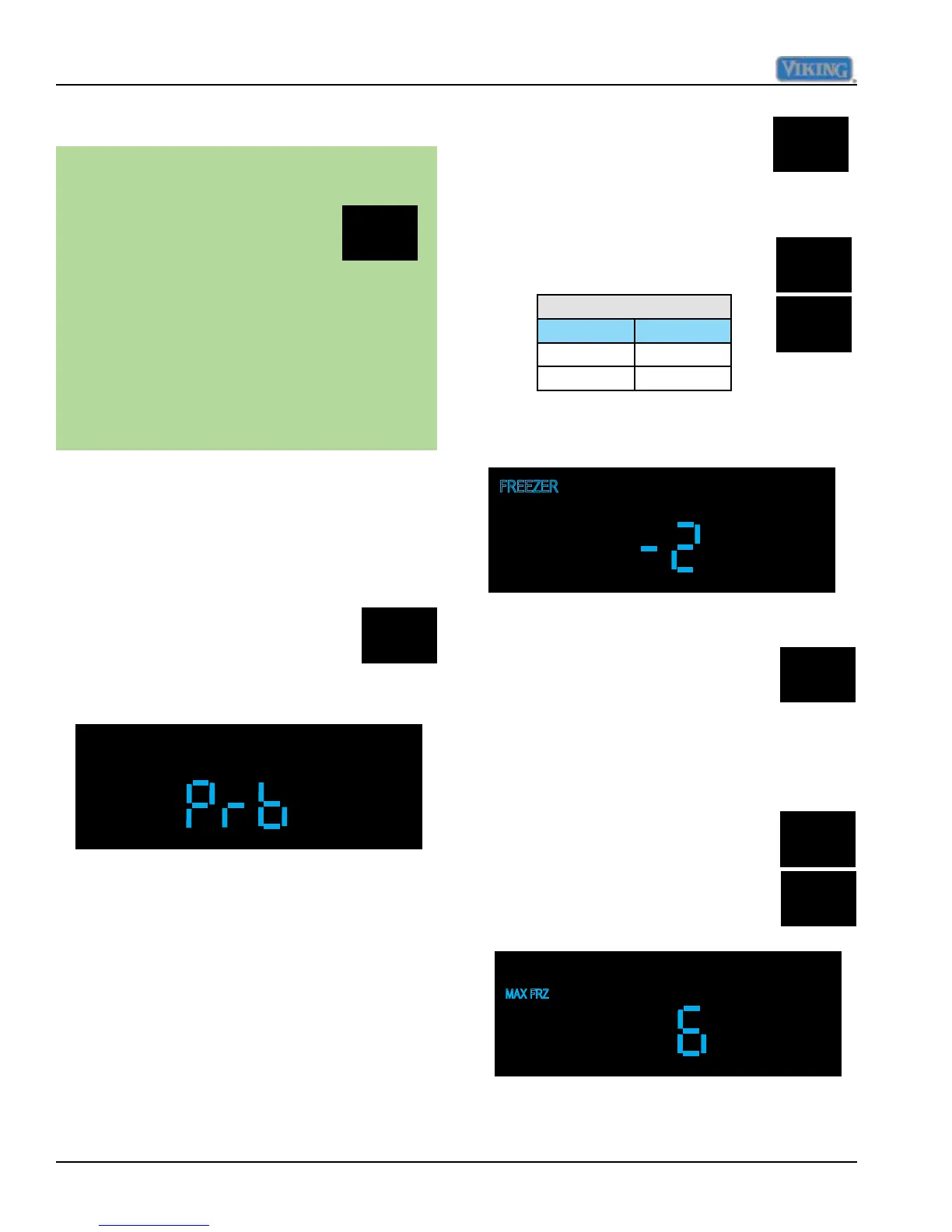
Once you are in Mode A (PrA in display),
press and release "ACTIVATE
CONTROLS" one time and display
will change to "Prb", signifying that
control is now in Program Mode B,
see illustration below.
Adjust Freezer Temperature Offset
Freezer temperature offset is a
predetermined value, based upon model of
refrigerator. This value can be set in Mode
B as a separate adjustment or can be set
automatically in Mode B when selecting
model code, where several control values are
set by eeprom. Table 1, Page 39 lists eeprom
values set by model code.
This value should be set to
appropriate value in table below.
Press and release "FRZ TEMP"
pad once, the "FREEZER"
indicator will illuminate and the
current freezer offset will be
displayed along with
o
F.
Using "HIGHER and LOWER" pads adjust
value as in illustration below.
While in Mode B, press and
release "MAX FRZ" one time,
this will result in "MAX FRZ"
illuminating on the display along
with the current numeric value in hours that
MAX FRZ is set at. Factory default for this
adjustment is 6 hours. Range is 1 to 20 hours
in 1 hour increments.
The duration is adjusted using the
"HIGHER and LOWER" pads.
Adjust MAX FRZ duration



 To Next Page