Service Procedures
©2012 Viking Preferred Service 35
Setting the model code is required
whenever the low voltage board is
replaced, this will update all of the settings
indicated in Table 1, page 39 for the model
you select. With this setting you can
program all necessary settings with one
input for the appliance.
MAX
FRZ
HIGHER
HIGHER
LOWER
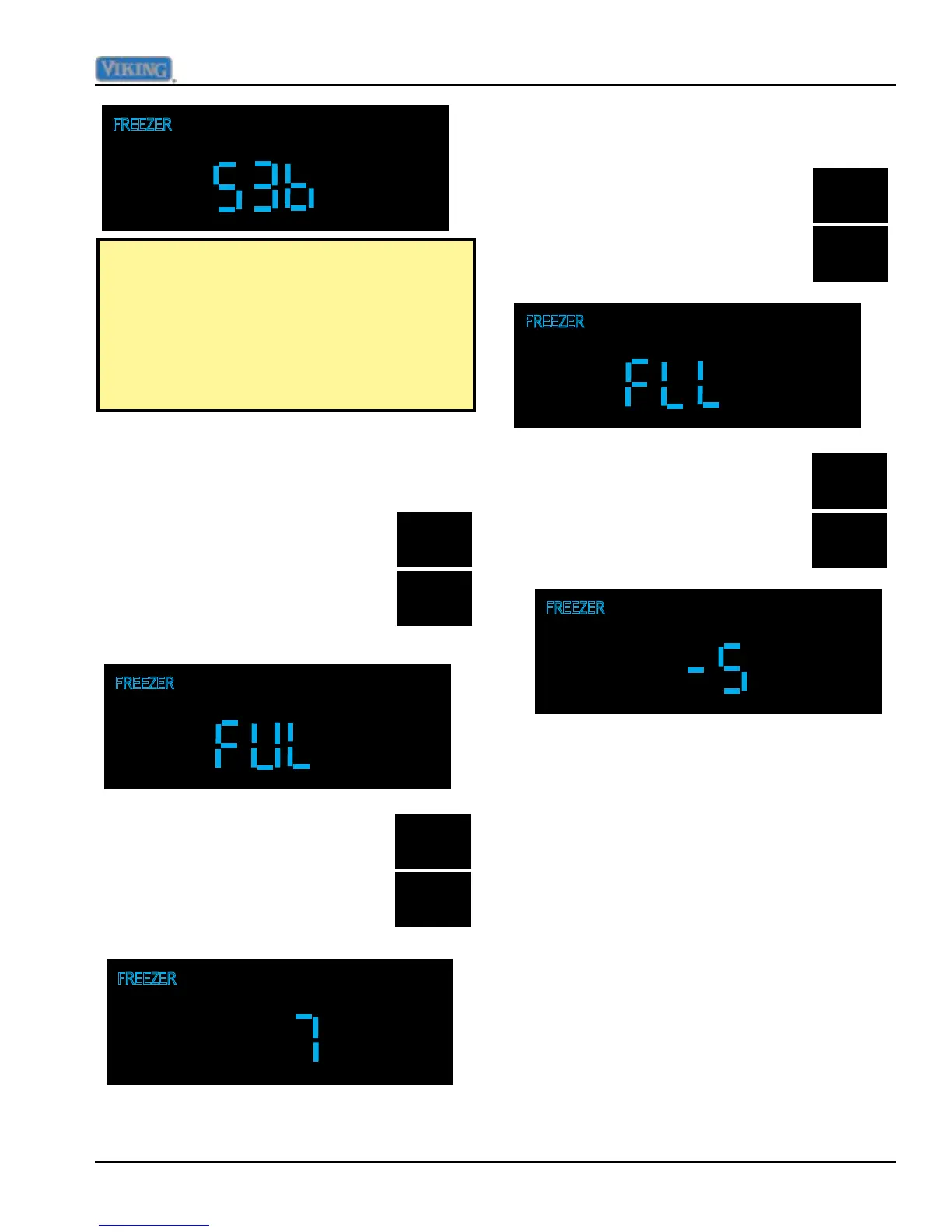
Adjust Freezer Upper Temperature Limit
While in Mode C, press and hold
"MAX FRZ" and and then hold the
"HIGHER" pad for three seconds,
this will result in the display
changing to "FUL".
Pressing and releasing "HIGHER
and LOWER" pads will increase
or decrease the set point, which
should be set at 7
o
F.
MAX
FRZ
LOWER
Adjust Freezer Lower Temperature Limit
While in Mode C, press and hold
"MAX FRZ" and and then hold the
"LOWER" pad for three seconds,
this will result in the display
changing to "FLL".
HIGHER
LOWER
Pressing and releasing "HIGHER
and LOWER" pads will increase
or decrease the set point, which
should be set at -5
o
F.
Defrost lockout adder
This adjustment is not a eld adjustment and
should not be performed by technicians. This
is a factory only adjustment.
If you see "dLA" in the display, immediately
exit Mode C by holding "ACTIVATE
CONTROLS" for three seconds until you get
three audible beeps. Return to your previous
actions.



 To Next Page