Printing the results
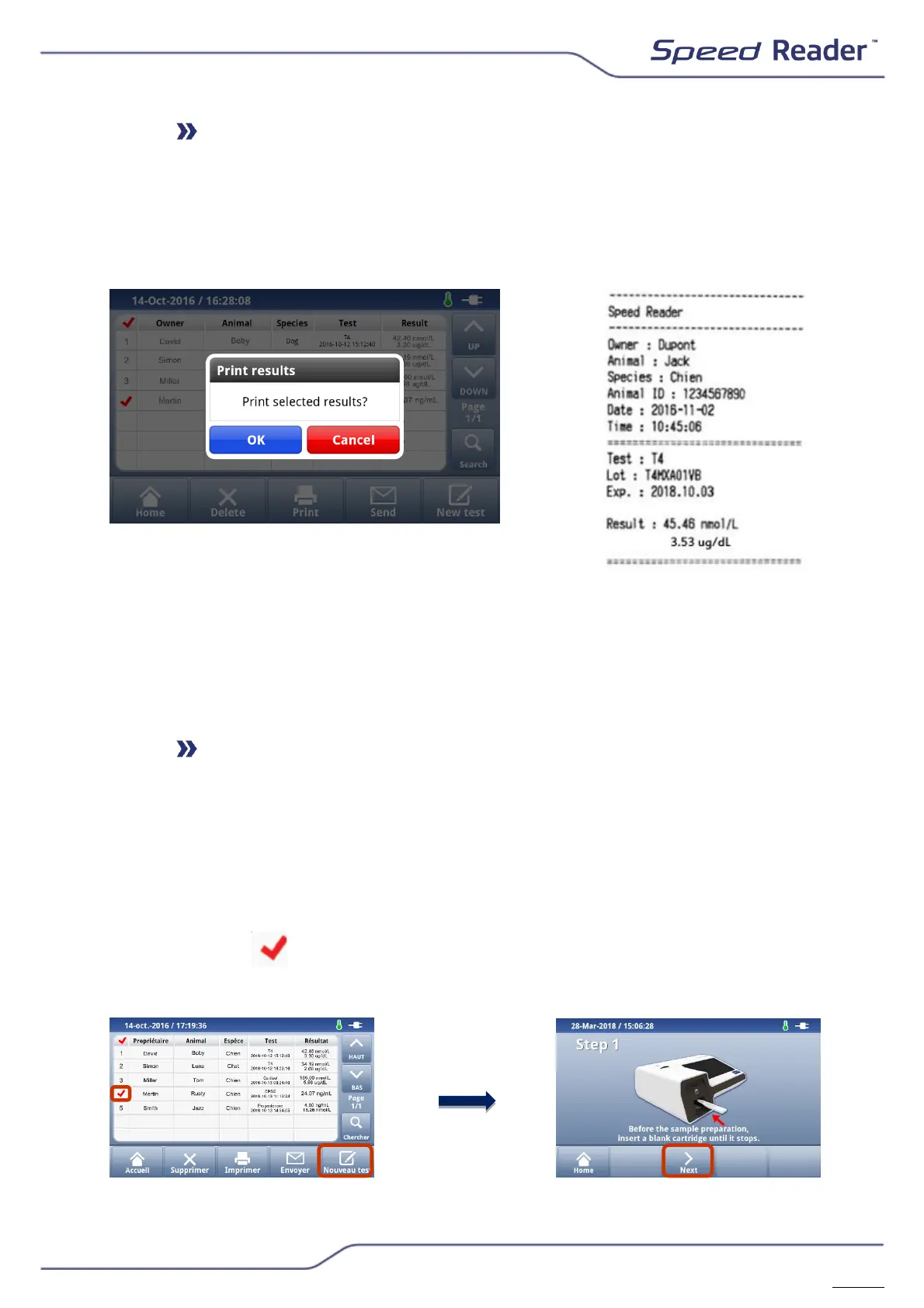
The unit features a thermal printer. It is possible to print the results of the
tests and the results of the System Check.
o The “Print” button prints the selected result(s).
The results can be automatically printed at the end of a test (refer to (“Other
settings”)
NB: regardless of the language selected, the printing is done in English
The printing of multiple results will be sequential: one result after another.
Performing a new test on a previously recorded animal
To carry out a follow-up, you can start a new test from an existing result.
This allows you to keep the name of the owner and of the animal, its
identifier and race without having to re-enter them during Step 2.
- Select a result line relating to the desired animal by pressing the
number of the test at the left-hand side of the table
- The icon appears
- Select “New test”. A new test procedure starts


 To Next Page