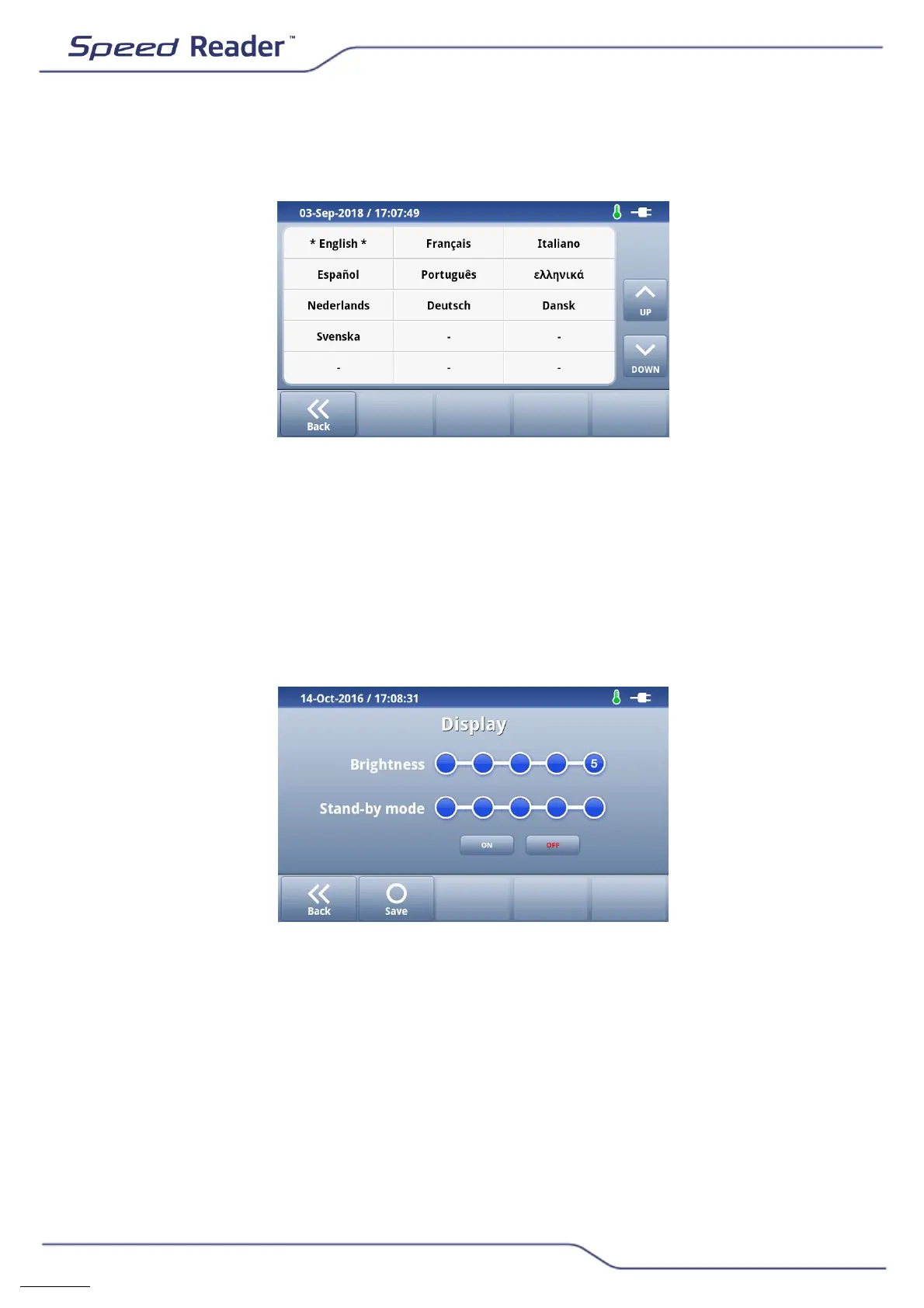
o Language
Menu for selecting a language for the reader.
o Select the desired language and confirm by pressing “Yes”.
o Display
o Select the desired brightness (between 1 and 5).
o Activate or deactivate the sleep mode using the “ON” and “OFF”
buttons. In sleep mode, the screen’s brightness is diminished. Merely
pressing the screen lets you exit this mode.
o If necessary, select the time period before putting the device to sleep
(10, 20, 30, 60 or 120 minutes).


 To Next Page