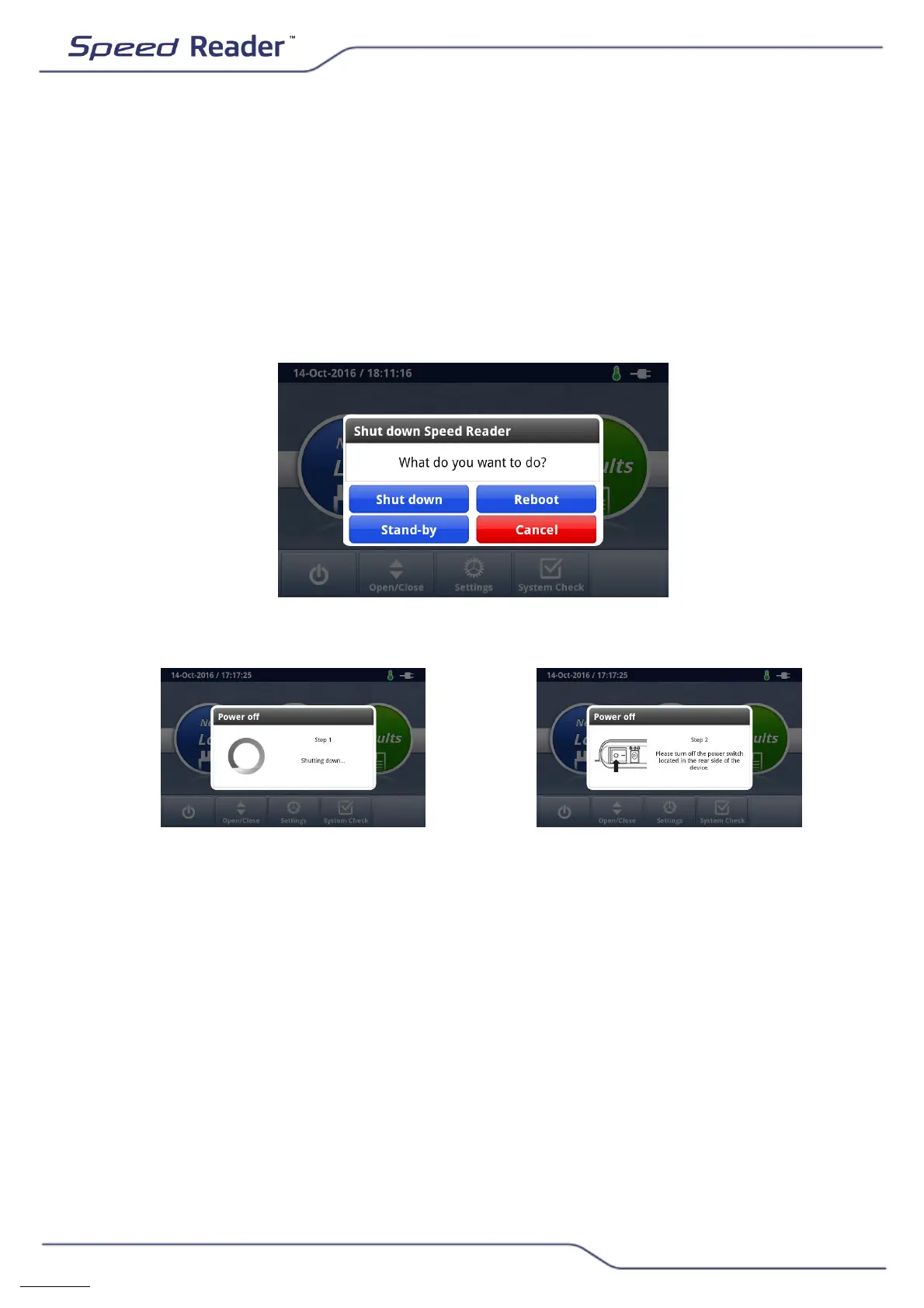
Powering off the reader
o Return to the main screen.
o Ensure that no test tape is inserted in the loader before turning off the
reader. If the loader is closed, press the “Open/Close” button on the
main screen in order to perform this check.
o If necessary, make sure you close the test loader by pressing
“Open/Close”.
o Turn off the reader by pressing the OFF button and “Shut down”.
o Next, press the “ON/OFF” button at the rear of the unit.
You can also restart or put the device to sleep.
You should always restart the device after an update. In the main menu,
press the OFF button and then “Reboot”.
You can put the device to sleep on a daily basis to avoid having to power
off the device between two tests. In the main menu, press the OFF button
and then “Stand-by”. Sleep settings can be managed from the
Settings/Display menu.


 To Next Page