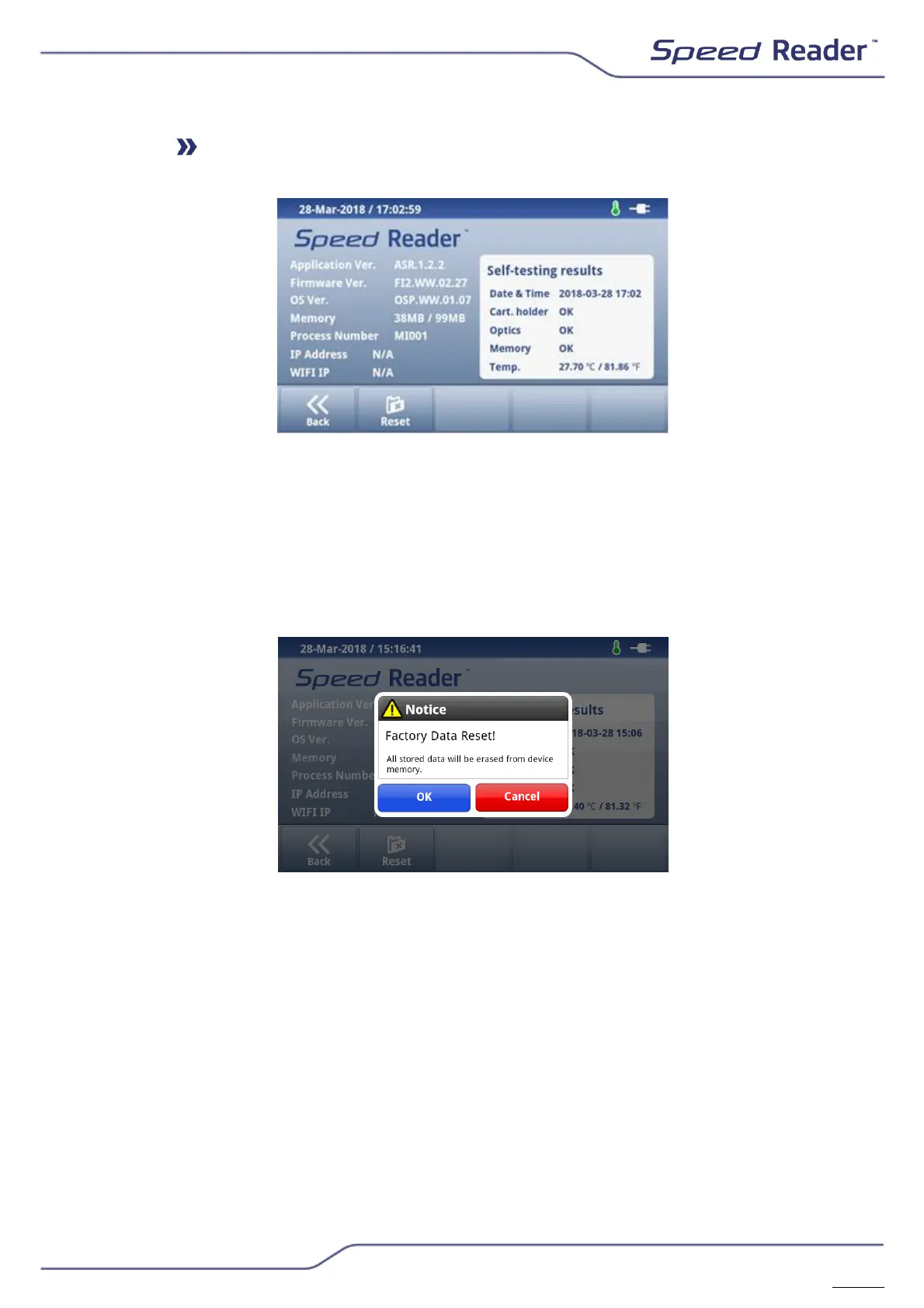
About Speed Reader
This menu groups all the information about the software and the result of
the last self-test performed. This information may be requested by technical
support.
To reset to factory settings, select “Reset”, then “OK”. This operation
permanently deletes all the settings and the results previously recorded and
can only be performed by the admin user.


 To Next Page