Analysing a sample
Performing a new test
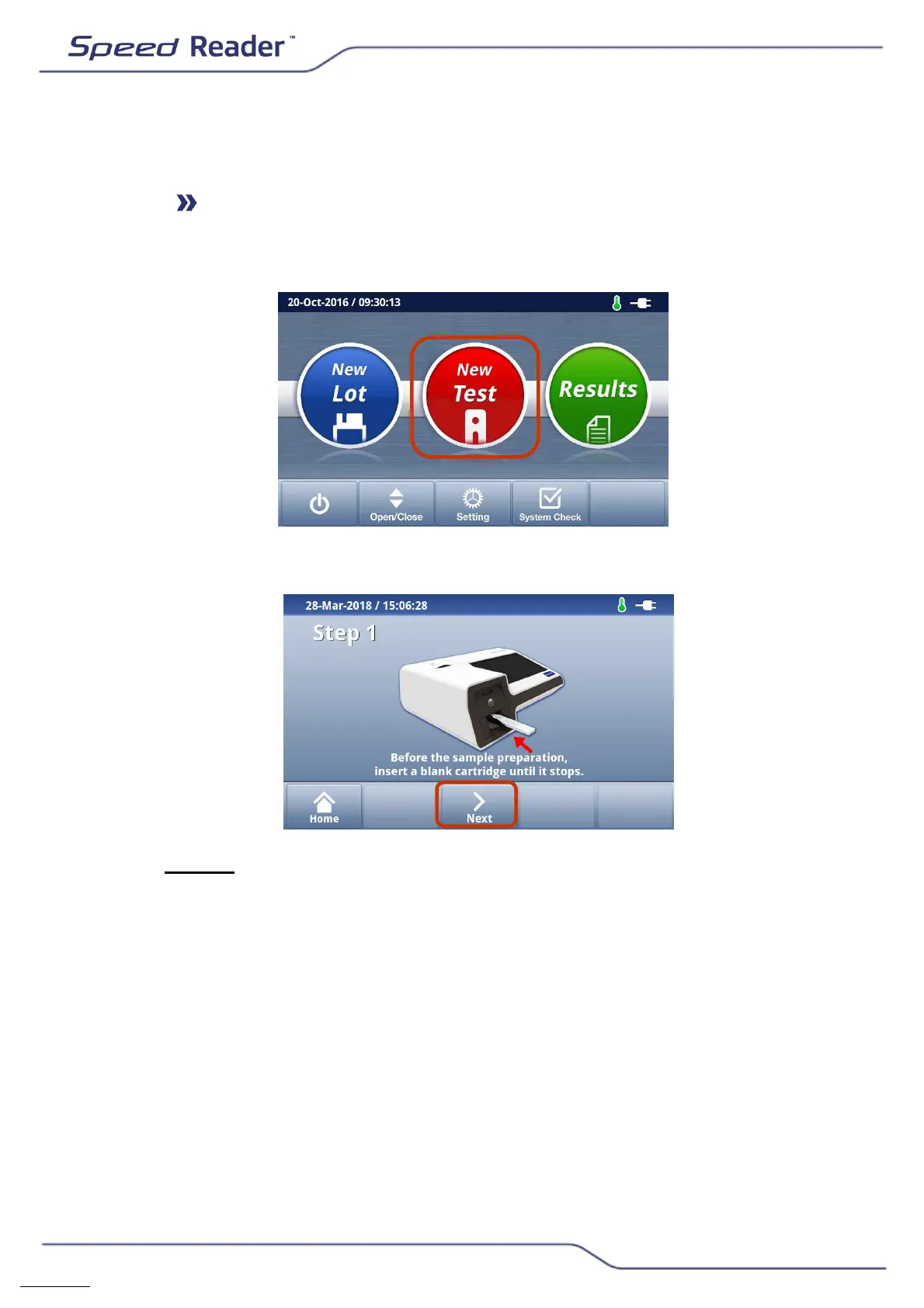
o On the main screen, select “New test”.
o The following screen appears.
o Step 1: Introduce the blank tape of the test as far as it will go, then
press “Next”. The reader then checks the type of test to be performed
and the presence of the calibration of the corresponding batch in the
device’s memory.
o If prompted, insert the calibration chip, then press “Retry”. In this
case, remember to remove the chip from the 2
nd
step and put it back
in the corresponding box.


 To Next Page