Powering up and initialisation
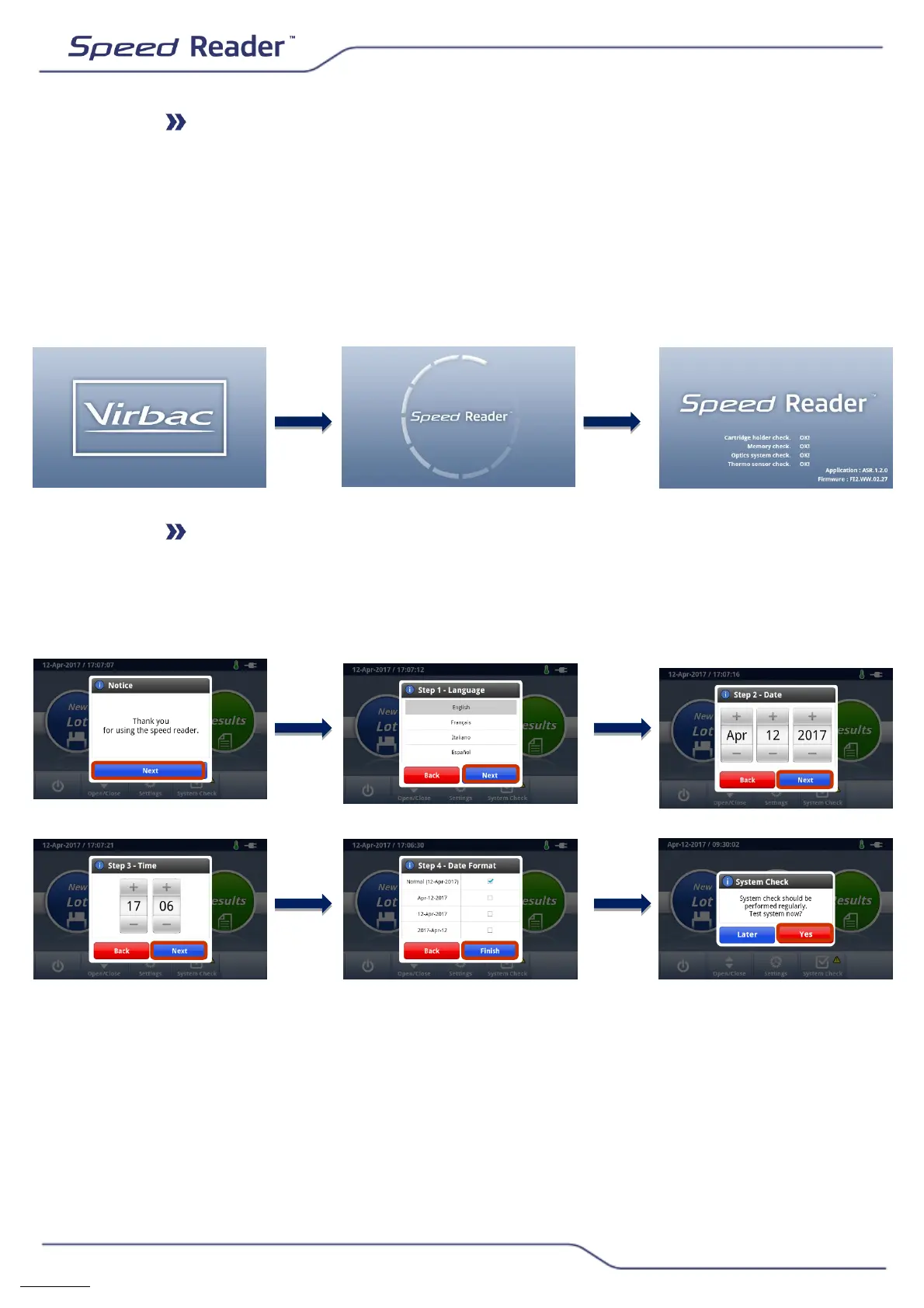
o Press the “ON/OFF” button at the rear of the reader to power up the
device
o When powering up, there can be a delay of about five seconds
between the activation of the button and the lighting up of the screen
o After the Virbac logo appears, allow the device to initialise
automatically for about one minute. A self-test procedure is performed
each time it is switched on, in order to check that the reader’s main
components are receiving power.
Speed Reader analyser configuration
Set the language, date, time and date format using the following
screens:
o It is then recommended to carry out the first System Check
immediately by pressing "Yes" then "System test".


 To Next Page