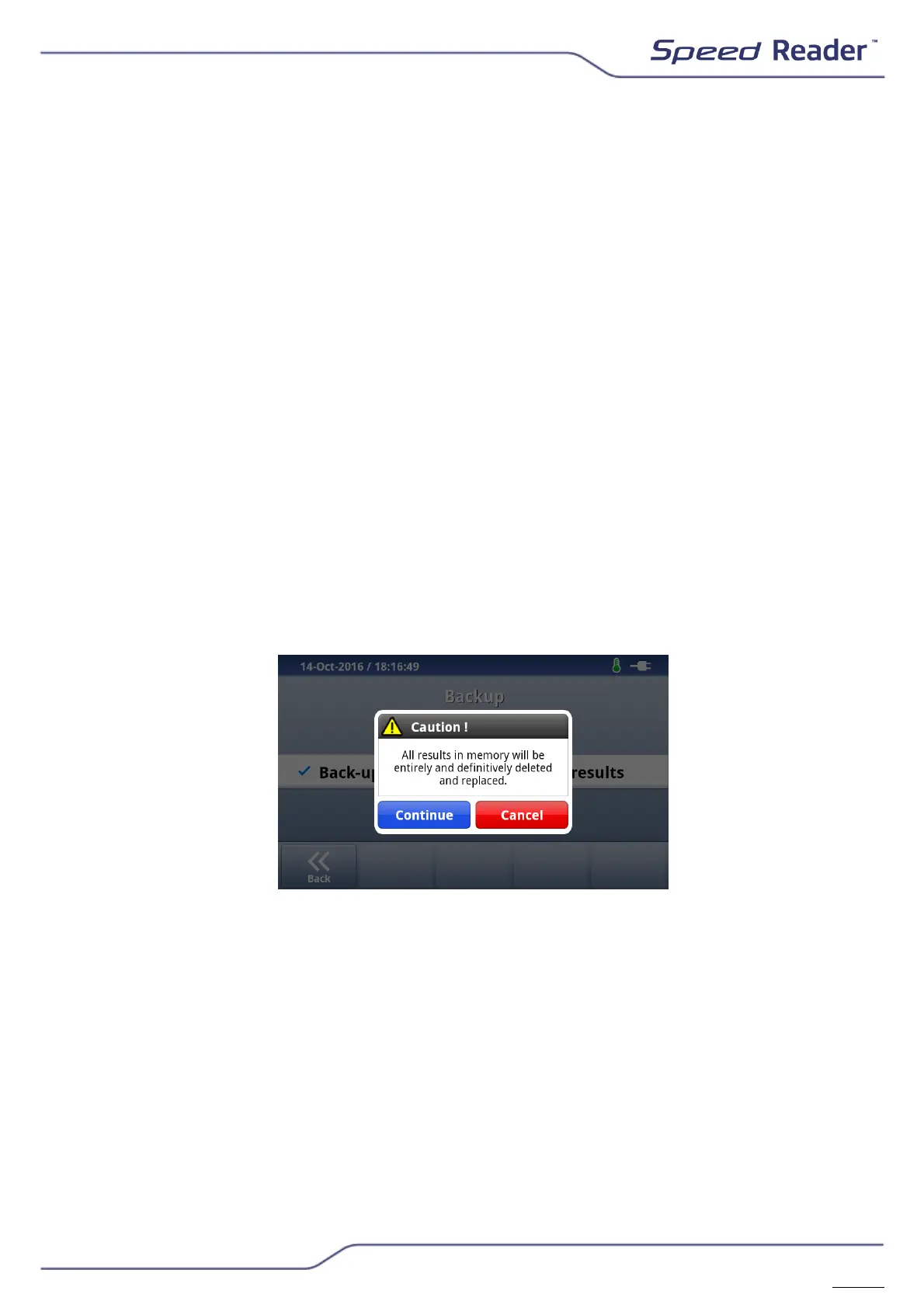
o Backup
This function lets you save all the data and the results contained in the
device’s memory. The data can be stored on two types of media:
- The SD card that is in the reader.
- The USB key that came with the reader.
NB: This manual backup procedure does not let you process the data using a
device other than a Speed Reader
TM
analyser. This procedure only lets you
save data in a preventive way, in order to restore them in case the reader’s
memory is erased or in case the results are transferred to another device.
o Restoring results
The restoration of the results requires the administrator profile
(User/admin). As described above, you can import results from the SD card
or the USB key.
o The “Overwrite” function: If this option is chosen, the results in the
Speed Reader
TM
’s memory will be overwritten by the results that are
on the external medium (the USB key or the SD card). Once the
operation is completed, the old results in the Speed Reader
TM
’s
memory are overwritten in a definite manner.
o The “Merge” function: This feature lets you add results to those
already stored in the reader. But you must be careful that their total
does not exceed 1,000. In this case, the older results will be
automatically deleted.


 To Next Page