108
Viscount Concerto III - Operating Manual
The tracks in the MIDI sequence are identified by the PLY code. There is now a choice of the
following modes:
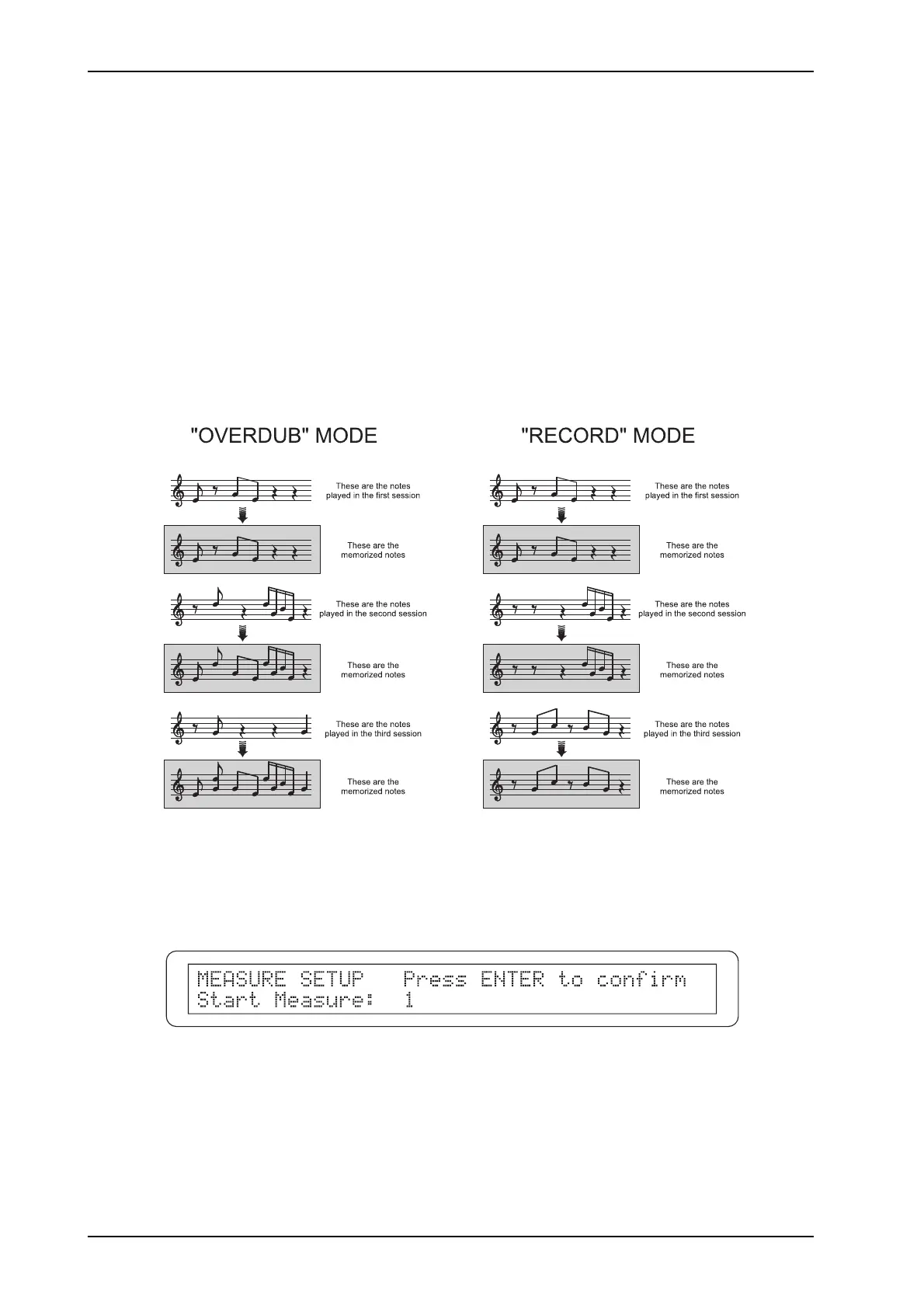
- REC (Record): the track is recorded and re-writes all the original events
- OVD (Overdub): the new events recorded are added to those already in the track.
This mode is not selectable for the track Common..
- PLY (Play): the organ plays the track.
- IN: the track records the MIDI data received on the [MIDI IN] port, deleting all the events
present before the recording is made.
- OUT: the data in the track are transmitted on the [MIDI OUT] port for playback by a remote
MIDI module.
- - - -: the track is not included in the playback / recording.
The diagram below explains the differences between “Record” and “Overdub” recording modes.
The [CURSOR] keys can also be used to locate the cursor on the TEMPO field, to modify the
metronome tempo, and the MEAS. field, to select the bar from which recording is to start.
In this case, the following video page will be displayed:
Use the encoder to set the recording start bar. As the message instructs you, press [ENTER/YES] to
confirm the bar or [EXIT/NO] to abort the entire operation.
After setting all the parameters, press [START-STOP] to start the recording / playback.
The system will start with the number of precount bars set earlier and the Led of the [START-
STOP] button will start to flash in time with the current tempo and the Time Signature set.












 To Next Page