76
Viscount Concerto III - Operating Manual
3. CENTRAL CONTROL UNIT
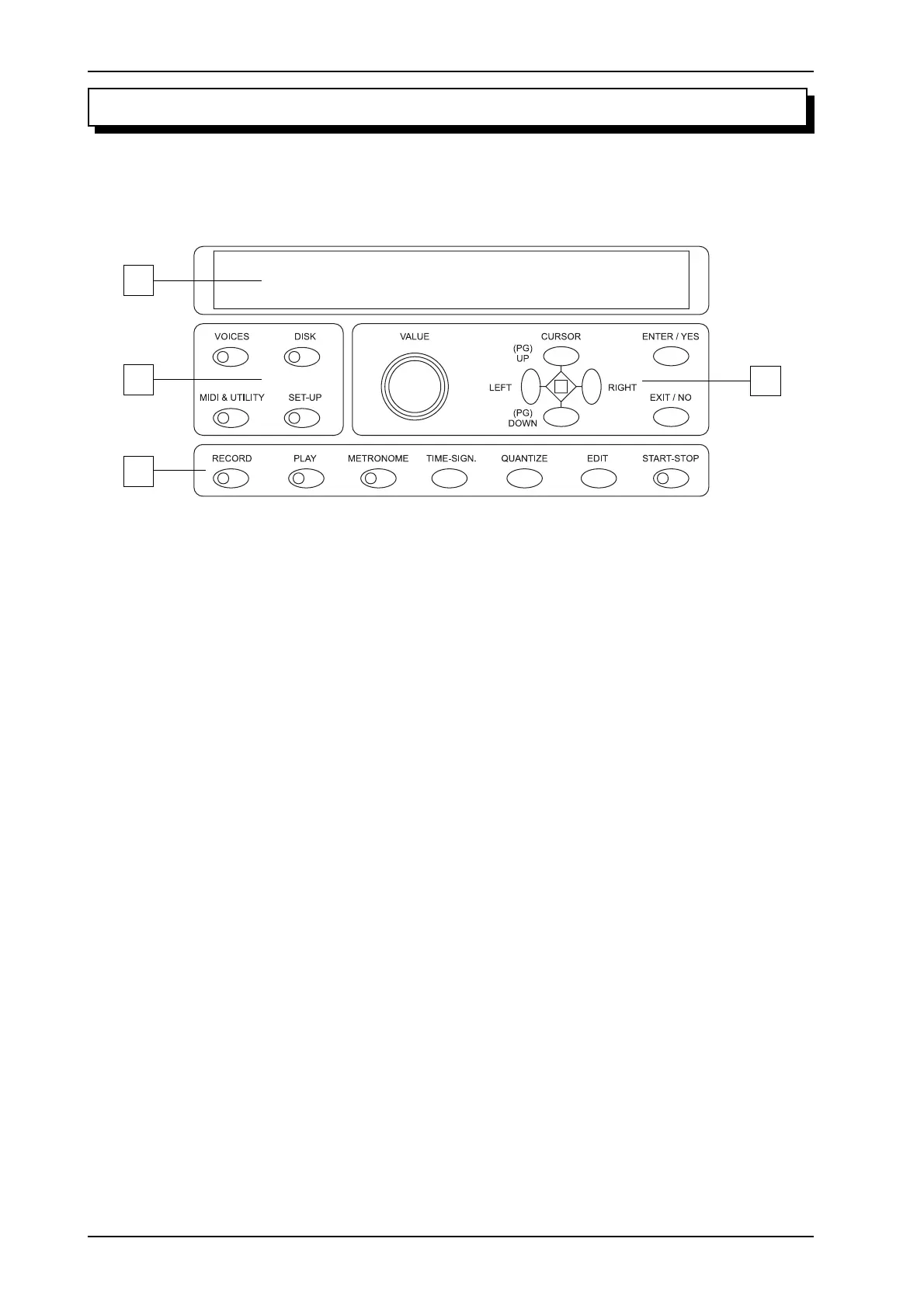
The central unit which controls all the Concerto III’s internal functions is located above the third
manual, behind the retracting panel.
1
2
4
3
1. Display: display of 40 characters on two lines for display of all the video pages relating to the
organ’s functions.
2. Menu selection buttons: these buttons allow you to select the four main display function
menus, as follows:
o [VOICES]: voice loading, sorting and volume control and labelling of the stops (chap.
4).
o [DISK]: functions relating to the floppy disks and the files they contain (chap. 5).
o [MIDI & UTILITY]: settings of the MIDI, manuals, Piston Combine and display
contrast (chap. 6).
o [SET-UP]: setting of the equalizer, Tremolants and Reverb (chap. 7).
3. Sequencer: this section contains the buttons of the multi-track sequencer of your Viscount
Concerto III (chap. 8).
o [RECORD]: button for starting a recording session (point 8.1).
o [PLAY]: this button allows playback of the MIDI sequences recorded (point 8.2).
o [METRONOME]: press quickly to activate the audio metronome; press for a few
moments to recall the metronome setting video page (point. 8.3).
o [TIME-SIGN]: press during recording to set the current Time Signature. Press during
playback to display the Time Signature of the MIDI sequence loaded (point. 8.4).
o [QUANTIZE]: recalls the quantizing function (point. 8.5).
o [EDIT]: display the menu of the functions for modifying the MIDI sequence loaded
(point. 8.6).
o [START-STOP]: starts / stop recording or playback of the MIDI sequence.












 To Next Page