68
Viscount Concerto III - Operating Manual
2.2 THE CENTRAL PANEL
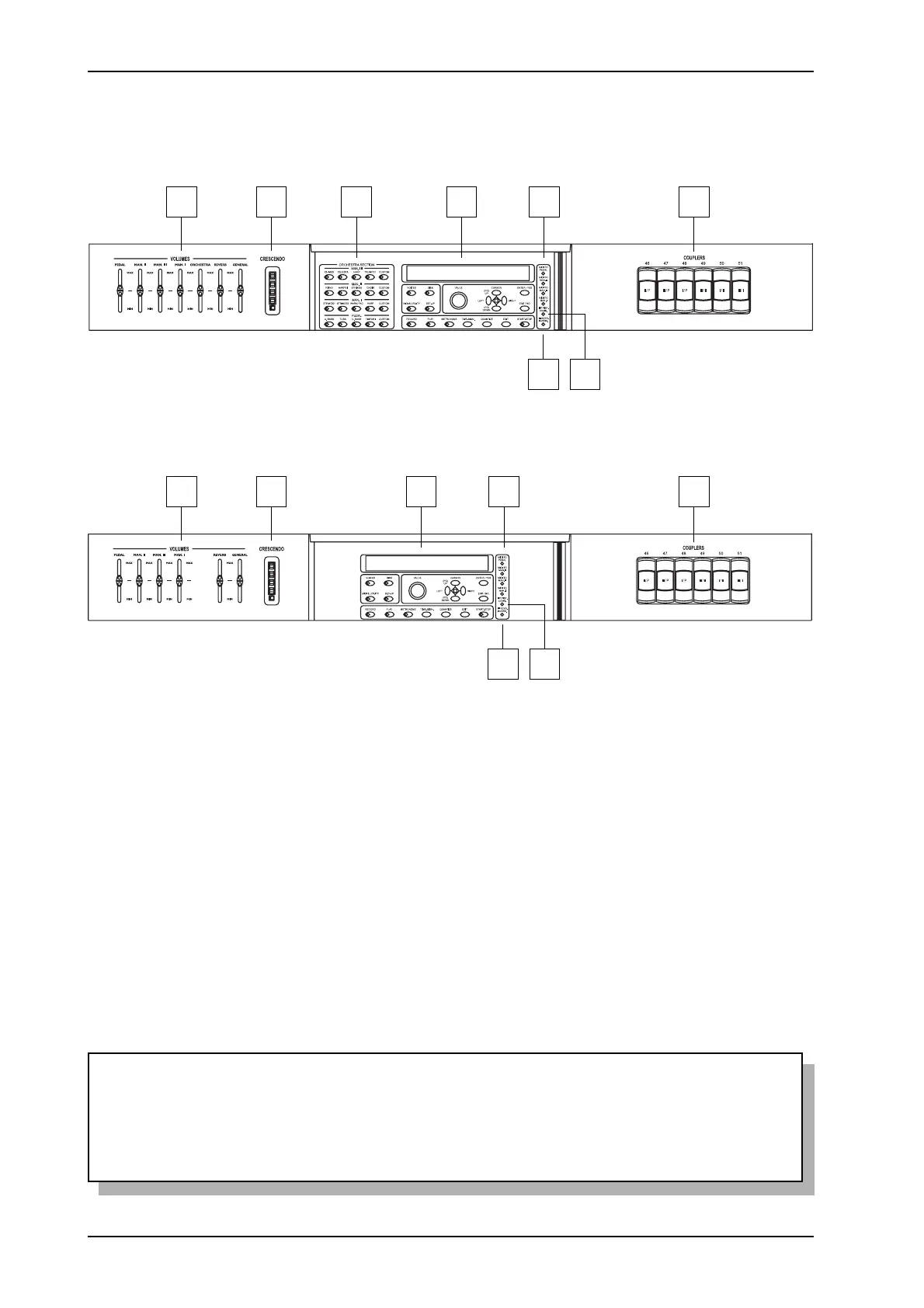
Version with Orchestra voices
7 8 9 10 11
12 13
14
7 8 1410 11
12 13
Version without Orchestra voices
7. [VOLUMES] slider: these sliders allow you to adjust the volumes of all the organ’s sections,
as follows:
o [PEDAL]: pedal board volume.
o [MAN. II]: second manual volume.
o [MAN. III]: third manual volume.
o [MAN. I]: first manual volume.
o [ORCHESTRA]: volume of the Orchestra voices (on version with Orchestra voices
only).
o [REVERB]: reverb level.
o [GENERAL]: the organ’s general volume.
8. [CRESCENDO] LED bar: these LEDs display the steps of the Crescendo set with the pedal of
the same name.
WARNING!
The infrared sensor for receiving remote control commands is located underneath the
Crescendo LEDs. Take care not to block this area and try always to use the remote control at
an angle of not more than 30° (vertical or horizontal) to the organ’s panel.












 To Next Page