87
Viscount Concerto III - Operating Manual
5. FLOPPY DISK FUNCTIONS
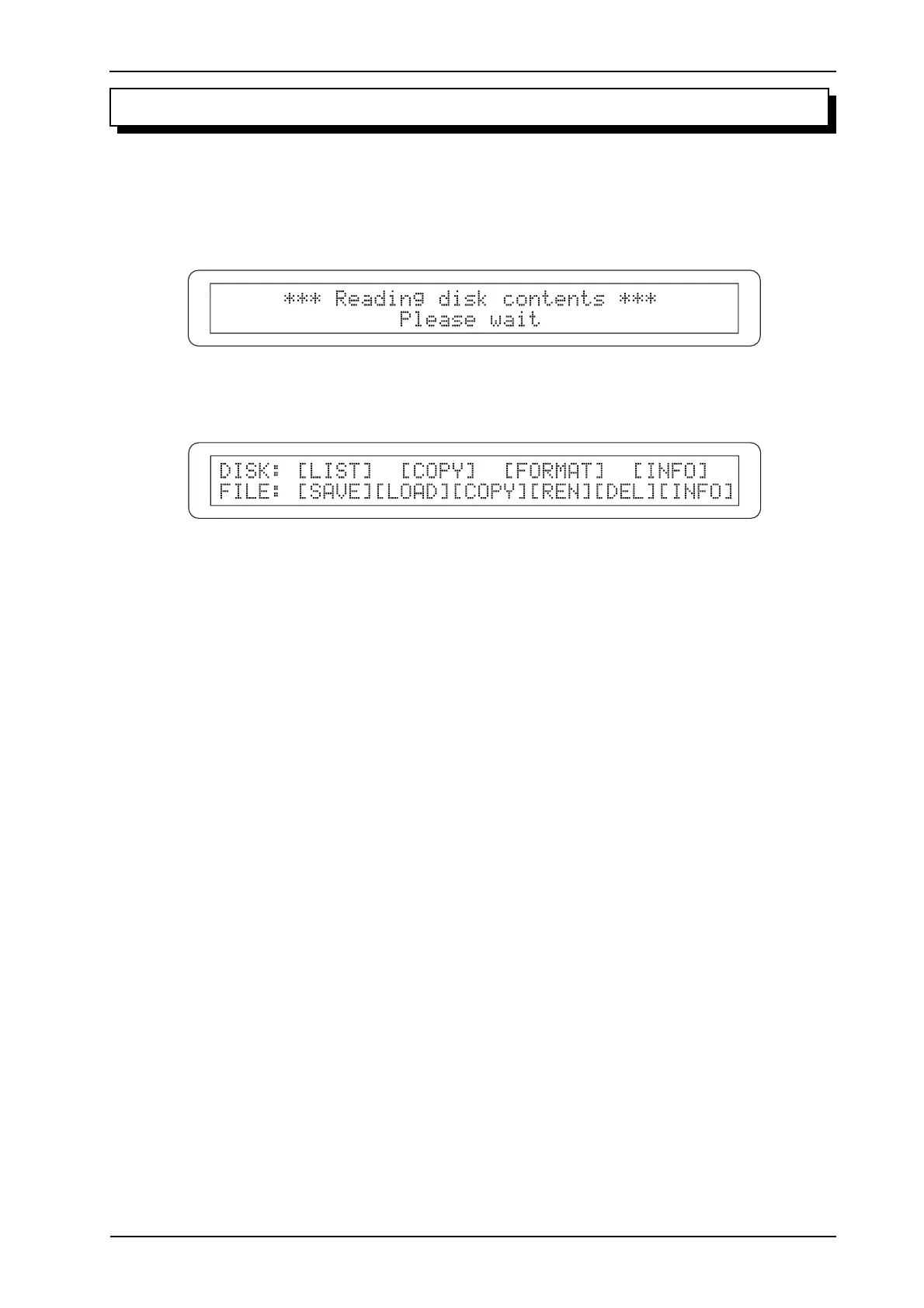
To access the functions for management of the floppy disks and the files saved on them, press the
[DISK] button after inserting a floppy disk in the drive. The system will proceed to read the disk
and display:
then:
As the video page shows, the top line contains the functions relating to the floppy disks:
o LIST: displays the contents of the floppy disk currently inserted in the drive.
o COPY: copy of whole floppy disks.
o FORMAT: floppy disk formatting.
o INFO: general information about the disk inserted in the drive.
The bottom line contains the file management functions:
o SAVE: saving on disk of all the memories (general and dedicated, Tutti and Crescendo) and of
the instrument’s settings (main video page parameters and functions of the MIDI&UTILITY
and SET-UP menus).
o LOAD: loading of the memories and/or of the organ settings saved using the SAVE function.
o COPY: copy of one or more files from one disk to another.
o REN: file rename.
o DEL: file deletion.
o INFO: information about the files saved on the floppy disk inserted in the drive.
To recall a function, simply place the cursor on the field required and press [ENTER/YES]. To exit
the menu, press [DISK] or [EXIT/NO].












 To Next Page