72
Viscount Concerto III - Operating Manual
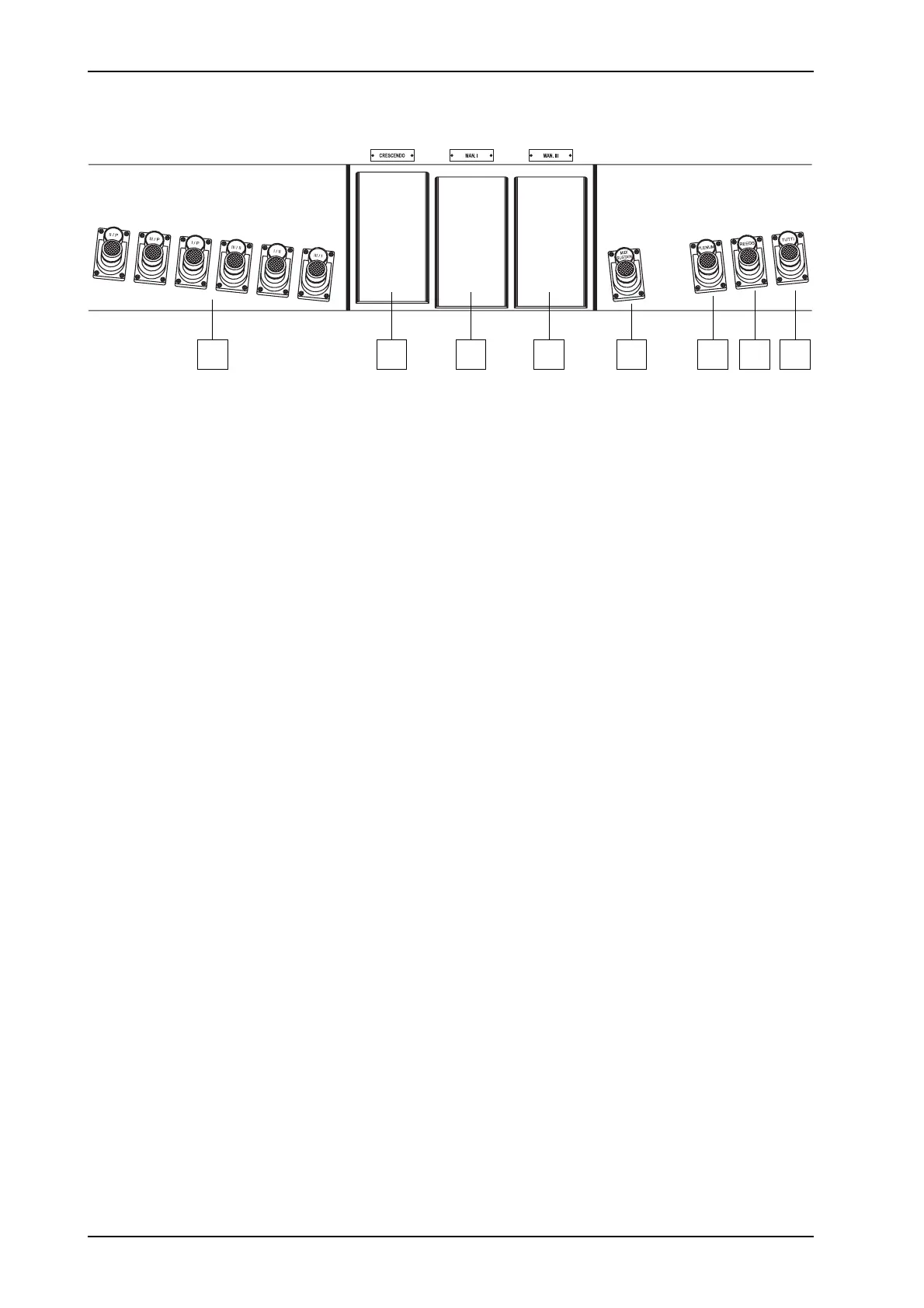
2.4 PEDAL BOARD CONTROLS
26 27 28 29 30 31 32 33
26. Coupler pistons: these pistons replicate the functions of the [COUPLERS] stops on the central
panel. For a detailed description of each individual coupling, refer to point 14 of section 2.2.
27. [CRESCENDO] pedal: you can use this pedal to select the Crescendo steps which activate a
preset series of stops. The step currently selected is displayed by the [CRESCENDO] LED bar
on the central panel.
Each Crescendo step is programmable. To do this, use the [CRESCENDO] pedal to select the
step you require, switch on the stops, couplers and Orchestra voices (in the version with
Orchestra voices) of your choice, press [S], keep it pressed and then press the general memories
[HR] button.
28. [MAN. I] pedal: swell pedal used to control the volume of the first manual.
29. [MAN. III] pedal: you can use this pedal to control the volume of the third manual.
30. [MIDI SUSTAIN] piston: Sustain piston for the Orchestra voices. It also transmits Control
Change ”CC64” on Midi Out (in the Concerto III without Orchestra section transmits only the
Control Change “CC64”).
31. [PLENUM] piston: the piston activates all voices except the reed and the tremulants.
The Plenum’s composition is programmable. To initiate a new configuration, register the desired
voice then press [S] button and keeping it pressed, press also button [PLENUM].
32. [REEDS] piston: this piston allows you to activate all the reed stops.
33. [TUTTI] piston: piston used to activate the Tutti. For a more detailed description, refer to
point 24 of section 2.3.












 To Next Page