3. Installation
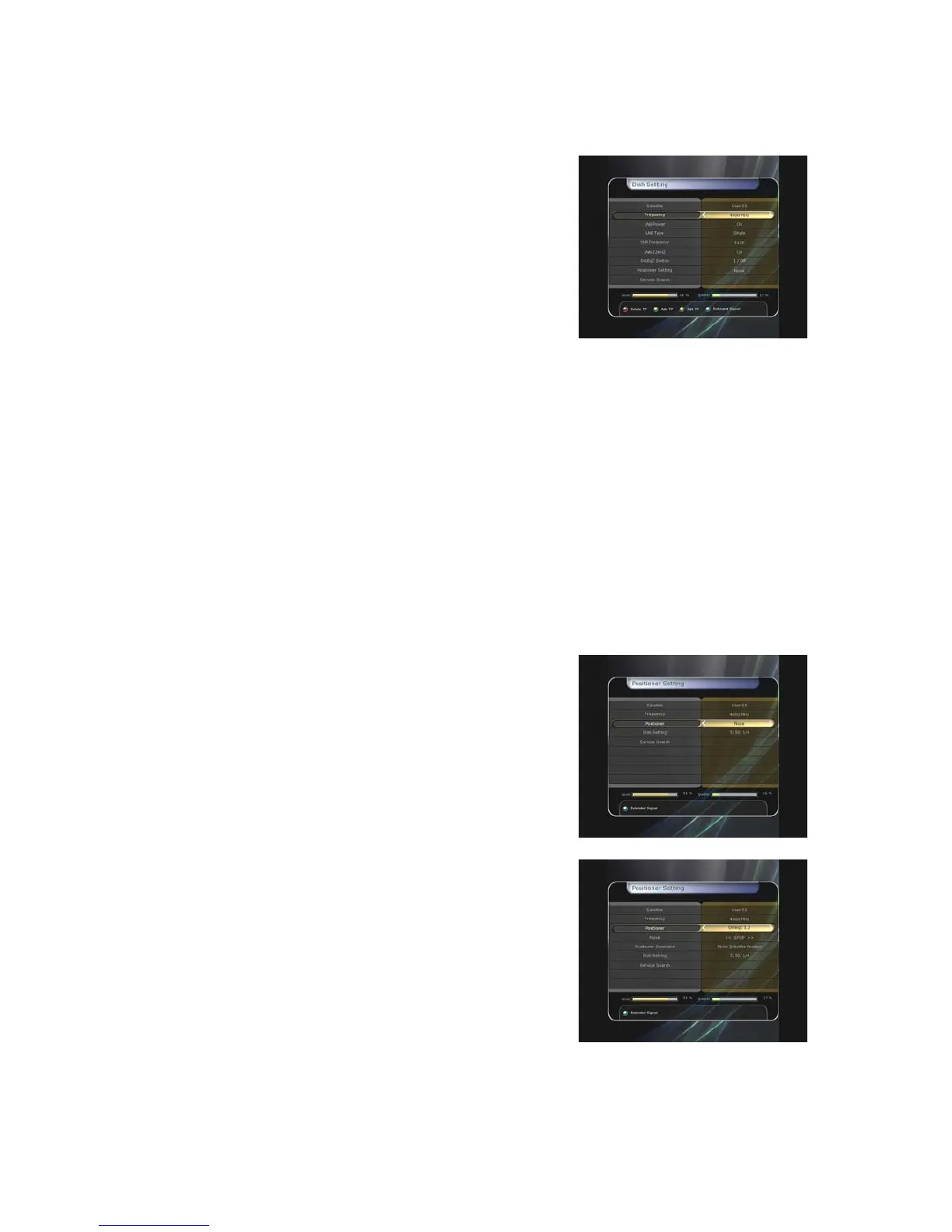
3.1 Dish Setting
Select the satellite/antenna and LNB settings for service
search. The values that are set in this menu will be available
for selection in other service searching menus.
z Satellite : Select the satellite which you want to do a search
for.
-
-
-
-
-
-
-
-
-
-
-
-
-
Press the LEFT/RIGHT ARROW button to select the
satellite.
If you press the OK button, the entire satellite list will be
displayed.
Select the desired satellite name to search.
If the desired satellite name is not listed then select User Defined.
z Frequency : Select the satellite frequency which you want to use for checking the signal.
z LNB Power : Select the LNB power on or off.
z LNB Type : Select the LNB type.
z LNB Frequency : Select the local oscillator (L.O.). frequency that is specified for the LNB used..
Use the LEFT/RIGHT ARROW buttons to select the LNB frequency.
If the required LNB frequency is not listed, then enter the frequency manually using the
NUMERIC buttons.
When you select Universal LNB type, both 9750 and 10600 are supported at the same time.
And then the LNB 22KHz setting is disabled.
z LNB 22KHz : When you use a separate coax 22 KHz tone switch box, make the 22 KHz tone
switch enabled or disabled to select the input you desire of the tone switch.
z DiSEqC Switch : If you use DiSEqC 1.0 or DiSEqC 1.1 switch, select one of the DiSEqC inputs.
z Service Search : Press the OK button to move to the Search Menu
3.2 Positioner Setting
z
Satellite : Select the satellite which you want to search for
the Service.
Press the LEFT/RIGHT ARROW button to select the
satellite.
If you press the OK button, a complete satellite list will
be displayed.
Select the wanted satellite name.
If the desired satellite name is not listed then select User
Defined.
z Frequency : Select the satellite frequency you want to use to check for a signal.
z Positioner : Select the positioner.
None : (No Positioner)
Using DiSEqC 1.2 :
Move : To move the dish, press LEFT/RIGHT button.
Fine Move : To move the dish in smaller steps, press the
LEFT/RIGHT ARROW button.
Step : Set to positioner moving steps as 1, 2, 3, 4
Positioner Command : To use various positioner
commands, press the OK button. Then, available
positioner commands will appear.
39


 To Next Page