-
-
-
-
-
-
-
-
-
-
-
-
-
-
-
-
-
-
-
-
-
-
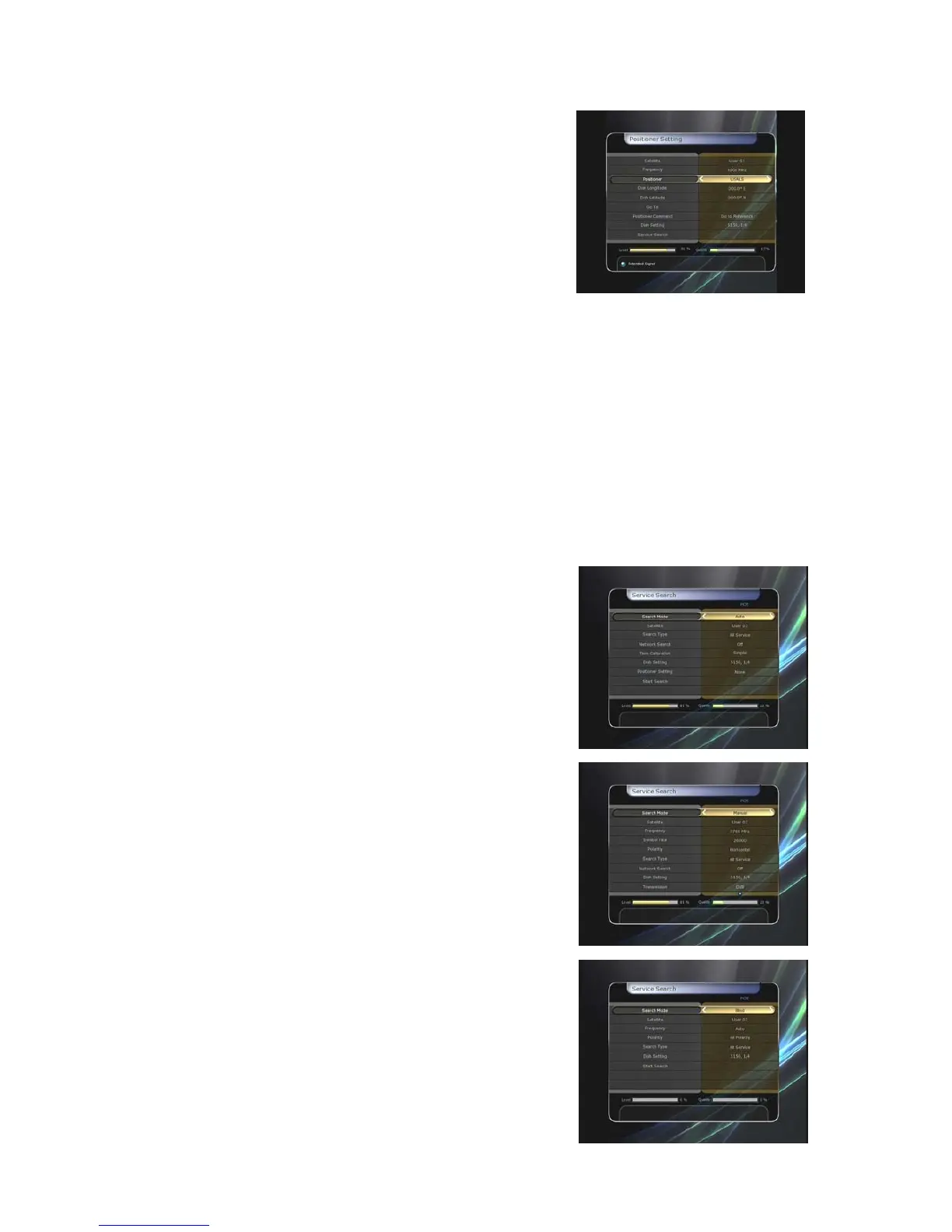
Using USALS :
Dish Longitude : Enter the longitude position of the
antenna using the NUMERIC buttons.
Dish Latitude : Enter the latitude using the NUMERIC
buttons.
Go To : Press the OK button to rotate the dish to the
selected antenna position.
Positioner Command : To use various positioner
commands, press the OK button. Then, available
positioner commands will appear.
z Dish Setting : Press the OK button to move to Dish Setting menu directly.
z Service Search : Press the OK button to move to Service Search menu directly.
3.3 Service Search
You can select the following search mode.
z Auto Search Mode :
Satellite : Press the OK button to select the target satellite to be searched.
Search Type : Select the search type.
Network Search : You can select Off or On. When you select ‘On’, you can find more
transponders using the home network. As it refers to NIT during searching, if there is the
frequency information of other transponder, it searches the other transponder besides the
transponder that the user inputs.
Time Calibration : You can select ‘Simple’, ‘Full’ and ‘Off’ to get TDT(Time Data Table) from
each TP
Dish Setting : Press the OK button to move to Dish
Setting menu directly.
Positioner Setting : Press the OK button to move to the
Positioner Setting menu directly.
Start Search : Press the OK button to start search.
z Manual Search Mode :
Satellite : Press the OK button to select the target
satellite for search.
Frequency : Select the frequency from the list to search.
Symbol rate : Enter the symbol rate using the NUMERIC
buttons.
Polarity : Select the polarity. (Vertical/Horizontal)
Search Type : Select the search type.
Network Search : You can select Off or On. When you
select ‘On’, you can find more transponders using the
home network. As it refers to NIT during searching, if
there is the frequency information of other transponder, it
searches the other transponder besides the transponder
that the user inputs.
Dish Setting : Press the OK button to move to the Dish
Setting menu directly.
Transmission : You can select ‘DVB’ and ‘DVB-S2’
Start Search : Press the OK button to start a search
z Blind Search Mode :
Satellite : Press the OK button to select multiple
satellites.
Frequency : Set Auto to search whole frequency, Set
Manual to search only desired frequency.
Polarity :
Select the polarity.
(
All
Polarity/Vertical/Horizontal
)
Search Type : Select the search type.
Dish Setting : Press the OK button to move to the Dish
40


 To Next Page