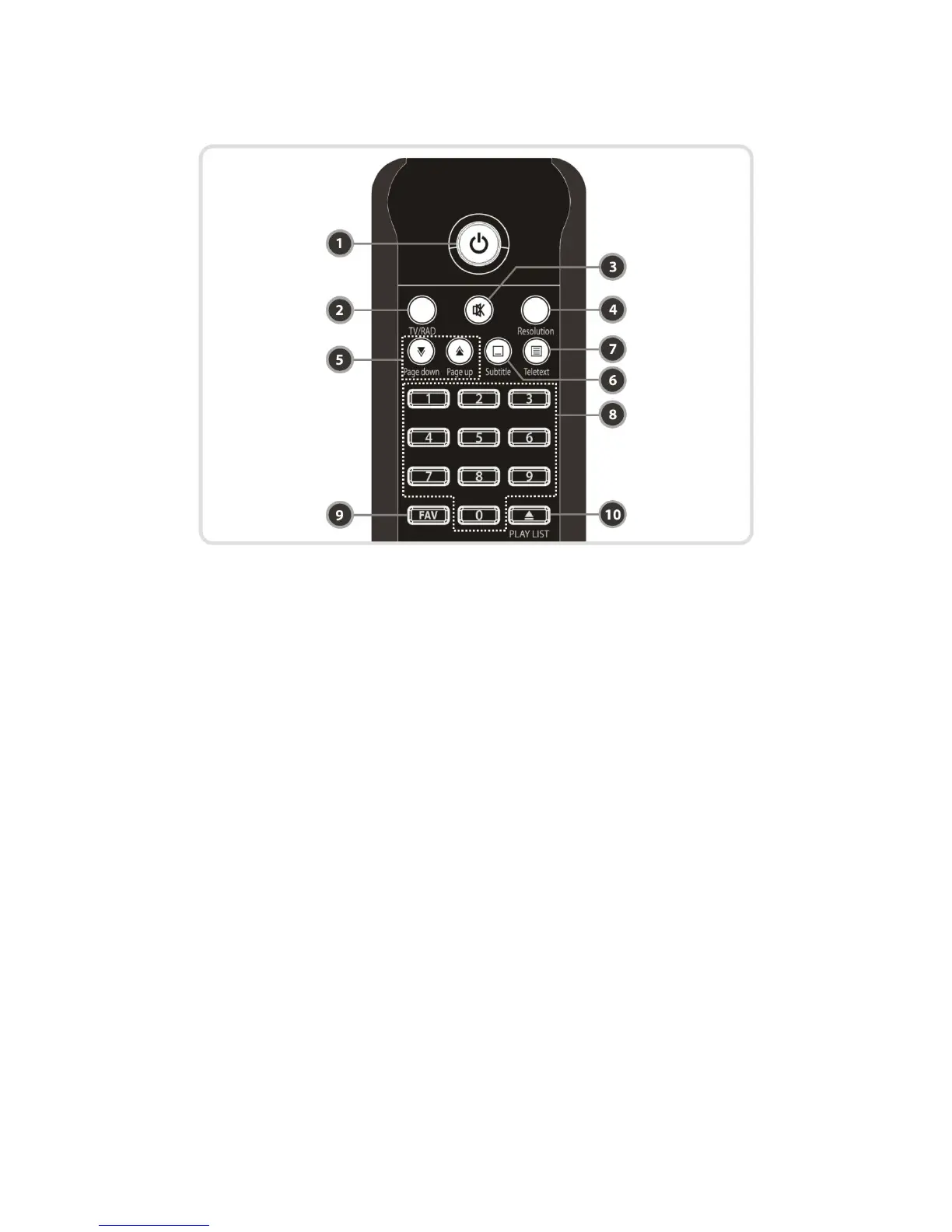
4. Remote Control Unit
1. POWER : Turns the STB On/Off.
2. TV/RADIO : Switches between TV and Radio.
3. MUTE : Turns the sound On/Off.
4. Resolution : To select the resolution format. Each time you press the Resolution button, the
resolution changes in the following sequence: 576i > 576p > 720p > 1080i
5. Page Down & Up : Move to the next or previous page if more than one page are available. This
button also is change the location of sub picture in PIP.
6. Subtitle : To show multilingual subtitle.
7. Teletext : To show the digital teletext.
8. Numeric : Controls the numerical operation and service numbers directly.
9. Favorite : To display the satellite group and the favorite groups.
10. Play List : To show the file for the external HDD or USB Storage Device.
12


 To Next Page