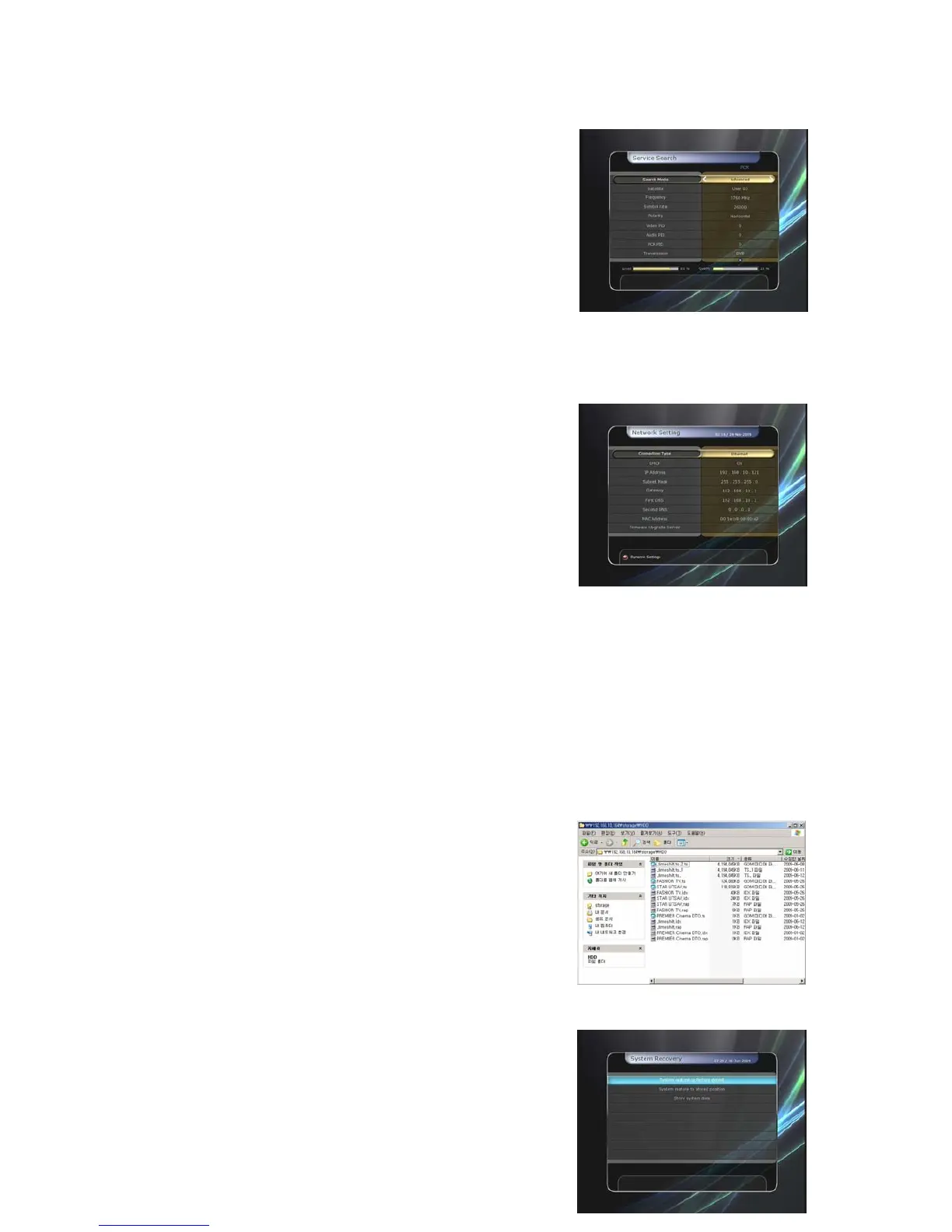
z Advanced Search Mode :
Satellite : Press the OK button to select the target
satellite for search.
-
-
-
-
-
-
-
-
-
-
-
-
-
-
-
Frequency : Select the frequency from the list to search.
Symbol rate : Enter the symbol rate by using the
NUMERIC buttons.
Polarity : Select the polarity. (Vertical/Horizontal)
Video PID : Enter the video PID using the NUMERIC
buttons.
Audio PID : Enter the audio PID using the NUMERIC
buttons.
PCR PID : Enter the PCR PID using the NUMERIC
buttons.
Transmission : You can select ‘DVB’ and ‘DVB-S2’
Start Search : Press the OK button to start a search.
3.4 Network Setting
To use a Network connected to the STB Ethernet port, you
have to prepare the STB Network settings. When the STB
and a PC are connected via a network, you can access the
files of the STB storage device such as USB storage device.
NOTE : If you use DHCP function of router, you can set
easily network configuration.
z DHCP : You can select On/Off for the Dynamic Host
Configuration Protocol (DHCP) to get the all configuration
from the router.
If you select ‘On’ : You will obtain the configuration from network and be set up automatically.
In this case, the remaining item (IP Address, Subnet Mask, Gateway, First DNS, Second
DNS) are automatically set and you don’t have to configure them manually.
If you select ‘Off’ : You have to input the IP address manually together with the following data.
z IP Address, Subnet Mask, Gateway, First DNS, Second DNS : You can input the address with
the OK button, NUMERIC buttons and the LEFT/RIGHT buttons. You can move to the next item
of Subnet Mast with the DOWN button and you can configure the following items in the same way.
z Firmware Upgrade Server : This feature is not supported for the time being. It will be available
in the future.
z MAC Address : This will display the MAC address of the STB Ethernet interface and is a fixed
assignment unique to each STB.
z Control of the files via the network and your PC.
Check the IP Address of the STB on the Network Setting
menu.
Press Enter button on your PC, after writing IP Address
on the web browser address line.
Ex.) //168.158.10.146/storage
You can see the folder name of USB in the Storage
folder.
You may be able to load and retrieve data between the
PC and the STB via the browser
3.5 System Recovery
z
System restore to factory default : This menu allows
you to restore the factory set values in case the user has
encountered some problems after changing any new
parameters of service data and other parameters which
may be in error. Press the OK button to erase all services
42


 To Next Page