DLP Projector – User’s Manual
– 43 –
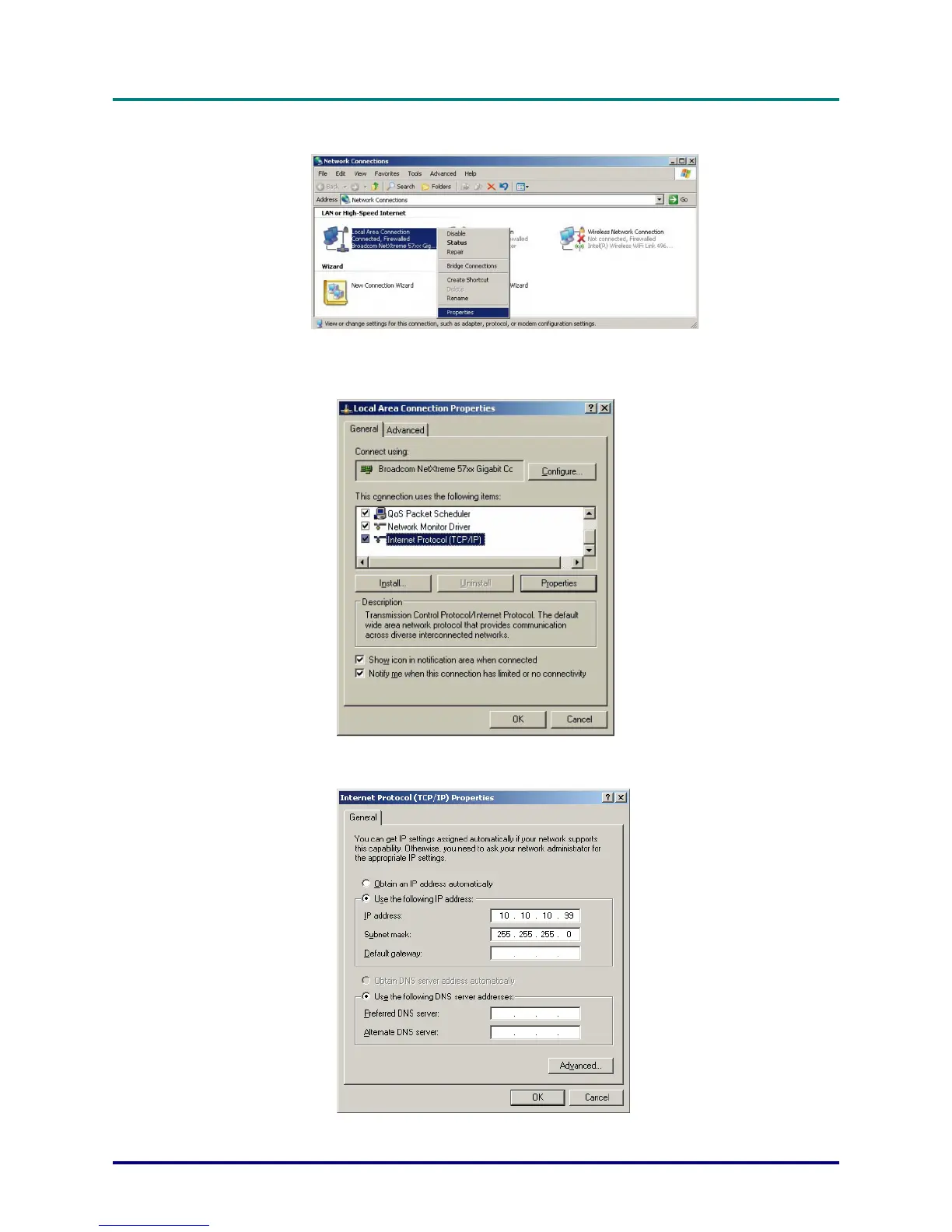
3. Right-click on Local Area Connection, and select Properties.
4. In the Properties window, select the General tab, and select Internet Protocol (TCP/IP).
5. Click Properties.
6. Click Use the following IP address and fill in the IP address and Subnet mask, then click OK.



 To Next Page