Section 3 - Programming
Operation Manual
VKI Publication #100308-003
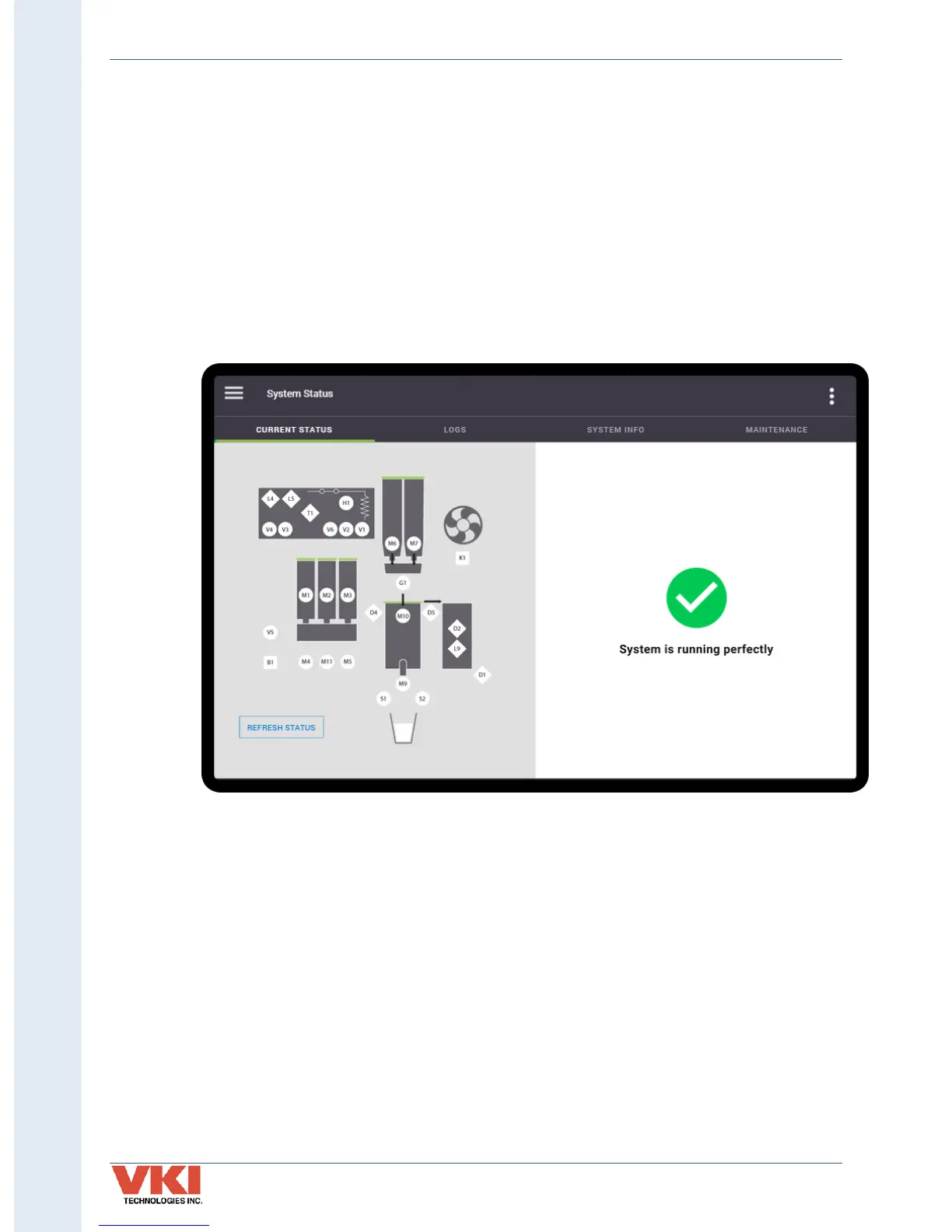
System Status
The 'System Status' screen displays the status of the machine (including current faults) and
provides logs of previous faults. The equipment system info (such as serial number, firmware
version, IP address, etc.) and maintenance functions are also found here.
Current Status
The machine's current operating status is displayed with an easy-to-read graphic. If the system is
functioning properly (with no faults detected), a green checkmark is displayed (see image
below).


 To Next Page