Section 3 - Programming
Operation Manual
VKI Publication #100308-003
SMTP
To use the SMTP capabilities of the Eccellenza Touch, you need to have both
a network connection and
a dedicated SMTP server. Contact your company's
IT Department for more information about setting up an SMTP server.
Only after obtaining network access, the Eccellenza Touch can then be configured to upload
notifications concerning consumption, sales and faults/messages directly to your SMTP server.
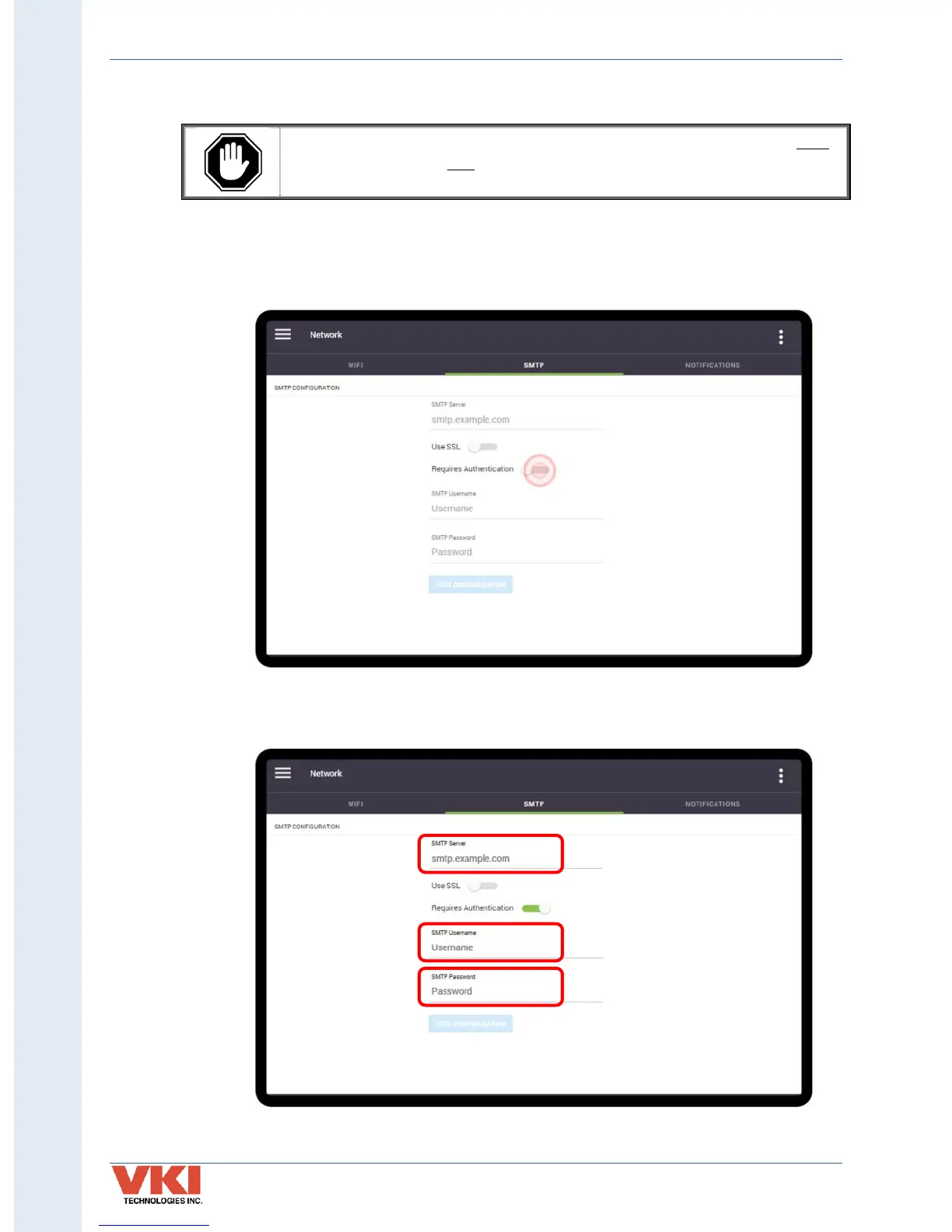
1. Tap on the 'Requires Authentication' slider to activate the SMTP feature.
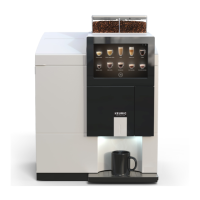
2. Enter the required information in the SMTP Server field, as well as your SMTP
username and password.


 To Next Page