Section 3 - Programming
Eccellenza Touch
VKI Publication #100308-003
Administrator
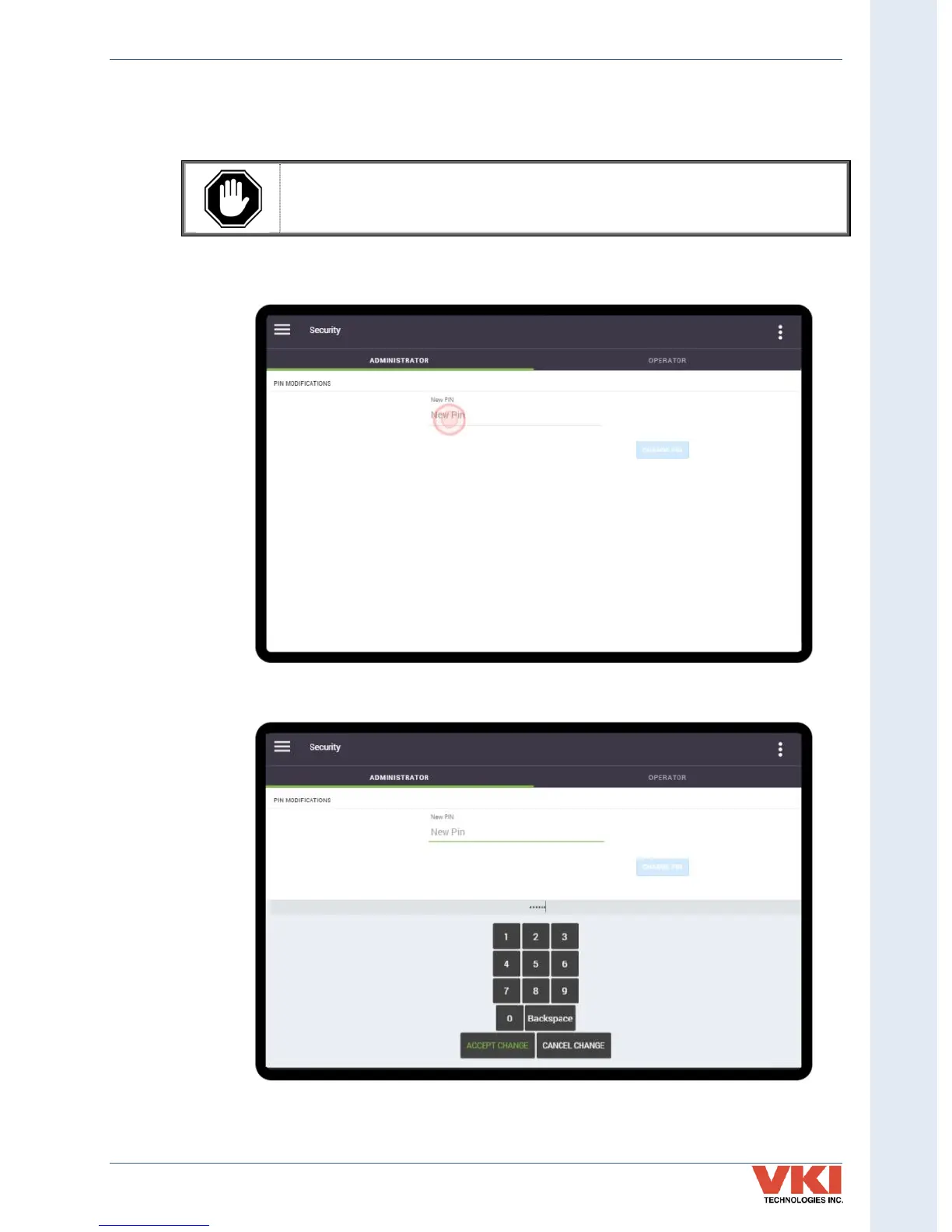
The Administrator can set or change their own PIN number in this tab.
The default pin for the Administrator is ' XXXXXX*'. We recommend that you
change this pin on the machine's initial set-up. Store the new PIN information
somewhere where it can easily be found (in your customer's file, for example)!
1. Tap on 'New Pin' (or change PIN, if changing it) to open the numeric keypad.
2. Using the keypad, enter a 4-6 digit PIN and tap on 'Accept Change'.
*Contact VKI for more information about PIN numbers


 To Next Page