Section 3 - Programming
Eccellenza Touch
VKI Publication #100308-003
Network
The Network screen is used to configure the network connection and SMTP settings, as well as
notification settings that allow the Eccellenza Touch to send email notifications concerning
consumption, sales and faults/messages.
WIFI
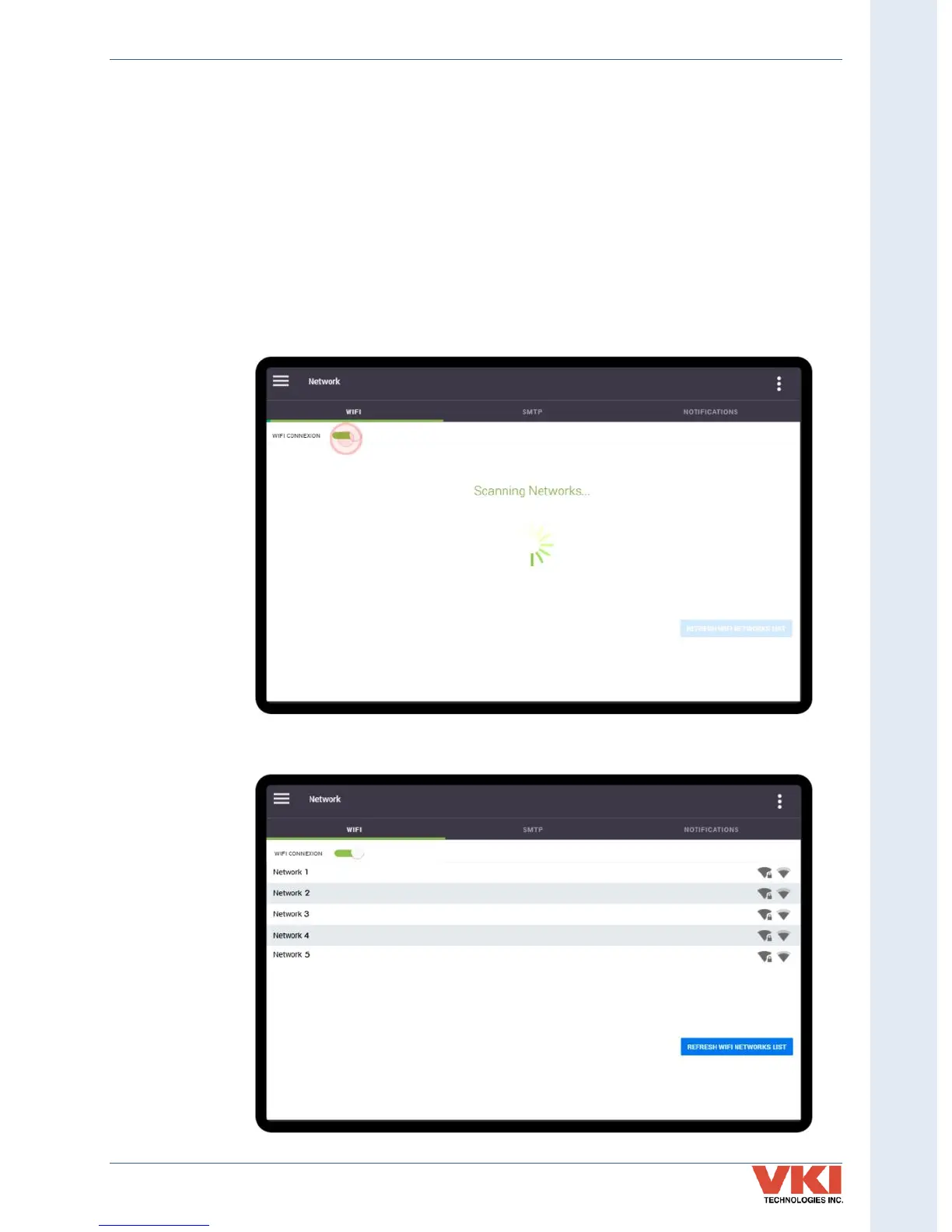
Should you want to establish remote communication with the Eccellenza Touch, you'll first need
to enable the WiFi feature by tapping on the 'WiFi Connexion' slider.
1. Once WiFi is enabled, the Eccellenza Touch begins scanning for any wireless networks
in its vicinity.
2. When scanning is complete, all of the detected networks are listed on the screen.


 To Next Page