Section 3 - Programming
Operation Manual
VKI Publication #100308-003
Default Beverage
The default beverage is the beverage to which the Eccellenza Touch automatically reverts when
it is powered on, or after it has dispensed a beverage. In other words, it is the machine's pre-set
starting point.
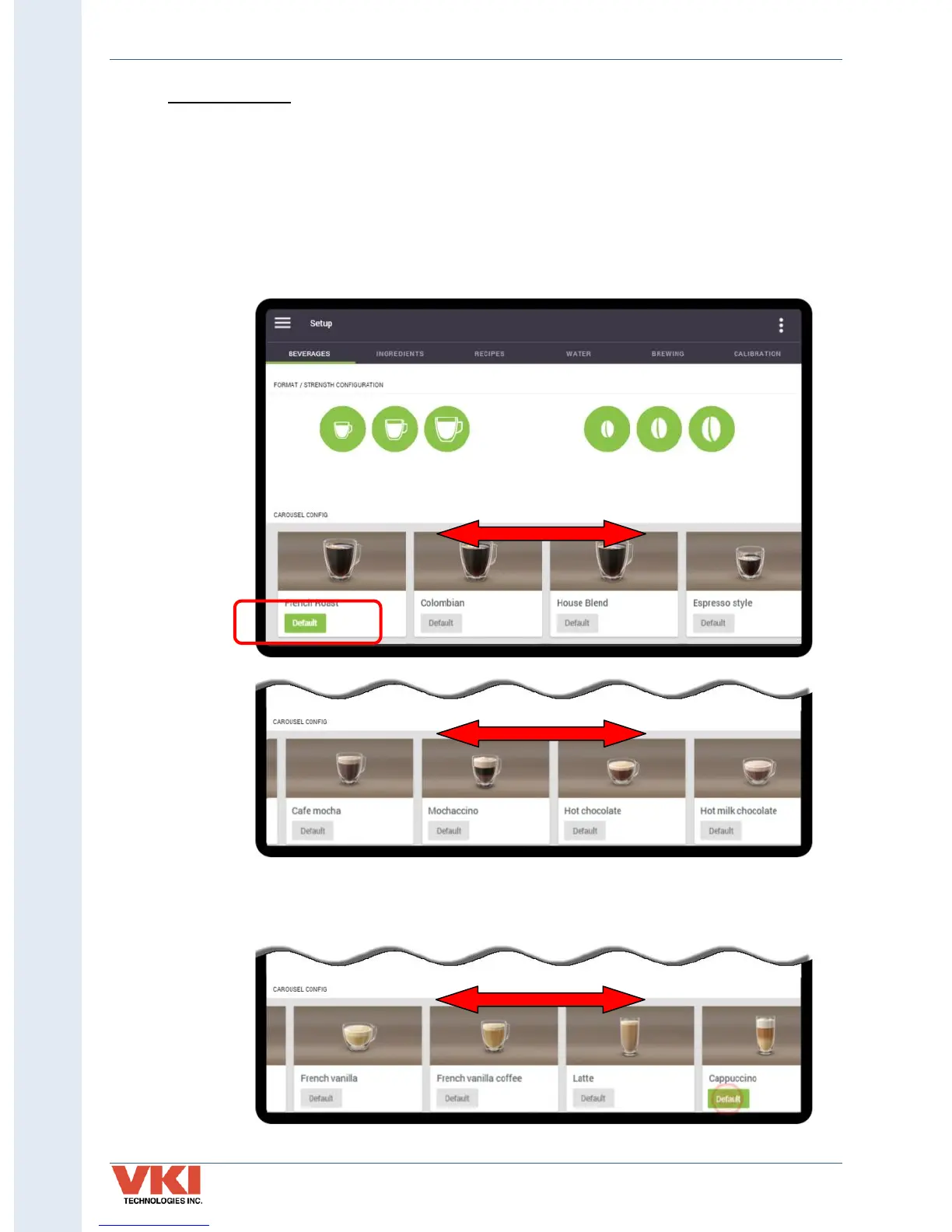
In the example below, the French Roast has been set as the default beverage - the 'Default'
label beneath the beverage name is green. You can view all of the other beverages by swiping to
the left or to the right. Simply tap on the 'Default' option beneath the beverage name to change
that particular beverage to the default beverage.
In the example below, the Cappuccino beverage has now been set as the default beverage. Note
that only one beverage can be set as the default beverage.


 To Next Page