Section 3 - Programming
Operation Manual
VKI Publication #100308-003
Logs
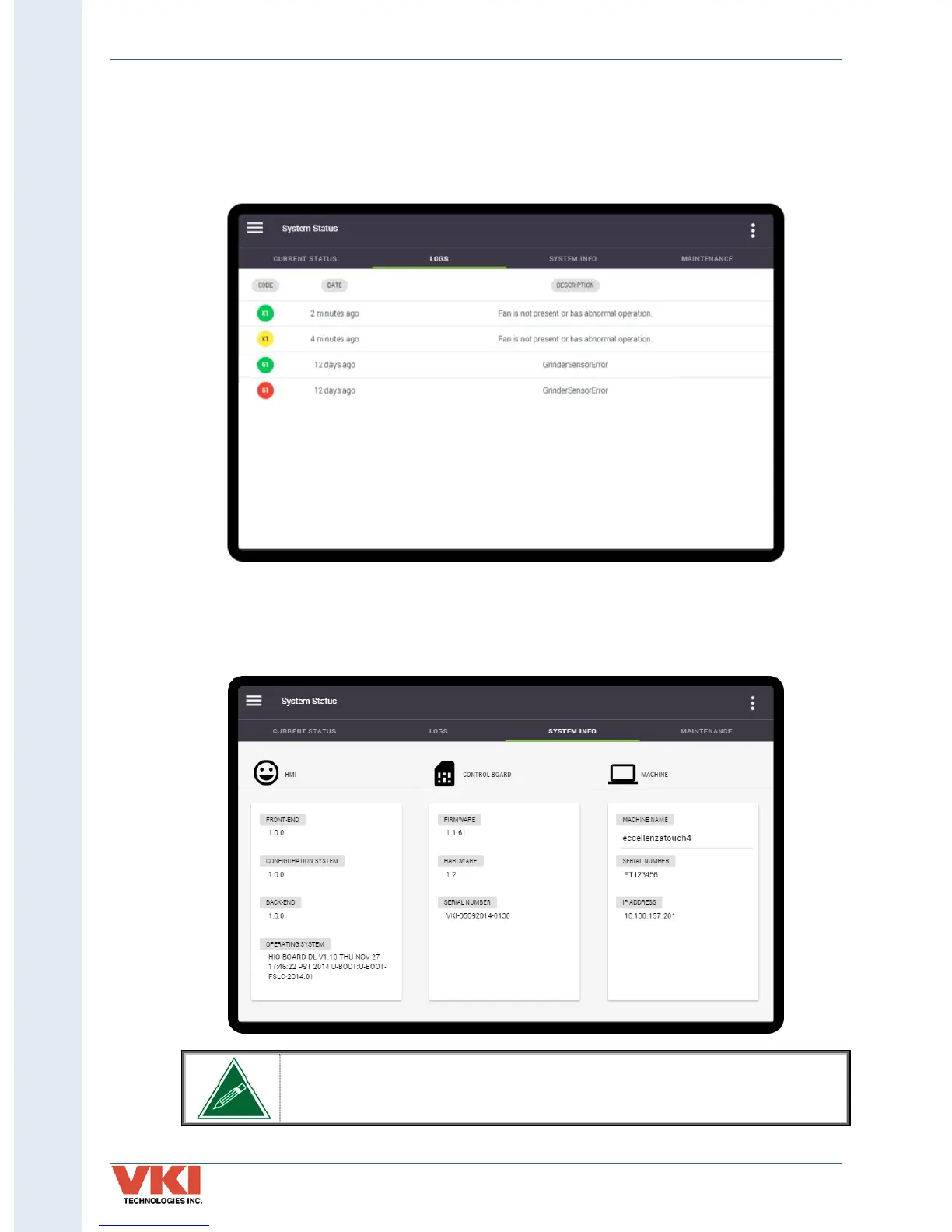
The 'Logs' tab shows the fault history of the equipment in list form (from newest to oldest).
Codes marked in Red identify that servicing was required. Yellow-marked codes warn of
potential faults. Codes in green identify that the fault was corrected, and when it was corrected.
System Info
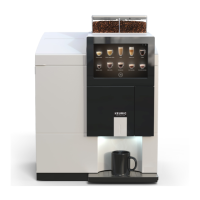
Information about the equipment, such as serial number, firmware versions, network address,
etc., can be found in this menu.
The "Machine Name" field can be changed. To do so, simply tap on the
machine name and the keyboard appears, allowing you to rename the
machine.


 To Next Page