Section 6 - Updating Firmware
Eccellenza Touch
VKI Publication #100308-003
S ECTION 6
Updating Firmware
Firmware updates may be released periodically for the Eccellenza Touch. These updates may
consist of fixes, new options and features, customizations, etc. This section guides you through
the simple process of updating your equipment to the latest firmware.
1. Load the latest firmware files onto an empty USB flash drive (minimum 1GB).
2. Remove the waste bin.
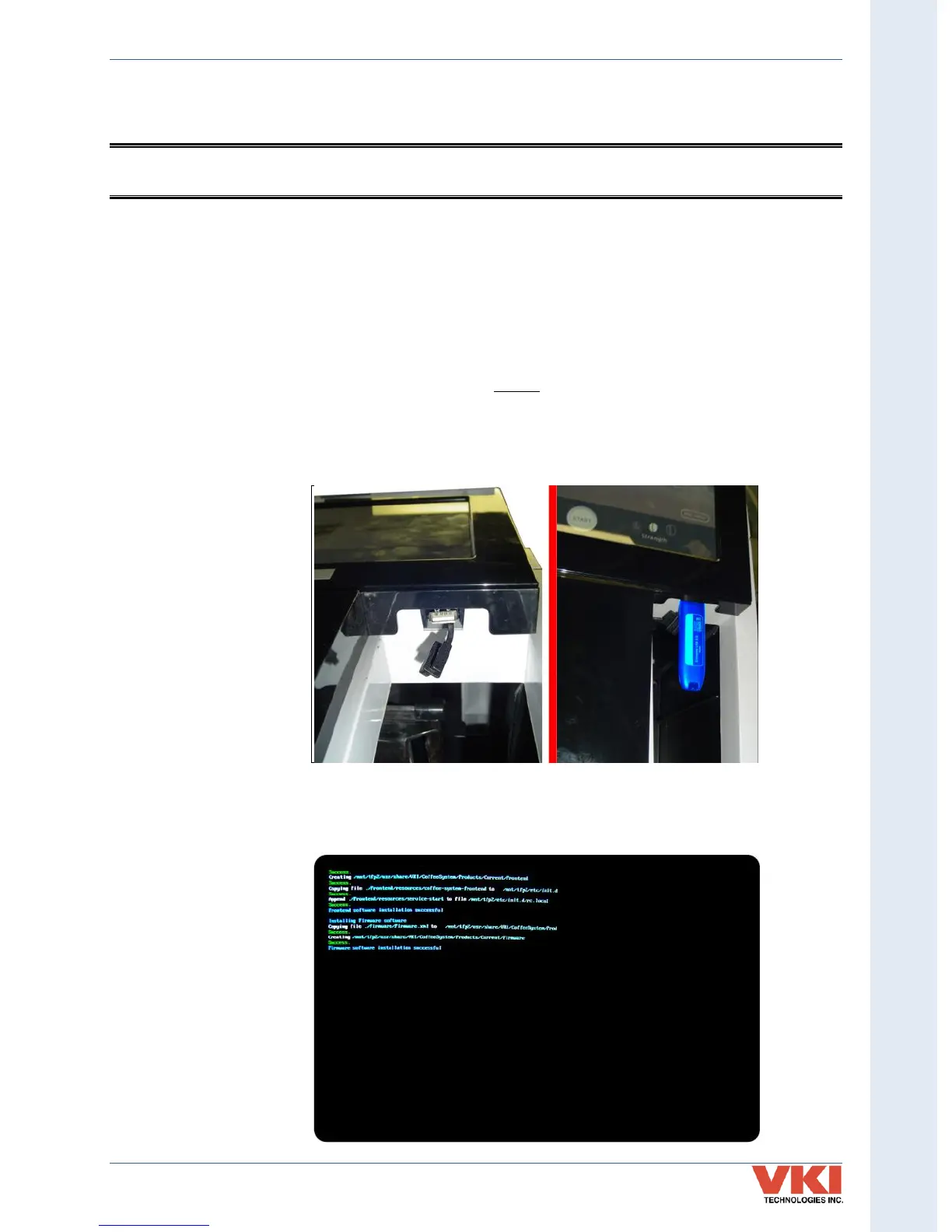
3. Remove the plug from the USB connector and insert your USB flash drive into it. Make
sure to push the USB flash drive into the USB connector as far as it can go.
4. Reboot the machine using the main power switch.
5. The updating process is automated and requires no user input. The screen reverts to
command-style prompts that provide progress information on the update.


 To Next Page