Section 3 - Programming
Eccellenza Touch
VKI Publication #100308-003
Regional Settings
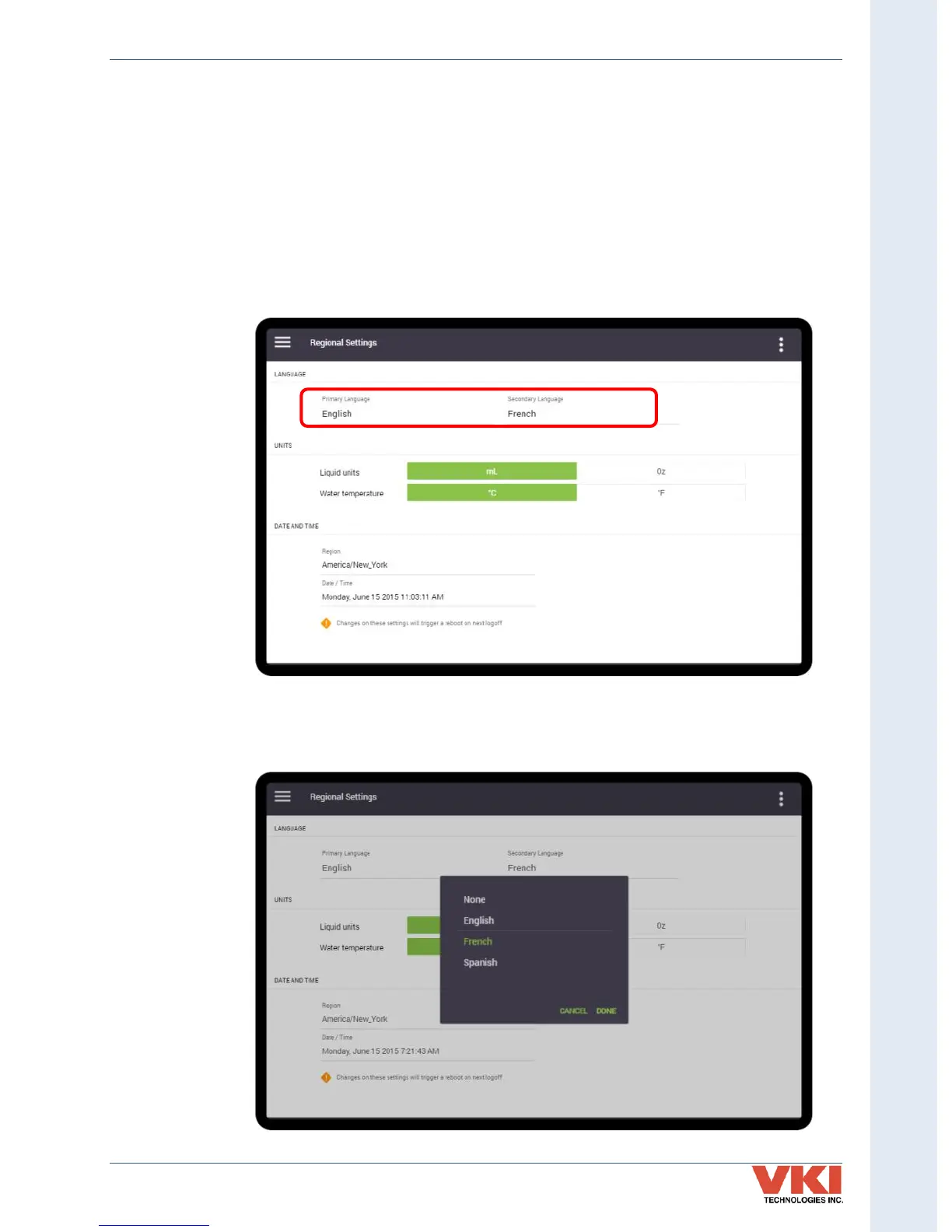
The 'Regional Settings' screen is used to configure the primary and secondary interface
languages to be used, units of measure (Metric or U.S. Standard) and the date and time.
Language
The Eccellenza Touch comes pre-loaded with three different languages (English, French and Spanish),
however only two can be active at one time. In this tab, you can define the Primary Language, which
will be the default, and the Secondary Language, which will be selectable by the user.
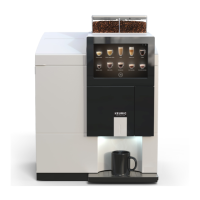
To change the language settings, select either the Primary or Secondary setting, choose the
required language from the list, and select 'Done'. Note that you can also select 'None' as the
secondary language (see example below) should you want only one language available.


 To Next Page