Section 3 - Programming
Operation Manual
VKI Publication #100308-003
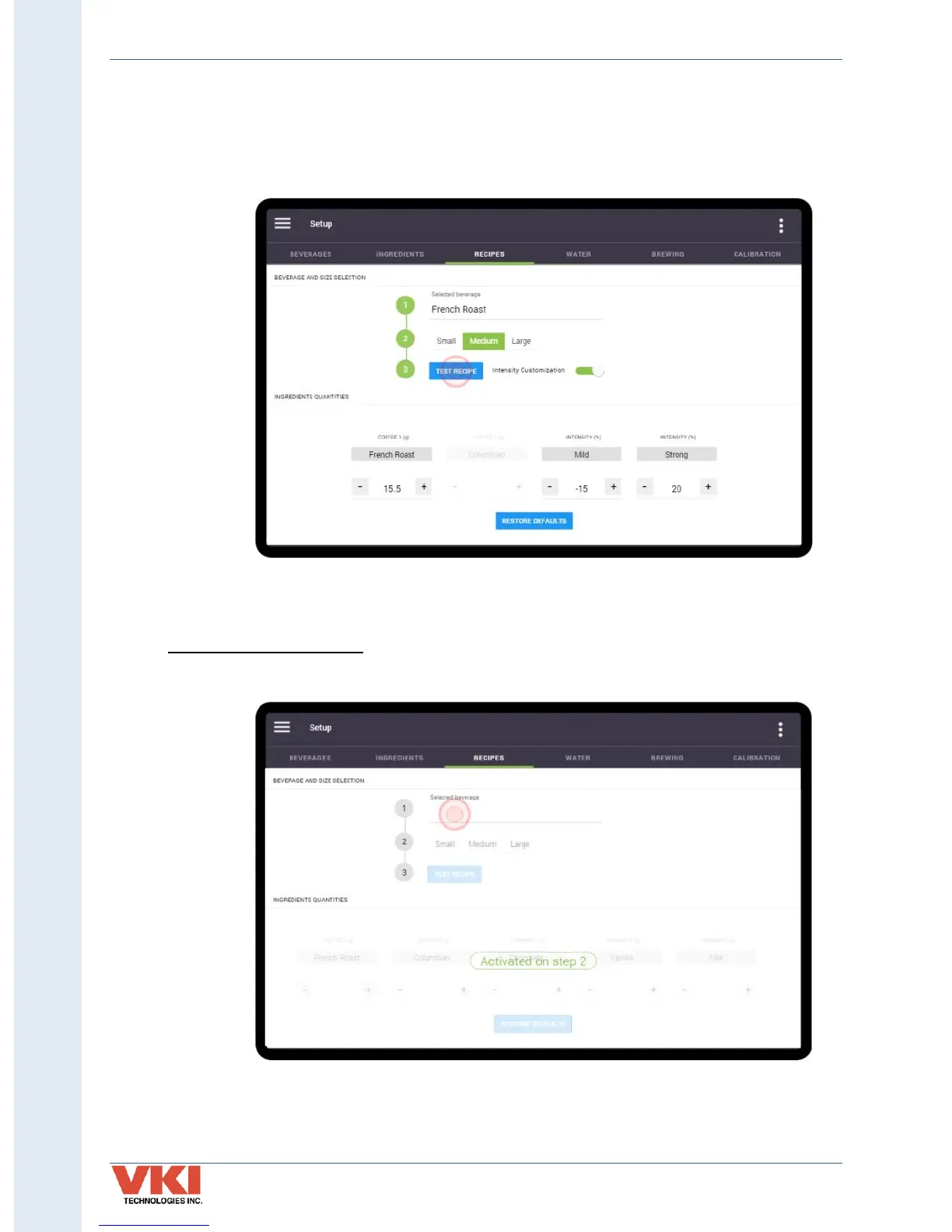
8. To brew a test beverage using the new settings, place a cup on the cup stand and tap
on the blue 'Test Recipe' button on line 3. The Eccellenza Touch will now dispense the
beverage so that you or your customer can perform a taste test. If further adjustments
are required, make the changes and test the beverage again until you get the desired
results.
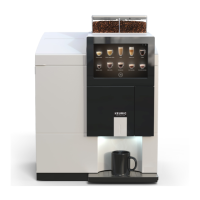
Setting Specialty Beverages
1. Tap on the 'Selected Beverage' location beside Line 1.


 To Next Page