Section 3 - Programming
Eccellenza Touch
VKI Publication #100308-003
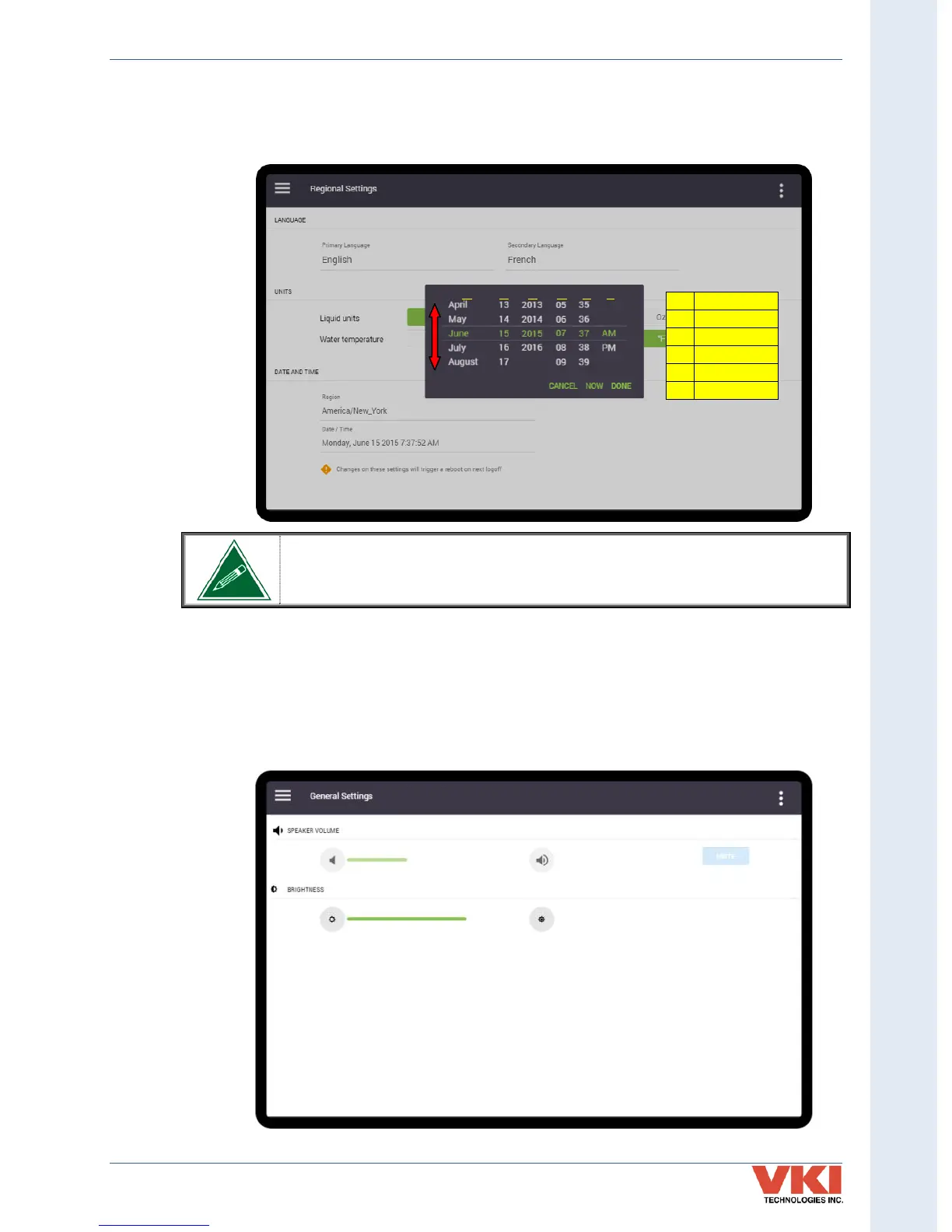
Adjust each of the 'Date & Time' fields by scrolling up or down to the required setting. Once all
are set, press 'Done' to save the new settings. The table in the image identifies what each of the
fields of the scroll list represents.
Once the month, date and year are selected, the day of the week will be
calculated and set automatically.
General Settings
The 'General Settings' screen is used to set the volume level (available only when speakers are
used) and the brightness of the screen.



 To Next Page