Section 3 - Programming
Eccellenza Touch
VKI Publication #100308-003
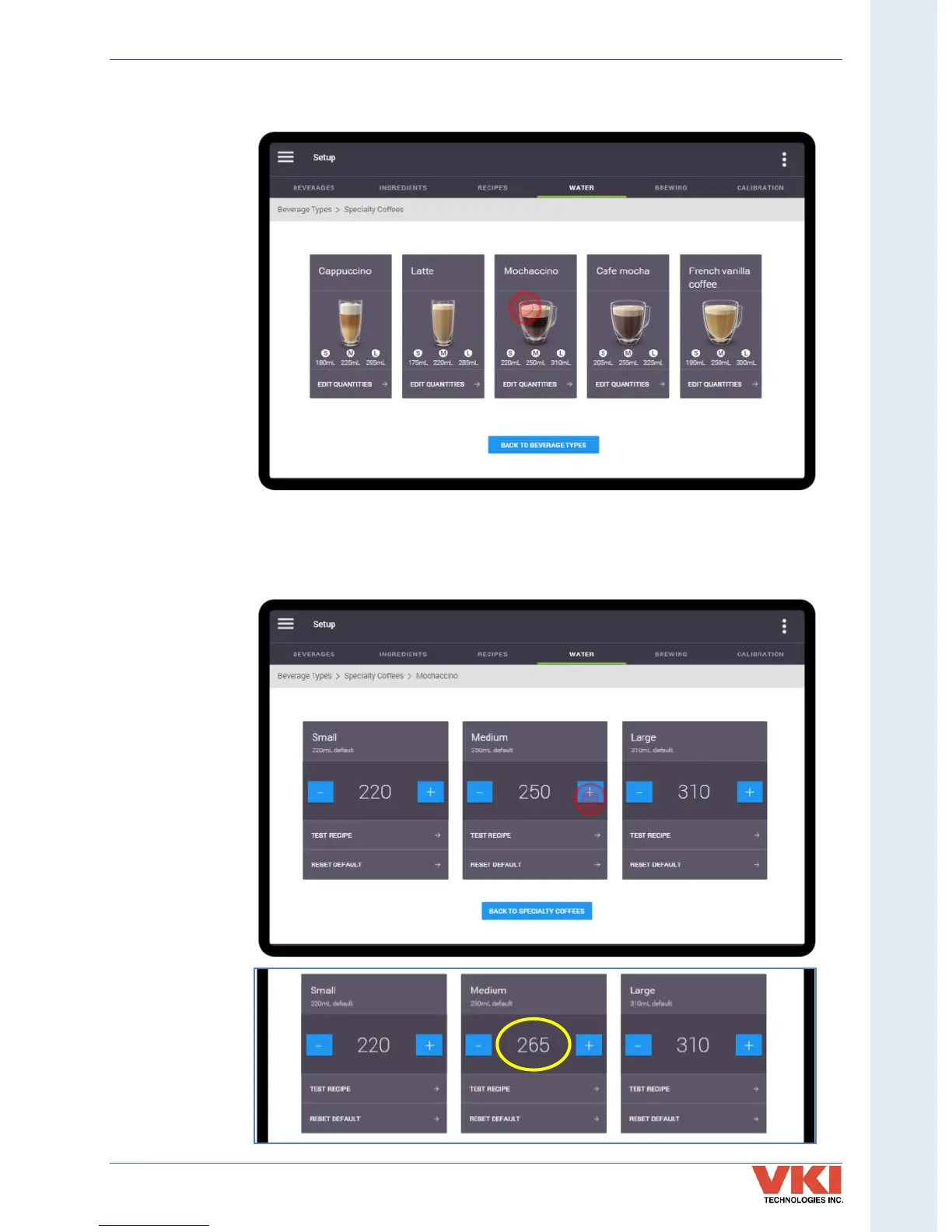
3. Select the specific beverage for which you want to adjust the water. In this example,
'Mochaccino' is selected.
4. All three cup sizes are now displayed. To increase or decrease the quantity of water for
a specific cup size, press the ' - ' or ' + ' buttons in the corresponding box.
In this example, the 'Medium' cup size will be increased to 265ml. Press the ' + ' button
in the 'Medium' box until 265 is displayed.


 To Next Page