Section 3 - Programming
Operation Manual
VKI Publication #100308-003
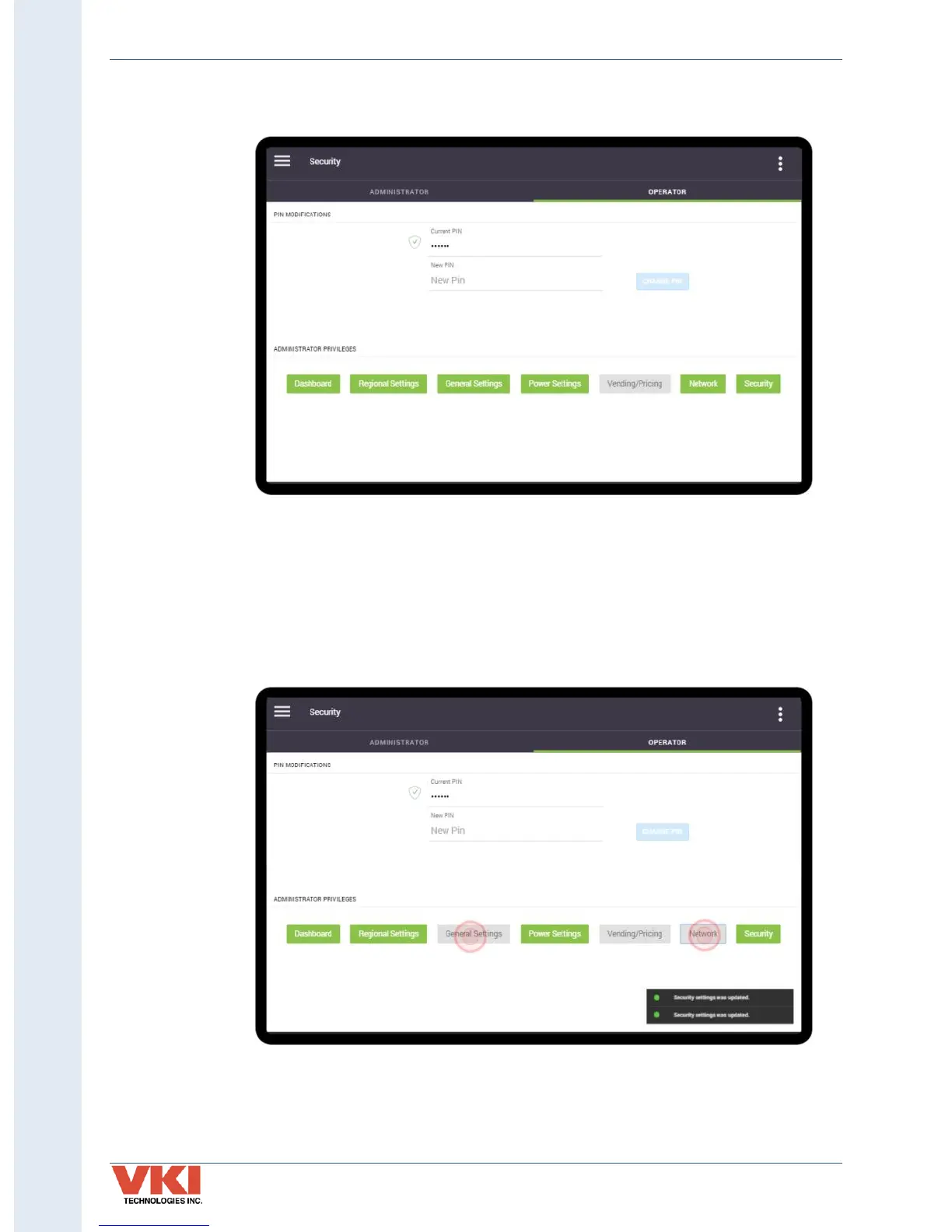
3. A checkmark appears beside the PIN if it was entered correctly. If you need to change
the Operator PIN, tap 'New PIN', and follow the prompts.
In the screenshot above, in the 'Administrator Privileges' section you'll notice that
almost all of the options are green. These are the current options available to the
Administrator.
4. To change these options, tap on the options that you want to make available to the
Administrator (they will change color to green). To remove the availability of any
options, tap them so that they are grayed out.
In the screenshot above, in the 'Administrator Privileges' section you'll now notice that
the 'Dashboard', 'Regional Settings', 'Power Settings' and 'Security' options are green.
These are the updated options available to the Administrator. The grayed-out options
will not be visible to the Administrator.



 To Next Page