15
Change Date and Time
Accurate patient and device history stored in the programmer depends on
correct date and time settings. Before using the programmer with a patient,
verify that the time and date on the programmer are correct. This will ensure
that the session is properly time-stamped.
1. Navigate to the Date & Time screen:
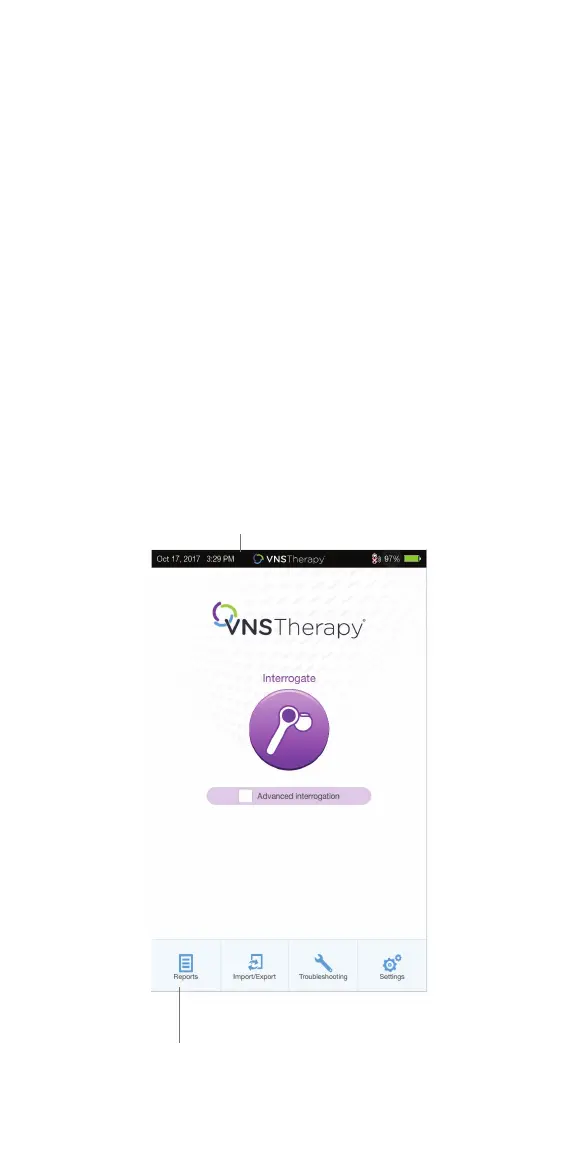
• OPTION 1: From the Main Screen, tap the VNS Therapy® logo on the title
bar (black bar at the top of the screen)
• OPTION 2: From the Main Screen, select SETTINGS from the bottom
navigation bar
• On the Settings Screen, tap the EDIT button at the top of the page
near the time
2. To change time: Tap the current display time and scroll up or down
3. To change date: Use LEFT or RIGHT ARROW to adjust the calendar,
and then tap the desired date
Main Screen
Title Bar
Navigation Bar



 To Next Page