QUICK START
Page 14 © Voltech 2010 PM1000+ Power Analyzer User Manual
2.4. NAVIGATING THE MENU SYSTEM
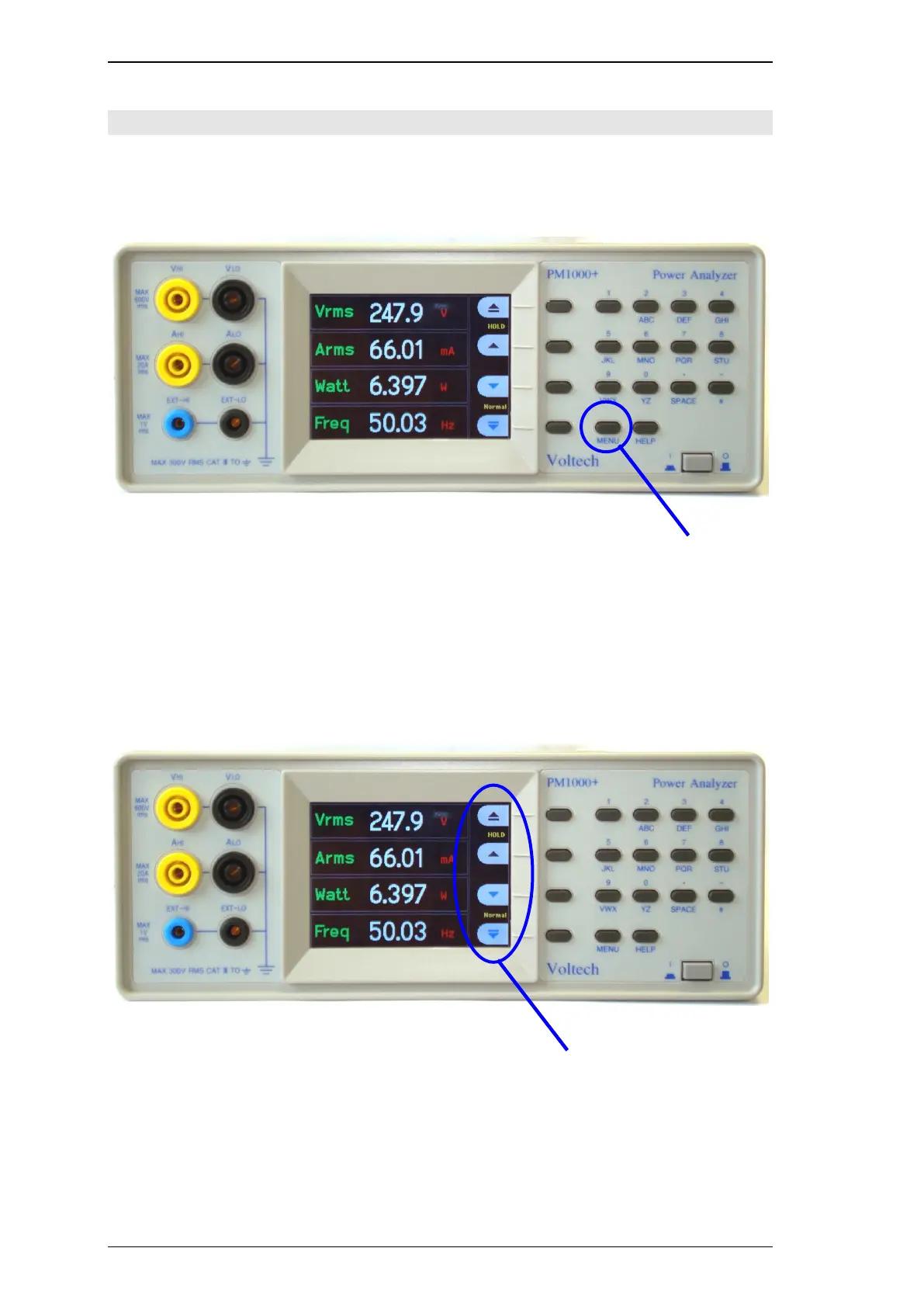
The menu system provides complete access to all settings of the PM1000+. To access
the menu system, press the MENU key.
To return to the measurement display at any time, simply press the MENU key again.
With the menu system active, the 4 soft keys to the right of the display may be used to
navigate and select options.



 To Next Page