SOFTWARE
PM1000+ Power Analyzer User Manual © Voltech 2010 Page 57
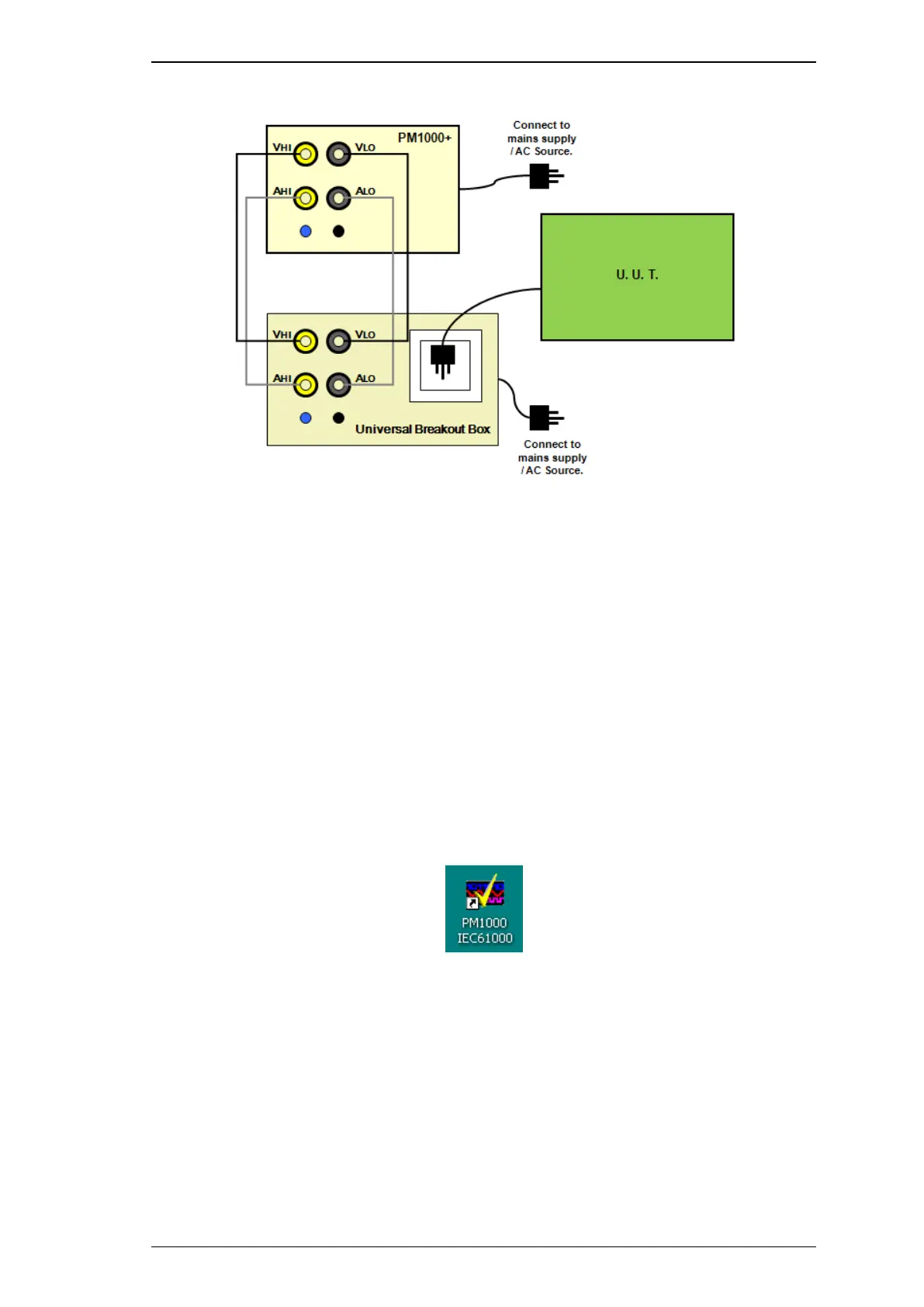
Universal Breakout Box Connection Diagram
Finally, in order for the PM1000+ to send results to the PC, a data connection needs to
be made. The IEC software supports either USB or GPIB (not available on the basic
comms version of the PM1000+).
Running the Fluctuating Harmonics Test
Starting the Software
To start the PM1000+ IEC61000-3 software, click on the PM1000IEC61000 icon, on
the included PC‟s desktop, as shown below.
PM1000+ IEC Software Icon
Confirm Communication set-up
After the software starts up, you should see a message in the bottom left of the main
window that states that a PM1000+ has been detected. An example for USB
connection is shown below:



 To Next Page