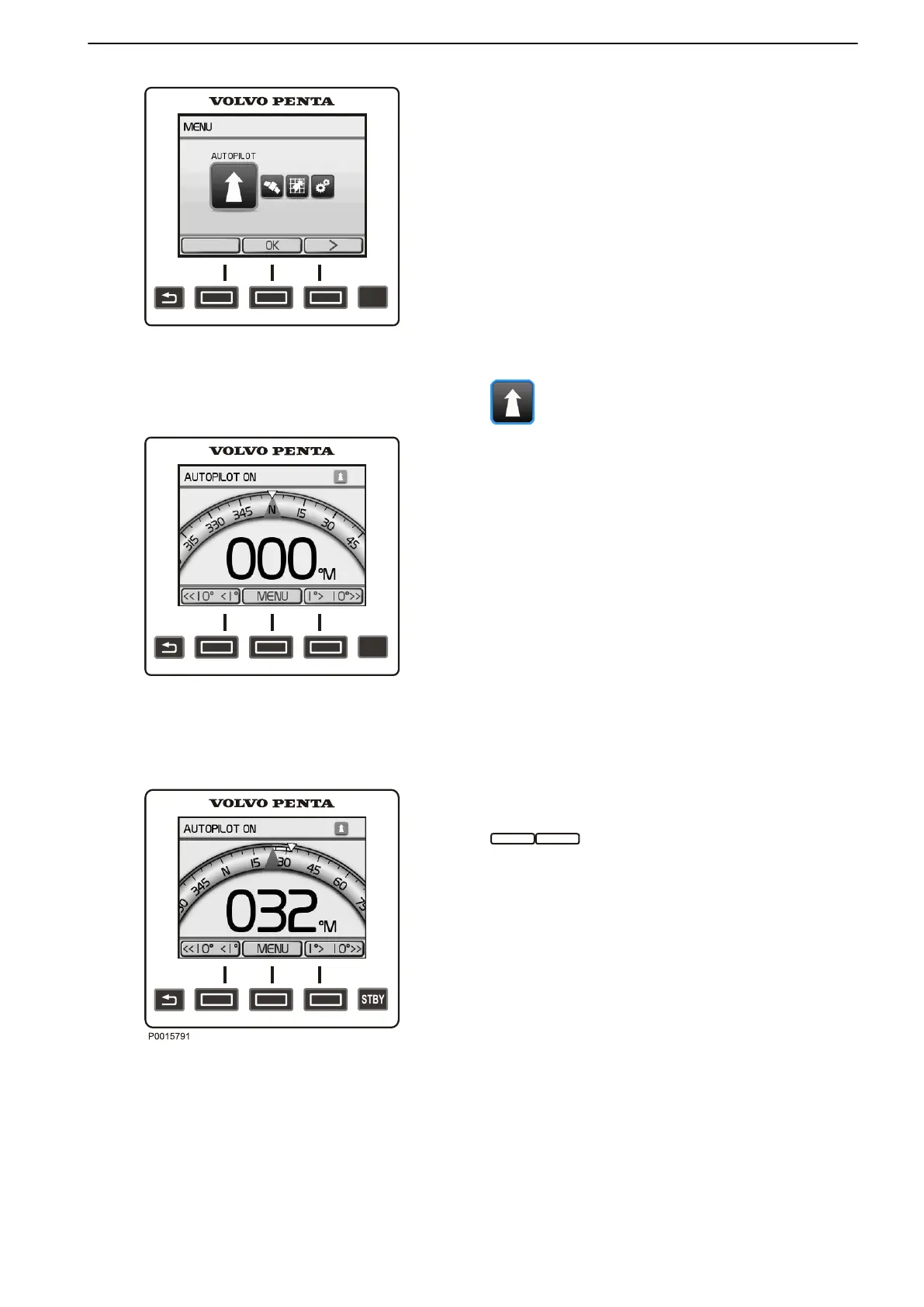
Main menu
•
Autopilot
•
GPS
Steering,
a waypoint must be marked in a plot-
ter before this menu can be opened.
•
Pattern Steering
•
Settings
Autopilot
Active or stand-by autopilot status is shown in the top
part of
the screen. A green arrow in the top right corner
of the screen confirms activation; if the autopilot is put
in stand-by mode the arrow turns red and flashes for
five seconds.
The set course is shown on the display digitally and by
means of a course indicator in the form of a blue trian-
gle.
ENGAGE — Activates the autopilot.
MENU — Goes to the main menu.
ROUTE — Activates the autopilot to follow a route
on the plotter. This alternative is only shown if a GPS
is connected and a route or waypoint has been cre-
ated in the plotter. The display shows the distance
to the next waypoint along the plotted route. Refer
to GPS Steering for further information and settings.
Setting a course
The boat's course is set by means of the arrow buttons,
. One click on the button changes the
course 1° at a time; if the button is held down longer
the course is changed in larger steps. A yellow arrow
shows the
new course the boat will be set on. Step size
can be adjusted under the Settings > Navigation set-
tings> Step size menu.
NOTICE! The course shown in the autopilot may devi-
ate from the course shown in a GPS/plotter. This is
because the autopilot shows boat heading, i.e. it does
not take leeway or drift into consideration. On the other
hand, the plotter shows the boats actual track.
Optional
47705796 05-2014 © AB VOLVO PENTA 45





 To Next Page