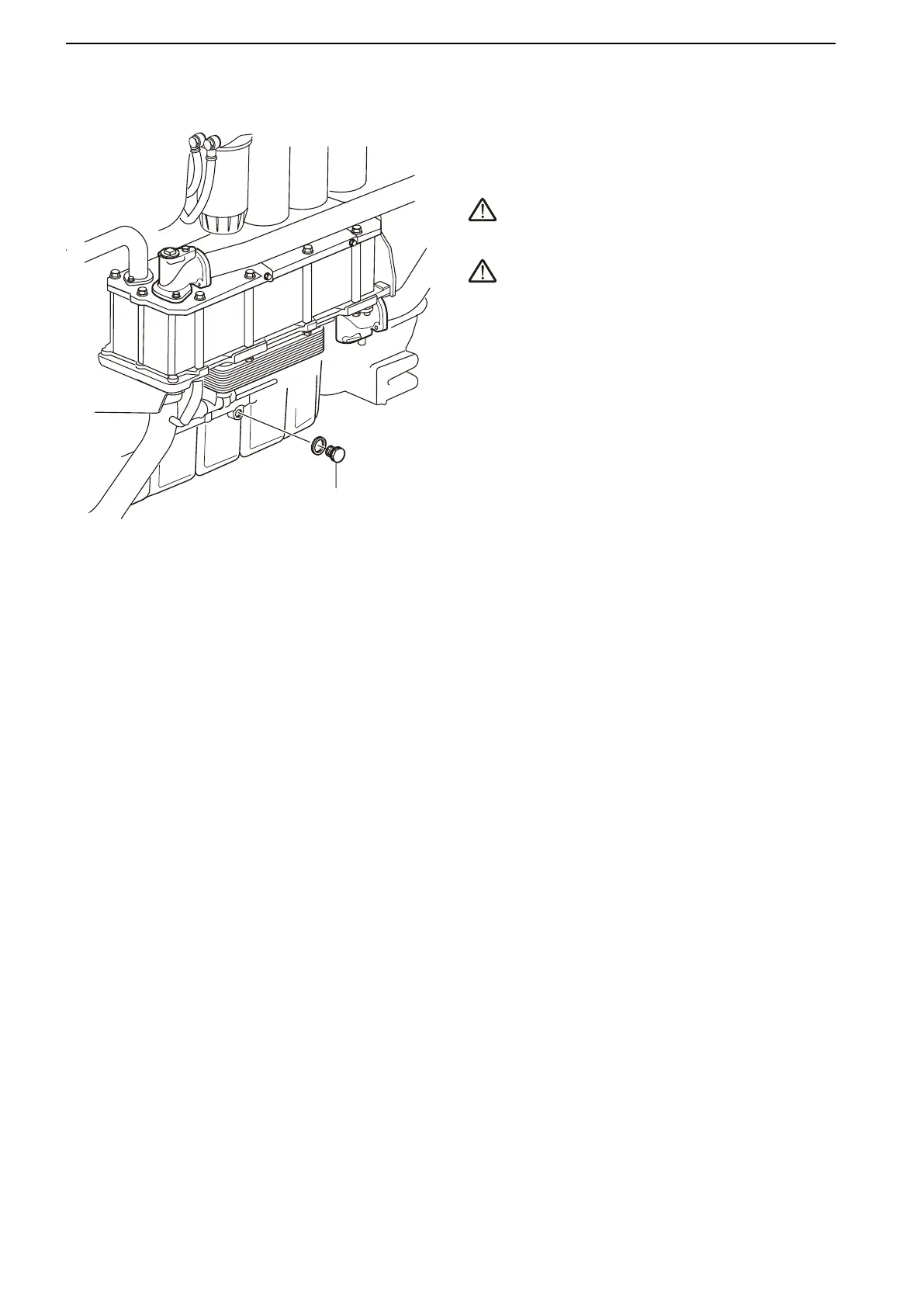
Engine Oil, Change
Always follow the recommended oil change interval.
Use a
manual or electric oil drain pump (optional equip-
ment.) to pump the oil out of the oil pan.
WARNING!
Hot oil and hot surfaces can cause burns.
WARNING!
Working with or approaching a running engine is a
safety risk.
Watch out for rotating components and hot
surfaces.
1 Run the engine until warm so that the oil is easier
to pump. Then stop the engine.
2 Remove the plug (1) from the oil pan and connect
an oil drain pump. Pump out the oil.
3 Replace the oil filter and by-pass filter at every oil
change; refer to the Oil Filter/By-pass Filter,
Change page 89 section.
4 Fill oil to the correct level vial the filler opening on
the side of the engine; refer to the Technical Data,
Lubrication System section for oil quantity.
IMPORTANT!
Use only oils of the recommended grades; refer to
the Oil Grade and Oil Change Interval section.
5 Start the engine and let it idle. Check that the low
oil pressure warning lamp goes out and that no
leaks are present at the filters.
6 Stop the engine. Wait a few minutes before check-
ing the oil level. Top up as needed.
Hand the old oil in to a re-cycling station.
Maintenance
88 47705796 05-2014 © AB VOLVO PENTA





 To Next Page