Settings
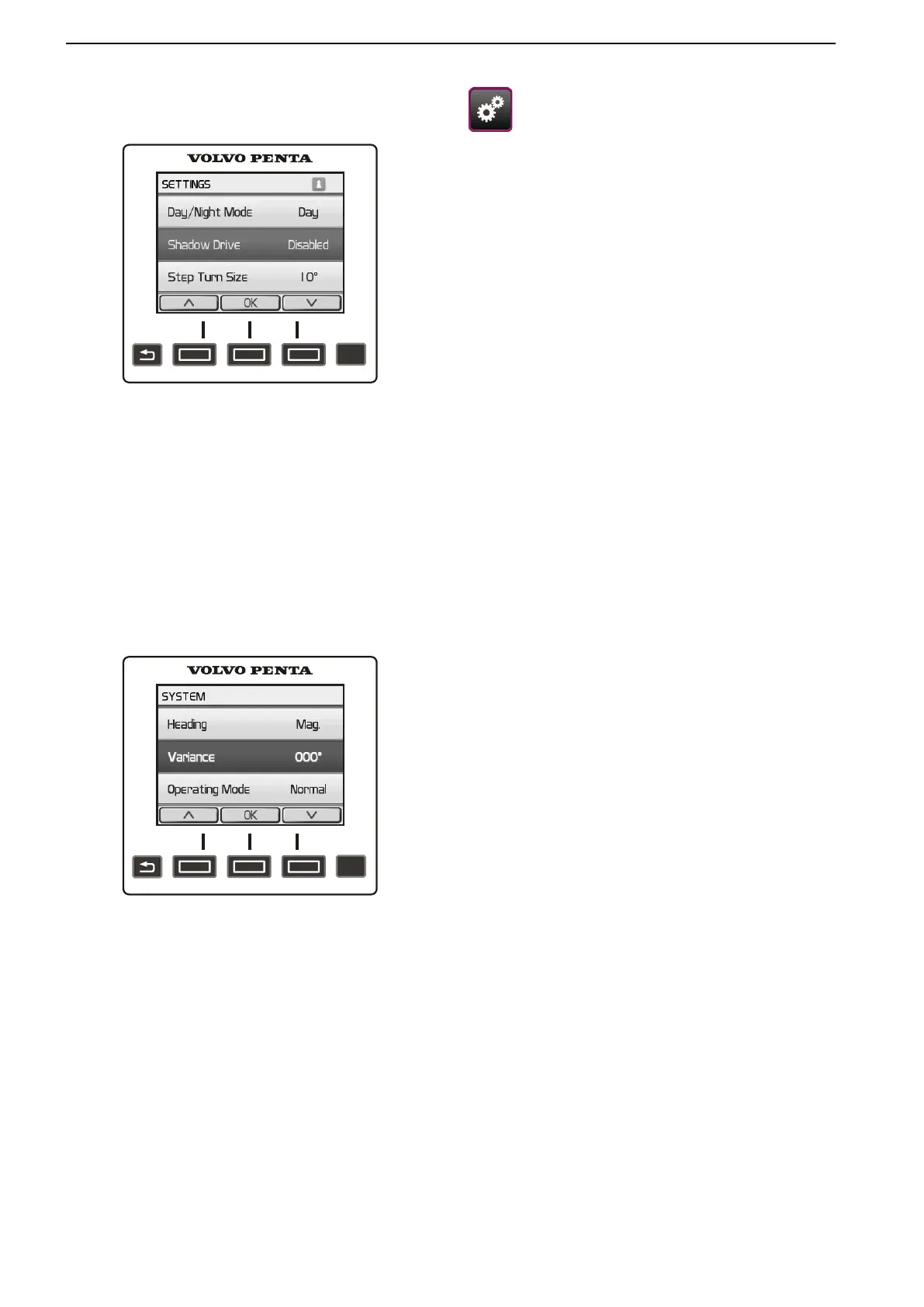
Day/night mode
Setting Day mode (light background) or Night mode
(dark background).
Shadow Drive
Switch function on/offShadow Drive. When Shadow
Drive is activated a symbol is shown in the top right
corner of the display.
When
the
function is active the autopilot is put in stand-
by mode when boat steering is taken over manually,
but does not need to be reactivated manually. Once
the boat has held a fixed course for a few seconds the
autopilot is reactivated automatically.
NOTICE! When Shadow Drive is activated in the set-
tings menu the autopilot is not automatically reacti-
vated again after the course is adjusted manually (with
steering wheel) and the autopilot has assumed stand-
by mode. The autopilot must be manually reactivated.
Step size
Setting the number of degrees a course is changed
when the Autopilot menu arrow buttons are held down.
Dealer autopilot settings
Settings in this menu may only be changed by an
authorized Volvo Penta dealer.
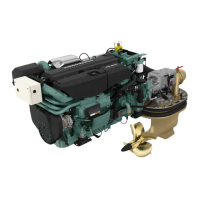
System
Course
Setting a reference for calculating course informa-
tion.
Magnetic – calculating a course based on magnetic
North
True – calculating a course based on true North
Declination
Setting declination based on true North. Declination
is only shown if Course is set to True.
Auto – automatically sets declination.
User – Declination is entered manually.
Operating position
Setting the display for normal operations or demon-
stration mode.
Factory reset
Settings will revert to the factory settings and zero
the autopilot calibration.
NMEA 2000 devices
List of connected NMEA 2000 units.
Optional
48 47705796 05-2014 © AB VOLVO PENTA





 To Next Page