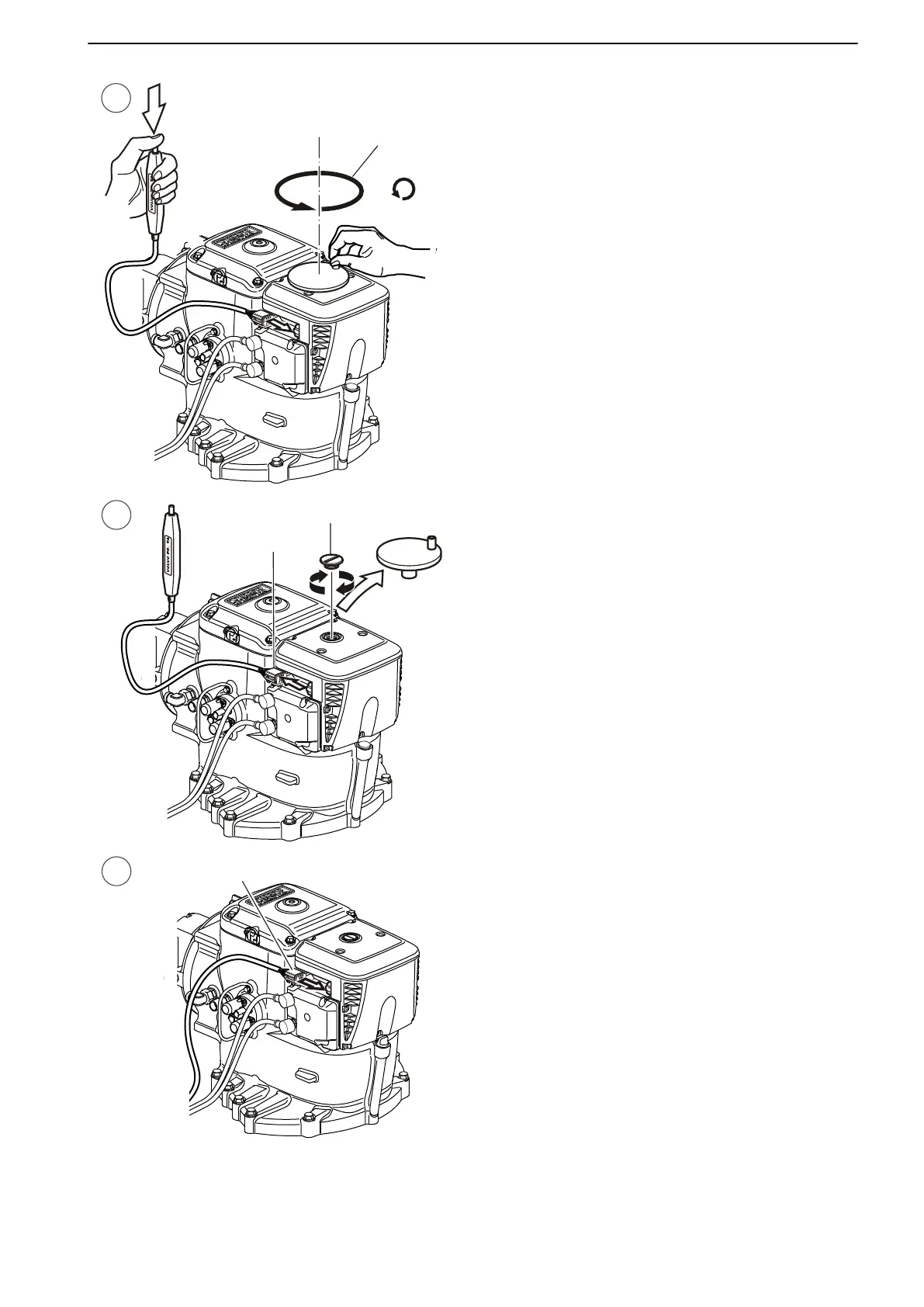
4 Turn the crank tool back 75 turns (7). The propul-
sion unit
is now aligned for straight forward motion.
5 Remove the crank tool. Disconnect the switch (8)
by pressing down the lock and at the same time
unplugg the switch by slowly wiggling it.
Screw back the plug (9).
6 Reconnect the cable (10) you disconnected in step
1.
In Case of Emergency
47705796 05-2014 © AB VOLVO PENTA 79





 To Next Page