EasyManua.ls Logo

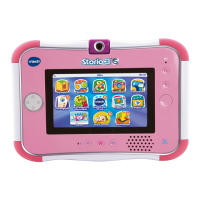
VTech Innotab 3S - User Manual

VTech Innotab 3S
44 pages
Print Icon
To Next Page IconTo Next Page
Loading...
User’s ManualUser’s Manual

Questions and Answers

  • K
    Kimberly HoffmanSep 10, 2025
    Why does VTech Tablet request backup battery to set up time?
    • M
      Mckenzie MckaySep 10, 2025
      If your VTech Tablet requests a backup battery to set up the time, or the clock time is inaccurate, the backup battery power may be low or not installed correctly. Replace the backup battery and ensure it is installed correctly.
  • W
    William ClarkSep 12, 2025
    What to do if WiFi is on, but there is no WiFi network available for VTech Tablet?
    • D
      Dana ParkerSep 12, 2025
      If the Wi-Fi is On, but there is no Wi-Fi network available for your VTech Tablet, move to a location that has an available Wi-Fi network, as the current location may not have a network or the signal may be weak.
  • C
    Calvin AvilaSep 14, 2025
    What to do when VTech Tablet suddenly turns off without low battery warning?
    • J
      Jennifer DixonSep 14, 2025
      To resolve this issue on your VTech Tablet, charge the rechargeable battery packs for 24 hours, even after the battery charging indicator light stops flashing. This is to address uneven charge storage among the cells in the battery packs.
  • M
    Misty WatkinsSep 16, 2025
    How to fix VTech Tablet that cannot recognise microSD memory card?
    • G
      Gregory MaddoxSep 16, 2025
      To resolve this issue on your VTech Tablet, format the microSD memory card to FAT32 on your computer.

Summary

Introduction

Included in This Package

Lists all items included in the product box.

Product Features

AC;DC Adaptor Specifications

Details the input and output specifications for the AC/DC adapter.

Getting Started

Install and Charge Batteries

Guides on inserting batteries and the charging process.

Powering On and Initial Setup

Explains how to turn on the device and personalize the user profile.

Desktop Navigation Basics

Describes the desktop interface, status bar, and key icons for navigation.

Preparing to Use Wi-Fi

Install Learning Lodge Software

Provides instructions for installing the Learning Lodge™™ software on a computer.

Register and Connect to Wi-Fi

Guides on registering the tablet and setting up the Wi-Fi connection.

Wi-Fi Enabled Features

Wish List Maker and Downloads

How to use Wish List Maker and manage downloaded content.

VTech Kid Connect

Details how to use the Kid Connect feature for communication.

Web Browser and Safety

Guides on safe online browsing, managing approved sites, and setting parental controls.

Content Overview

System Settings and Information

Covers device settings, history, new updates, and demonstration videos.

Learning Apps and Activities

Guides on using E-Reader, Games, Music, Creative Tools, and Art Studio.

Personal Utilities

Instructions for using Calendar, Notes, Friends, and Calculator apps.

Transferring Media

Transfer Photos and Videos

How to transfer media files between the computer and the tablet.

Supported Formats and microSD Card

Details supported file formats and instructions for inserting a microSD card.

Care & Maintenance

General Care and Cleaning

General guidelines for maintaining the tablet's condition and cleaning.

Battery Replacement and Safety

Steps for replacing the backup battery and health/safety warnings.

Troubleshooting

Common Device Malfunctions

Resolves issues with audio, display, power, and initial startup.

Connectivity and Storage Issues

Fixes for Wi-Fi, USB, microSD card recognition, and file management problems.

Battery and Cartridge Problems

Addresses battery charging, performance, and cartridge response issues.

Legal Notices

Technical Support and Contacts

Information on how to contact VTech for technical assistance.

Copyright and License Agreements

Covers copyright notices, trademarks, and the End User License Agreement.

Limited Warranty Information

Details the limited warranty provided for the software and product.

Product Warranty

Warranty Coverage and Claims

Outlines the one-year warranty, conditions for claims, and return procedures.

VTech Innotab 3S Specifications

General IconGeneral
Processor1 GHz
Storage4 GB
Expandable StoragemicroSD card slot (up to 32 GB)
Battery LifeUp to 5 hours
Operating SystemVTech proprietary OS
ConnectivityWi-Fi
BatteryRechargeable lithium-ion battery
Age Range3-9 years
Resolution480 x 272 pixels
Preloaded ContentEducational games, e-books

Related product manuals