26
27
13
• Press to switch to tone
dialing temporarily
during a call if you have
pulse service.
• While entering names,
press to change the next
letter to upper or lower
case.
14
• Press to make or answer
a home call or cell call
using the speakerphone.
• Press to turn on the
handset speakerphone,
press again to resume
normal handset use.
15
MUTE/
DELETE/
VOICE
• During a call, press to
Mute the microphone.
• When the handset is
ringing, press to mute
the ringer temporarily.
• While reviewing
the caller ID log, the
phonebook or the redial
memory, press to delete
an individual entry.
• While predialing, press
to delete digits.
• During message
or announcement
playback, press to delete
the playing message
or the recorded
announcement.
• When the handset is
not in use, press to
activate the voice-
controlled application of
connected cell phone.
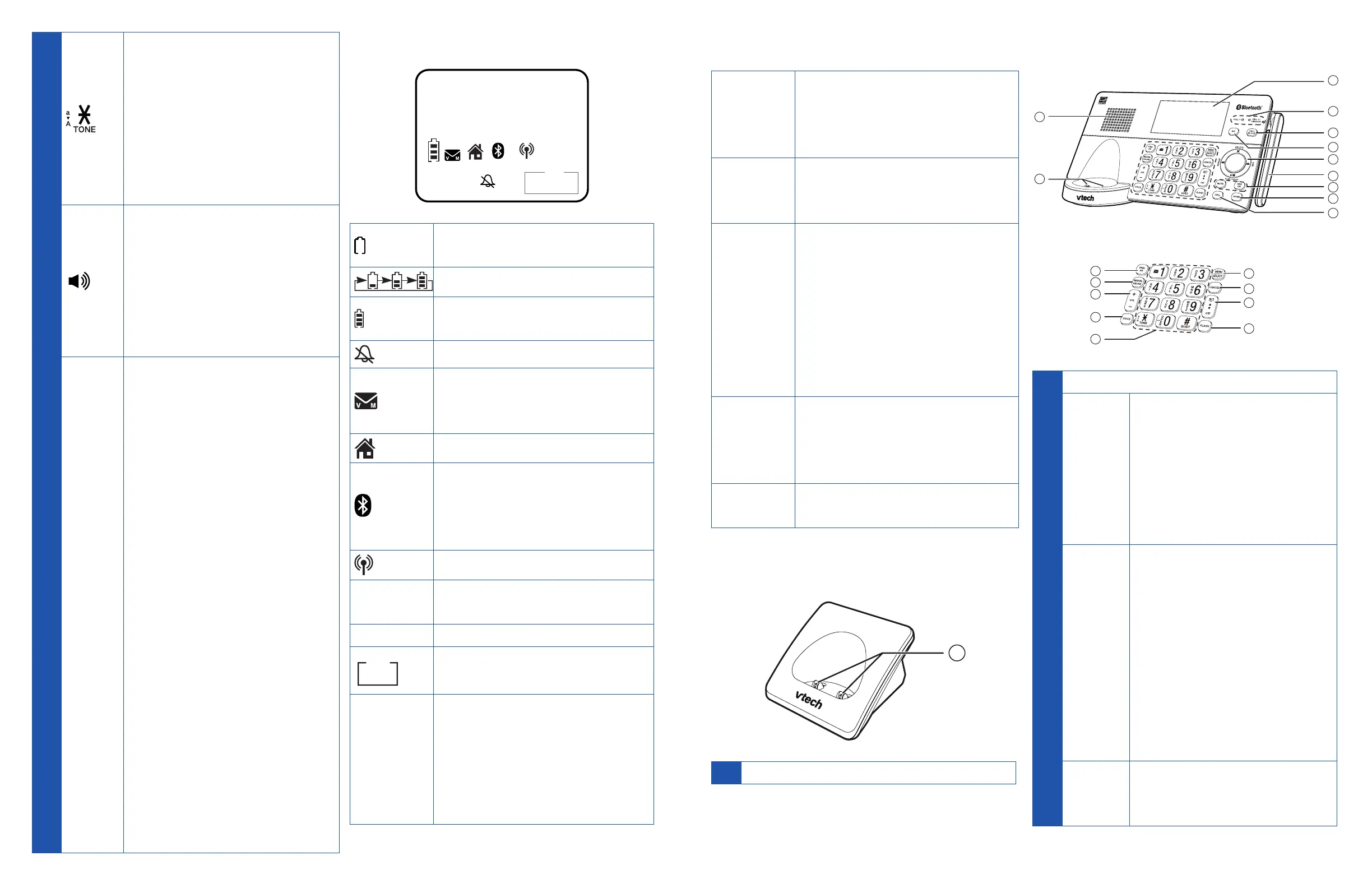
Handset display icons
HANDSET 1
ECO
10:30
PM
10/16
MSG #
NEW
ANS ON
1
2
• The battery is low and
needs charging.
• The battery is charging.
• The battery is fully
charged.
• Handset ringer is off.
• New voicemail received
from your telephone
service provider.
• Home line is in use.
1
2
• Bluetooth device 1
and/or device 2 is/
are connected to the
telephone.
• Cell line is in use.
NEW
• There are new Caller ID
log entries.
ANS ON
• Answering system is on.
MSG#
5/10
• Number of new/old
messages recorded.
ECO
• The ECO mode activates
automatically to reduce
power consumption
when the handset is
within range of the
telephone base.
Handset alert tones
1 short
beep
• A key is pressed.
• Plays at the end of each
message playback.
• End of recording.
1 long
beep
• Beginning of recording.
• Plays at the end of all
messages playback.
2 short
beeps
• Error tone. The
command has failed.
• You have reached the
beginning or end of the
list.
• You have reached the
minimum or maximum
listening volume.
3 short
high-
pitched
beeps
• Confirmation tone.
The telephone has
completed the
command successfully.
4 short
beeps
• Low battery warning.
Telephone charger
1
1 Charging pole
Telephone base
2
5
6
7
8
12
13
14
15
9
20
3
4
10
11
16
17
18
19
1 LCD display
2
CELL 1
Lights
• On when the
telephone is paired
and connected with a
Bluetooth device.
• Flashes alternately
while pairing a
Bluetooth device.
3
CALL
BLOCK
• Press to block the
incoming call when
the telephone is
ringing.
• When on a call, press
to block the call.
• When the telephone
base is not in use,
press to show the call
block menu.
4
INT
• Press to initiate an
intercom conversation
or transfer a call.



 To Next Page