56
57
Introducing Bluetooth
©
Your new IS8128/IS8128-2/IS8128-3/
IS8128-4/IS8128-5/IS8128-11/IS8128-
21/IS8128-31/IS8128-41/IS8128-51
telephone system with Bluetooth
wireless technology has the following
features:
• Pair up to two Bluetooth enabled
devices (two cell phones, or one cell
phone and one headset) with the
telephone base.
• Connect a maximum of two Bluetooth
enabled devices to make and receive
cell calls. Only one cell phone can be
active on a call at a time.
• Connect a Bluetooth enabled headset
for making and receiving home calls.
• Make and receive calls using your cell
phone service with your telephone
base or system handsets.
• Download phonebook entries from
your cell phone.
IMPORTANT INFORMATION
• Your IS8128/IS8128-2/IS8128-3/
IS8128-4/IS8128-5/IS8128-11/IS8128-
21/IS8128-31/IS8128-41/IS8128-51
is compatible with Bluetooth version
2.0 or above devices.
• After plugging in the telephone
base, wait at least 20 seconds before
connecting a Bluetooth device. The
screen shows Bluetooth system busy
if you try to connect too soon.
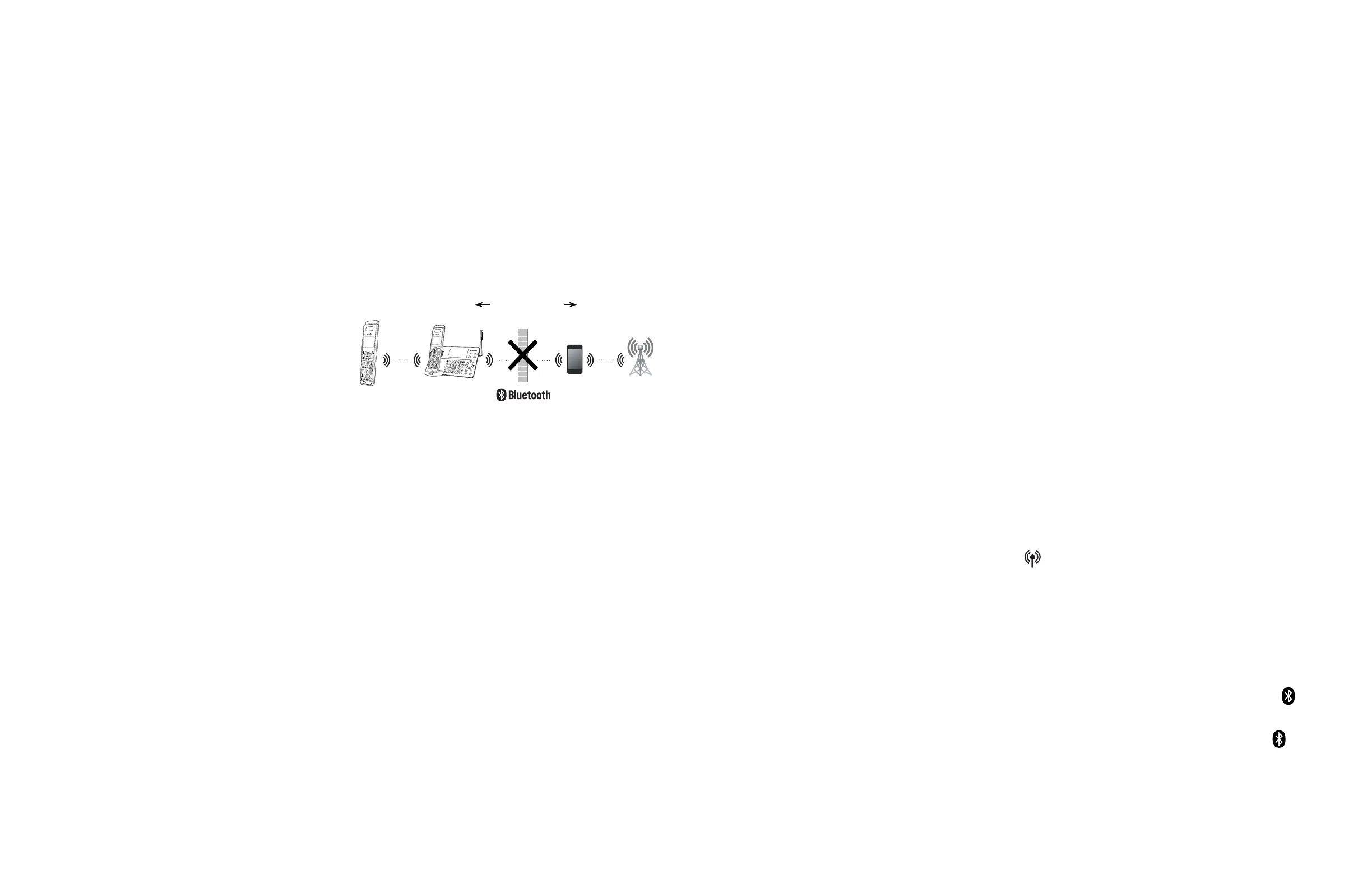
Cellular signal
Less than 15
feet for optimal
performance
IS8128 series
®
• Refer to the user’s manual of your
Bluetooth enabled cell phone or
headset for more information about
how that device uses Bluetooth
connectivity.
• Bluetooth wireless technology
operates within a short range (a
maximum of approximately 15 feet)
from the telephone base. Keep
connected cell phones and headsets
within this range.
• If your cell phone has poor reception
in your home, the IS8128/IS8128-2/
IS8128-3/IS8128-4/IS8128-5/IS8128-
11/IS8128-21/IS8128-31/IS8128-
41/IS8128-51 cannot improve the
reception. However, if there is a
location in your house with better
reception, you can leave your cell
phone at that location while you
use the IS8128/IS8128-2/IS8128-
3/IS8128-4/IS8128-5/IS8128-11/
IS8128-21/IS8128-31/IS8128-41/
IS8128-51 cell line. For optimal
performance, the cell phone must
be within 15 feet of the telephone
base.
• If you experience poor sound quality,
it may be caused by the distance
between your cell phone and the
telephone base. To improve the
performance, place your cell phone
closer to the telephone base (within
15 feet) and make sure that there are
no physical obstacles such as large
furniture or thick wall in between.
• Charge your cell phone while it is
connected to the telephone base.
Your cell phone’s battery discharges
faster while it is connected to the
telephone base via Bluetooth
wireless technology.
• Monitor your cell phone’s usage,
because minutes may be deducted
from your cellular plan for the
duration of all cell calls, depending
on the terms of your plan.
Refer to the Bluetooth Setup section
to learn how to set up your Bluetooth
device. Refer to the telephone operation
on how to operate your Bluetooth
devices with your new IS8128/IS8128-
2/IS8128-3/IS8128-4/IS8128-5/IS8128-
11/IS8128-21/IS8128-31/IS8128-41/
IS8128-51 telephone system with
Bluetooth wireless technology.
Refer to the Bluetooth setup section
to learn how to set up your Bluetooth
device. Refer to the Telephone
operation section on how to operate
your Bluetooth devices with your new
telephone system with Bluetooth
wireless technology.
Glossary of terms
Below are some terms used in this user’s
manual to help you become familiar
with using your Bluetooth devices and
your new VTech telephone system.
Active device slots - the Device list has
two active slots for two cell phones, or
one cell phone and one headset. In
order to use a Bluetooth device on a
call, it must be in an active slot and be
connected.
Bluetooth cell phone - refers to a mobile
Bluetooth enabled cellular telephone.
CELL line - the telephone line associated
with your cell phone service. Press
CELL on your handset or telephone
base to use the cell line.
Connected - when you pair a Bluetooth
device to your telephone system, it is
placed in an active slot and automatically
connected. When a device is connected,
a 1 and/or 2 will display after on
the telephone base screen. Also, the
CELL 1 and/or CELL 2/HEADSET light
on the telephone base will be on. If
a device loses its connection to the
telephone base, it must be reconnected
before you can use the device with the
telephone system.



 To Next Page