EasyManua.ls Logo

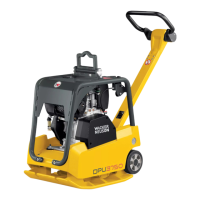
Wacker Neuson DPU80 Series - User Manual

Wacker Neuson DPU80 Series
74 pages
Print Icon
To Next Page IconTo Next Page
Loading...
Operator's manual
Vibratory plate
DPU
80, 90, 110
Model DPU
Document 5100008833
Issue 06.2016
Version 06
Language en

Table of Contents

Questions and Answers

  • M
    Matthew MooreSep 2, 2025
    What does it mean if Wacker Neuson Power Tool receiver units flash red?
    • M
      medinamarySep 2, 2025
      If the receiver units flash red on the Wacker Neuson Power Tool, it means the machine is overloaded because the soil cannot be compacted any further. To resolve this: * Avoid operation on non-compactable soil. * Reduce the compaction performance by actuating the slow / fast rocker switch. * Switch over from fast to slow operation.
  • M
    Ms. Bailey BurnsAug 31, 2025
    What does it mean if Wacker Neuson Power Tool receiver units light up red?
    • G
      grayoscarAug 31, 2025
      If the receiver units light up red on your Wacker Neuson Power Tool, it could indicate that the machine is in the warm-up phase. Wait until the warm-up phase has completed. It may also indicate that the diagnostic system has detected an error. Check control lamps and fault indications on the display.
  • A
    Alexa FitzgeraldAug 29, 2025
    Why Wacker Neuson Power Tool engine smokes and does not perform?
    • K
      Kelly BarnettAug 29, 2025
      If the Wacker Neuson Power Tool engine smokes and does not perform well, it could be due to a dirty air cleaner. Replace the air cleaner.
  • M
    Michael JacksonAug 28, 2025
    What to do if Wacker Neuson Power Tool receiver units flash yellow rapidly and the machine does not respond?
    • L
      laurenmoralesAug 28, 2025
      If the receiver units flash yellow in rapid succession and the Wacker Neuson Power Tool does not respond to commands from the remote control, it could be because the operator is located in the proximity area. Leave the proximity area of the machine.
  • W
    william01Aug 26, 2025
    What to do if Wacker Neuson Power Tool engine runs unevenly?
    • C
      Christopher SanchezAug 27, 2025
      If the engine of your Wacker Neuson Power Tool runs unevenly, the possible causes include: * A dirty fuel filter. Replace the fuel filter. * A dirty air cleaner. Clean or replace the air cleaner.
  • A
    ahopkinsAug 25, 2025
    What to do if Wacker Neuson Power Tool machine cannot be activated?
    • K
      Kimberly ColeAug 25, 2025
      If the Wacker Neuson Power Tool machine cannot be activated, it might be due to: * An incorrect activation PIN being entered. Enter the correct activation PIN. * A defective electrical system. Deactivate the machine with the emergency stop switch.
  • D
    danielmorrowAug 22, 2025
    What to do if Wacker Neuson Power Tool receiver units light up yellow and the machine does not respond?
    • S
      scottkleinAug 22, 2025
      If the receiver units light up yellow and the Wacker Neuson Power Tool does not respond to remote control commands, check these possible causes: * Ensure the remote control is switched on. * The rechargeable battery of the remote control may be discharged; load or replace it. * Make sure you are within the receiving area of the machine. * Establish a clear line of sight between the remote control and the receiver unit. * Clean the remote control and receiving units if they are dirty. * The remote control is defective.

Summary

Security and Operator Responsibilities

Safety Policy, Proper Use, and Operator Responsibilities

Covers safety policy, correct usage, and the operator's defined responsibilities.

General Security Instructions

Personnel Qualification and General Safety Instructions

Details personnel qualification requirements and general safety guidelines.

Specific Security for Vibratory Plates

Specific Safety for Vibratory Plates and Handling

Safety instructions specific to vibratory plates, including operational safety and handling.

Personal Protective Equipment and Safety Devices

Personal Protective Equipment and Safety Devices

Lists required PPE and explains the function of safety devices on the machine.

Safety Shutdowns and Emergency Procedures

Safety Shutdowns and Emergency Procedures

Covers safety shutdowns for remote operation and behavior in dangerous situations.

Setup and Function Overview

Remote Control Operation Principles

Explains the principles of remote control operation and infrared transmission.

Components and Operators Controls

Machine Component Identification

Identifies and describes the main physical components of the vibratory plate.

Operator Controls and Panel Indicators

Operator Controls and Their Functions

Details the various controls on the machine and their specific functions.

Control Panel and Display Information

Diagnostic and Configuration Menu Operations

Remote Control Unit Details

Transport Procedures

Machine Lifting and Securing

Operation and Use: Pre-Operation

Operation and Use: Notes and Slopes

Operation and Use: Commissioning

Operation and Use: Activation

Operation and Use: Commissioning Methods

Operation and Use: Start and Compatec

Operation and Use: Center Pole Control

Operation and Use: Remote Control

Operation and Use: Shutdown Procedures

Emergency Stop and Machine Deactivation

Remote Control Battery Charging

Transmission Channel and Diagnostics

Error Memory and Configuration Menu

Maintenance Schedule

Periodic Maintenance Tasks

Long-Interval Maintenance and Fuel

Machine Cleaning and Engine Oil

Motor Oil and Filter Replacement

Air Cleaner Maintenance

Coolant Level Management

Exciter Oil Level Management

Hydraulic Oil and Connections Maintenance

Troubleshooting Machine Issues

Machine Troubleshooting: Faults, Causes, and Remedies

A table listing common machine faults, their possible causes, and remedial measures.

Troubleshooting: Units and Lamps

Receiving Unit and Control Lamp Fault Diagnosis

Tables for troubleshooting issues with receiving units and center pole control lamps.

Remote Control Troubleshooting

Remote Control Troubleshooting Guide

A chart to diagnose and resolve problems related to the remote control unit.

Display Faults and Error Handling

Display Fault Indications and Error Message Handling

Lists fault indications on the display and procedures for handling error messages.

Troubleshooting Error Codes Part 1

Troubleshooting Error Codes (1-12)

Lists error codes, their display messages, causes, and remedies.

Troubleshooting Error Codes Part 2

Troubleshooting Error Codes (13-21)

Continues listing error codes, their display messages, causes, and remedies.

Troubleshooting Error Codes Part 3

Troubleshooting Error Codes (22-35)

Continues listing error codes, their display messages, causes, and remedies.

Jump Starting Procedure

Technical Data: DPU80

DPU80 Model Specifications

Detailed technical specifications for the DPU80 vibratory plate.

Technical Data: DPU80 r

DPU80 r Model Specifications

Detailed technical specifications for the DPU80r vibratory plate.

Technical Data: DPU90

DPU90 Model Specifications

Detailed technical specifications for the DPU90 vibratory plate.

Technical Data: DPU90 r

DPU90 r Model Specifications

Detailed technical specifications for the DPU90r vibratory plate.

Technical Data: DPU110

DPU110 Model Specifications

Detailed technical specifications for the DPU110 vibratory plate.

Technical Data: DPU110 r

DPU110 r Model Specifications

Detailed technical specifications for the DPU110r vibratory plate.

Technical Data: Combustion Engines

Technical Data: US Combustion Engines

Wacker Neuson DPU80 Series Specifications

General IconGeneral
BrandWacker Neuson
ModelDPU80 Series
CategoryPower Tool
LanguageEnglish

Related product manuals