16
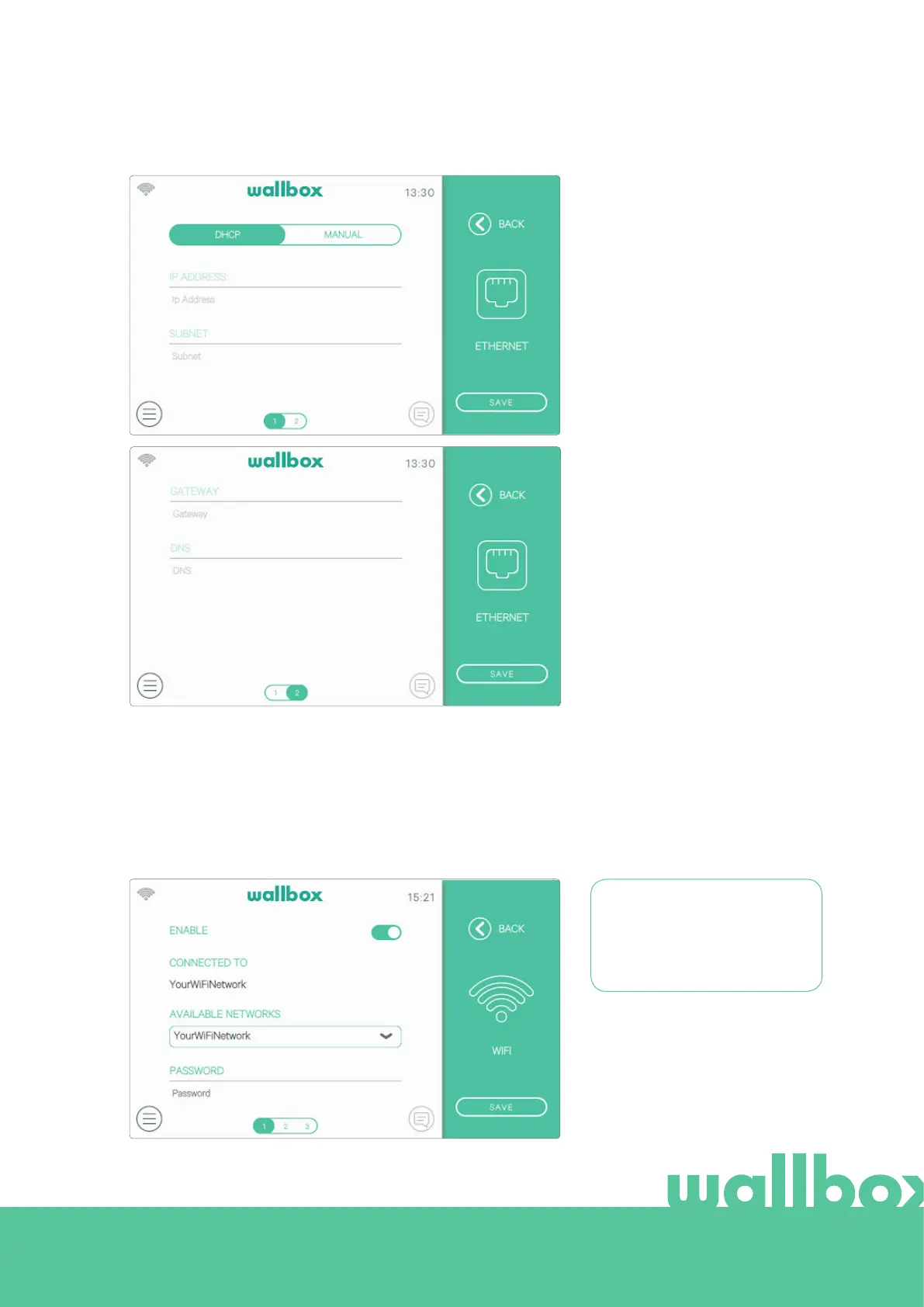
Ethernet
Automatic network configuration
is enabled by default in this option
via DHCP so the charger will obtain
and set the network parameters
automatically, provided that the net-
work has an active DHCP server.
It is also possible to set these network
parameters manually.
WiFi
To connect the charger to a WiFi network it is necessary to switch on the charger's WiFi connection by pressing
the Enable button. Then select the network you want to connect to from the dropdown list of available networks
and enter the password for the WiFi network. Press the Save button to save the configuration and connect. The
charger will connect to the network and the WiFi icon will be displayed. The number of bars on the icon indicates
the quality of the link.
The use of some special
characters in the name or
password of the WiFi network
may not be supported.



 To Next Page