17
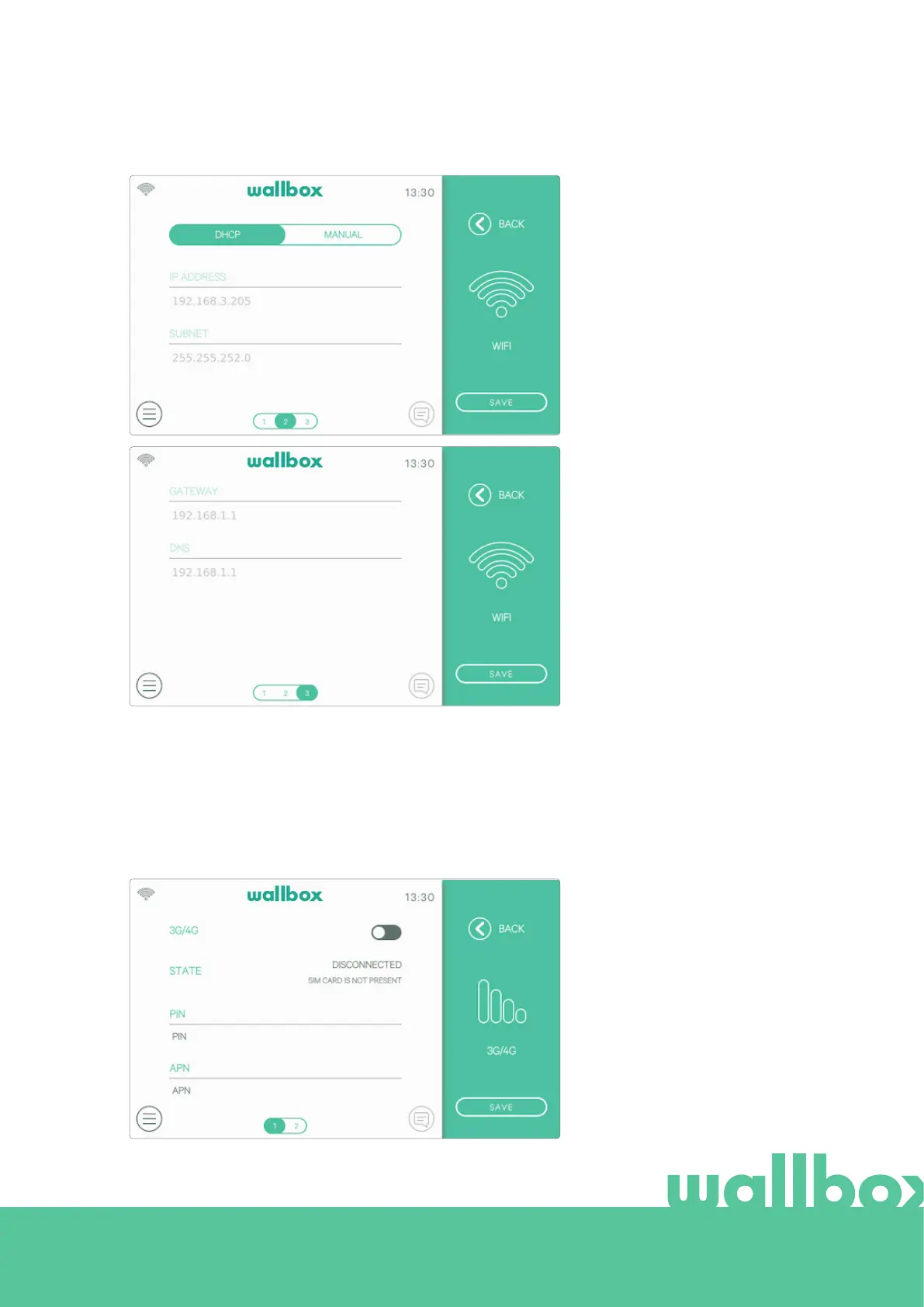
The network parameters are
obtained automatically from the
network’s DHCP server and can
be entered manually.
3G/4G
If the charger is equipped with a 3G/4G modem it can be configured in this screen. Switch on the 3G/4G
connection and enter the configuration parameters provided by the SIM provider. Then press the Save
button to save the configuration and start the connection process. Once a connection to the mobile
network is established an icon will be displayed in the top-left corner. Note that this icon is static and does
not indicate the quality of the connection.
For more information about the
installation and setup of 3G/4G
connectivity please download the
Mobile Connectivity manual from
www.wallbox.com.



 To Next Page