EasyManua.ls Logo

Wallenstein BXTR6438 - User Manual

Wallenstein BXTR6438
68 pages
Print Icon
To Next Page IconTo Next Page
Loading...
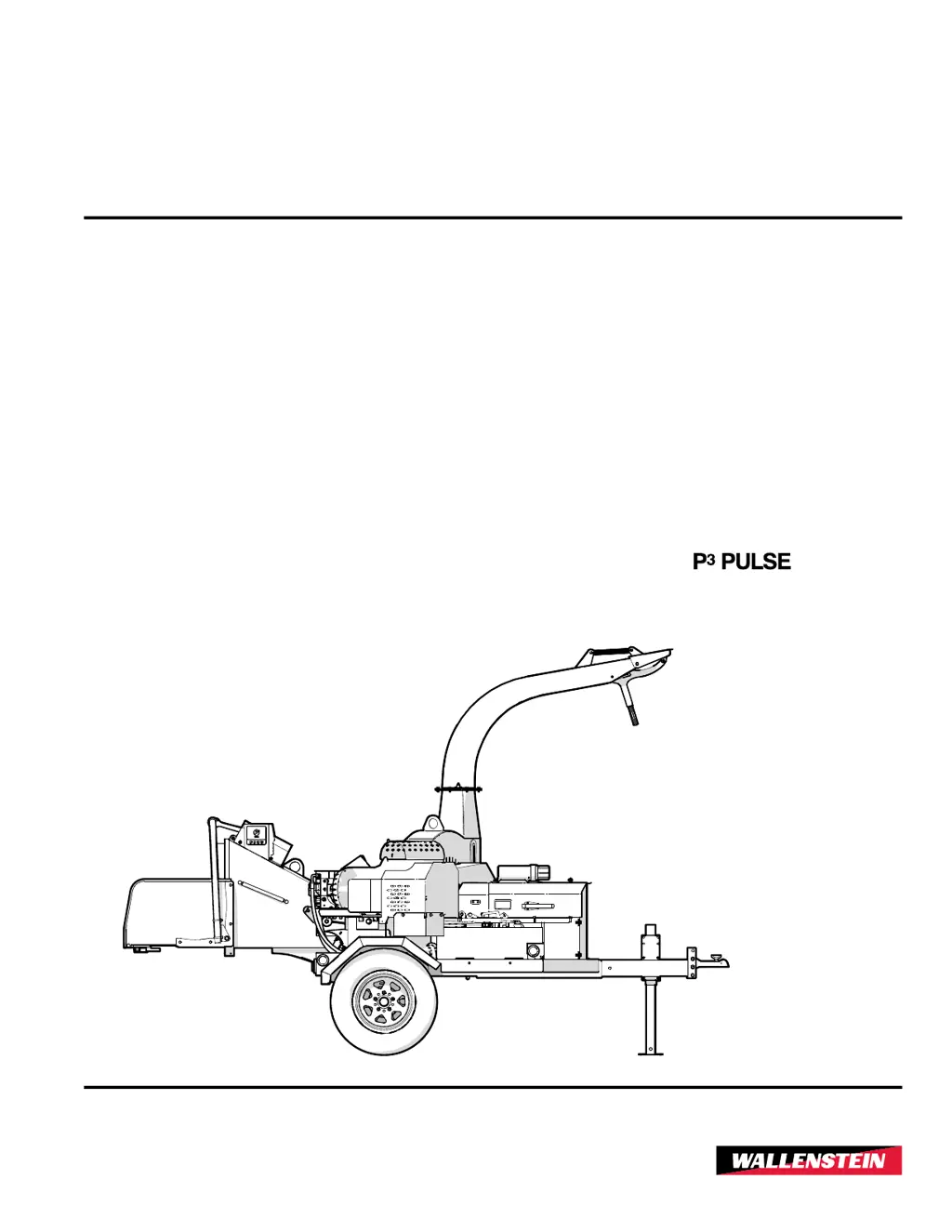
OPERATOR'S MANUAL
Trailer Wood Chipper
BXTR
6438
Document Number: Z97157_EnRev Feb-2021
TECHNOLOGY
S/N 2E9US1117LS091375 & Up

Questions and Answers

  • M
    Morgan HayesSep 12, 2025
    Why won't my Wallenstein Chipper engine start?
    • T
      Timothy HansenSep 12, 2025
      If the engine won't start, make sure the upper rotor housing is closed and the interlock cable is connected. Check the interlock switch and replace it if it's defective. Inspect the interlock wiring harness for damage and repair or replace it. There may be an engine problem, so refer to the engine manufacturer's manual. Also, a seized clutch can prevent the engine from starting, so replace it if necessary.
  • A
    Adam WrightSep 14, 2025
    How to troubleshoot noisy drive belt or premature wear on Wallenstein Chipper?
    • S
      shawnpattersonSep 14, 2025
      To troubleshoot a noisy drive belt or premature wear, first inspect the drive belts and adjust the tension or replace them if needed. Ensure you are using the correct replacement belt. Check the sheave alignment and adjust if misaligned. Inspect and clear the chipper hopper, lower rotor housing, and rotor if they are plugged. Verify the belt tension is not too high and adjust it. Inspect the sheaves and bearings and replace if required. Check for any oil or grease on the drive system, correct the source, and clean the sheaves and belts (belts may require replacement). Finally, check the rotor bearings and replace if required.
  • S
    Scott TaylorSep 18, 2025
    How to fix Wallenstein Chipper rotor that does not turn?
    • S
      Sara RoseSep 18, 2025
      If the rotor does not turn, it could be due to an obstructed discharge; clear any debris from the discharge chute. The rotor itself might be plugged, so inspect and clear the chipper hopper lower rotor housing and rotor. Another possibility is a seized clutch, which would require replacement.
  • J
    Jenna YoungNov 23, 2025
    Why are the feed rollers on my Wallenstein BXTR6438 Chipper intermittent or not turning?
    • Q
      quinncodyNov 23, 2025
      Intermittent or non-turning feed rollers on your Wallenstein Chipper can be caused by: * The feed roll control bar being set to stop. Move it to the Forward or Reverse position. * The engine speed not being at or above the minimum setting. Set the engine throttle for maximum RPM and ensure the engine is properly tuned. * The P3 programming being incorrect. Check that P3 settings are at factory specifications and reset if required. * A damaged rotor sensor. Inspect the rotor sensor for damage and replace it if required. * Damage or misalignment of the rotor sensor mount or sheave-mounted indicator plate. Repair or replace as necessary. * A bad ground connection in the harness. * Damage to the wiring harness. Repair or replace if damaged. * A malfunction of the P3 hydraulic...
  • J
    javiermezaNov 27, 2025
    Why is the hydraulic oil overheating and the pump noisy in my Wallenstein Chipper?
    • L
      Lisa RichardsonNov 27, 2025
      Hydraulic oil overheating and a noisy hydraulic pump in your Wallenstein Chipper can be attributed to: * The reservoir oil level being too low. Fill the reservoir until fluid is visible in the sight glass. * A dirty filter. Change the filter. * Contaminated hydraulic oil. Inspect the oil condition, checking for dirt or foaming, and replace the oil. * Feed rollers binding. Inspect the bearings and lubricate or replace them. * Lines crimped or pinched. Inspect, repair, or replace the lines. * A worn pump. Check and replace it. * A line leak. Inspect hydraulic lines and connections for leaks and repair or replace them. * A pump leak. The pump seals may be worn, so replace them. * A noisy pump at startup. The oil temperature may be too low. Allow the machine to warm up befor...

Summary

1. Foreword

1.1 Introduction

Congratulates the user on choosing the BXTR6438 Trailer Wood Chipper.

Key Safety Warnings

1.2 Delivery Inspection Report

1.2.1 Dealer Inspection Report

Checklist for dealer to perform before delivery to customer.

1.3 Serial Number Location

1.4 Types of Decals on the Machine

2. Safety

2.1 Safety Alert Symbol

Explains the meaning of the safety alert symbol and its importance.

2.2 Signal Words

Explains the meaning of DANGER, WARNING, CAUTION, and IMPORTANT signal words.

2.3 Why SAFETY is Important

Details the reasons why safety is crucial when operating the chipper.

Safety Procedures

2.4 Safety Rules

Lists essential rules for safe operation and maintenance of the chipper.

Safe Condition for Servicing

Defines a 'Safe Condition' for servicing and lists steps to achieve it.

2.4.2 Safety Training

Emphasizes the importance of operator training and familiarity with procedures.

Operating & Transport Safety

2.4.3 Be Prepared

Covers essential preparations before operating the chipper, including PPE.

2.4.4 Operating Safety

Provides safety guidelines specifically for operating the wood chipper.

2.5 Equipment Safety Guidelines

Outlines general safety rules for using the equipment.

2.5.1 Transport Safety

Details safety precautions to be followed during transport of the chipper.

Specific Safety Guidelines

2.5.2 Tire Safety

Provides guidelines for safe tire maintenance and operation.

2.5.3 Battery Safety

Covers safety precautions related to handling and maintaining the battery.

2.5.4 Hydraulic Safety

Outlines safety procedures for the hydraulic system.

Engine Safety

2.5.5 Gas Engine Safety

Details critical safety measures for operating the gas engine.

2.6 Sign-Off Form

2.7 Safety Sign Explanations

Safety Sign Maintenance

3. Familiarization

3.1 Operator & Owner Responsibilities

Emphasizes the owner's responsibility to train operators and follow safety.

3.2 Job Site Familiarization

Stresses the importance of familiarizing oneself with the work site before operation.

3.3 Operator Orientation

Explains directional references used in the manual for controls.

3.4 Main Parts of the Chipper

4. Controls

Engine Controls

Details the engine controls, including throttle, choke, and ignition switch.

Ignition Switch Operation

Explains the function and positions of the key-operated ignition switch.

Control Adjustments

Choke Operation

Describes how to operate the choke lever for starting and running the engine.

Throttle Control

Explains how the throttle lever controls engine speed.

Chute & Deflector Controls

Discharge Chute Adjustment

Details how to adjust and position the discharge chute.

Hood Deflector Adjustment

Explains how to adjust the hood deflector to direct chips.

Feed Roller Controls

Roller Feed Control Bar

Explains the function and positions of the feed roller control bar.

STOP Positions

Describes how to use the control bar to stop the feed rollers.

Feed Roller Operation

Forward Feed Operation

Details how to engage the feed rollers for forward material feeding.

Reverse Feed Rollers

Explains how to engage the feed rollers in reverse.

4.5 P3 PULSE Electronic Control System

4.5.1 System Overview

Introduces the P3 PULSE system and its functions for optimizing chipper operation.

P3 PULSE Display Interface

Display Screen

Describes the P3 PULSE electronic control system's display screen.

Soft Key Icons

Explains the icons used for navigation on the P3 PULSE display.

Soft Key Navigation Buttons

Details the soft keys used to navigate the P3 PULSE system menus.

P3 PULSE Display Screens

P3 PULSE Screen Contents

Details main screen, feed position, rotor speed, hours, and settings access.

Settings Menu Screen

Feed Settings

Opens the screen to adjust feed roller speed and start settings.

Reset Defaults

Resets P3 PULSE settings to factory defaults.

Diagnostics

Displays machine operating parameters and system diagnostics.

Enter Password

For use by technicians and dealers for advanced settings.

P3 PULSE Feed Speed Settings

P3 PULSE Start Speed Settings

P3 PULSE Rotor RPM Settings

P3 PULSE Configuration Screens

Reset Defaults Screen

Option to return P3 PULSE setup to factory settings or cancel.

Diagnostics Screen

Displays machine parameters, model, speeds, and software versions.

4.9 Ball Hitch

4.9.1 Coupling for Transport

Step-by-step procedure for coupling the chipper to a tow vehicle.

4.9.2 Adjustable Height

How to adjust the height of the hitch coupler for different tow vehicles.

5. Operating Instructions

5.1 Before Startup

Checklist of pre-startup checks and preparations before operating the chipper.

5.2 Pre-start Checks

Detailed list of checks to perform each time the wood chipper is used.

Machine Break-In & Oil Check

5.3 Machine Break-In

Details mechanical checks recommended after 1 and 8 hours of operation.

5.4 Engine Oil Level Check

Procedure for checking the engine oil level daily.

5.5 Fuel Level Check

5.5.1 Refueling Safety

Critical safety warnings and procedures for refueling the machine.

Hydraulic Oil Checks & Refills

5.6 Hydraulic Oil Level Check

Daily procedure for checking the hydraulic oil level.

5.6.1 Adding Oil to Tank

Steps for adding hydraulic oil to the tank using the correct type and level.

5.7 Machine Set-up

5.8 Starting Procedure

5.8.1 Stopping Procedure

Procedure for safely stopping the chipper operation.

5.8.2 Emergency Stopping

Actions to take in case of an emergency situation.

5.9 Chipping Operation

P3 PULSE Operation Procedure

5.10 Machine Break-In

5.11 Unplugging the Chipper

Chipper Severely Plugged

5.12 Transporting the Chipper

5.13 Storage

5.13.1 Removing from Storage

Procedure for preparing the chipper after storage.

6. Service and Maintenance

6.1 Maintenance Safety

Outlines essential safety practices for performing maintenance.

Fluids and Lubricants

6.3 Maintenance Schedule

6.4 Grease Points

Lubricate Hinge and Pivot Points

6.5 Engine Oil - Changing

6.6 Hydraulic Oil Fill

6.7 Hydraulic Oil - Changing

6.7.1 Clean Suction Strainer

How to clean the suction strainer.

6.8 Hydraulic Oil Filter

6.9 Servicing the Battery

6.10 Jump Starting

6.11 Drive Belt Replacement

6.11.1 Drive Belt, Tensioning

How to properly tension the drive belt.

Drive Belt Alignment

Engine Mount Alignment

Rotor Sheave Alignment

6.12 Rotor Blades

6.13 Ledger Knife

6.14 Twig Breaker

6.15 Electrical System - General

7. Troubleshooting Guide

Troubleshooting Guide (Continued)

8. Accessories

9. Specifications

9.1 Common Bolt Torque Values

9.2 Hydraulic Fitting Torque

9.3 Wheel Lug Torque

10. Product Warranty

Wallenstein BXTR6438 Specifications

General IconGeneral
ModelBXTR6438
CategoryChipper
Chipper Capacity6 inches
Number of Knives4
Weight610 lb (277 kg)
Mounting3-Point Hitch
Capacity6 inches
Discharge ChuteAdjustable
Overall Height84 inches

Related product manuals