Quick Guide
Printing a File
1. Turn on the 3D Printer, using the switch on the back of the Control Box. Once initiated, press
tool
→
move
→
Z Axis
→
+ to raise the extruder to about 30mm.Press the back to the
previcus menu.
2. Navigate to, and Press preheat - PLA ,until the target temperature.
3. Check the temperature of the Extruder and plate on the LCD. When the temperatures are
within a few degrees of the target, you are ready to insert the lament.
NOTE: Preheat PLA will still be shown, even after temperatures have been
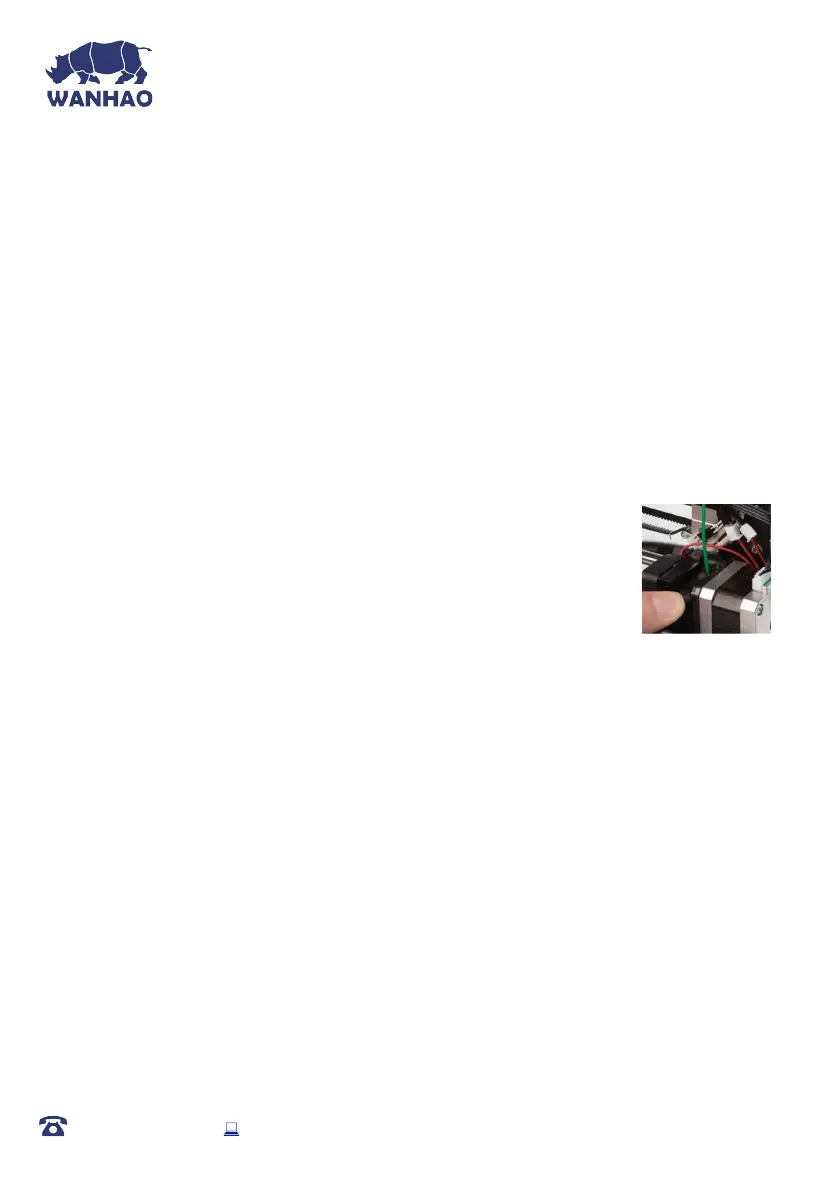
reached. Insert the end of the lament into the hole on the Extruder as shown
4. While holding the lament in place with one hand, press Tool
→
move
→
E Axis
→
+. Navigate to and select Extruder > Extr.
Position. Gently push down on the lament while click +. You will feel
the filament being pulled into the Extruder. Continue until a few centimetres have
extruded out of the nozzle. Carefully clean the extruded lament off the Heated Print Bed
and nozzle using a cloth taking care not to burn yourself on the hot surfaces
5. Insert the included SD card into the slot on the side of the Control Box. Press
to enter the menu system. Navigate to and select Print - Print File
AFTER SALES SUPPORT
86-571-23290996
support@wanhao3dprinter.com
Model : Duplicator I3 Plus
16
IMPORTANT NOTE: Levelling the bed is an extremely important step and if it is not done
correctly every time, your prints will fail or be of poor quality














 To Next Page