IP Camera W2(1080P)/W3(720P)
32
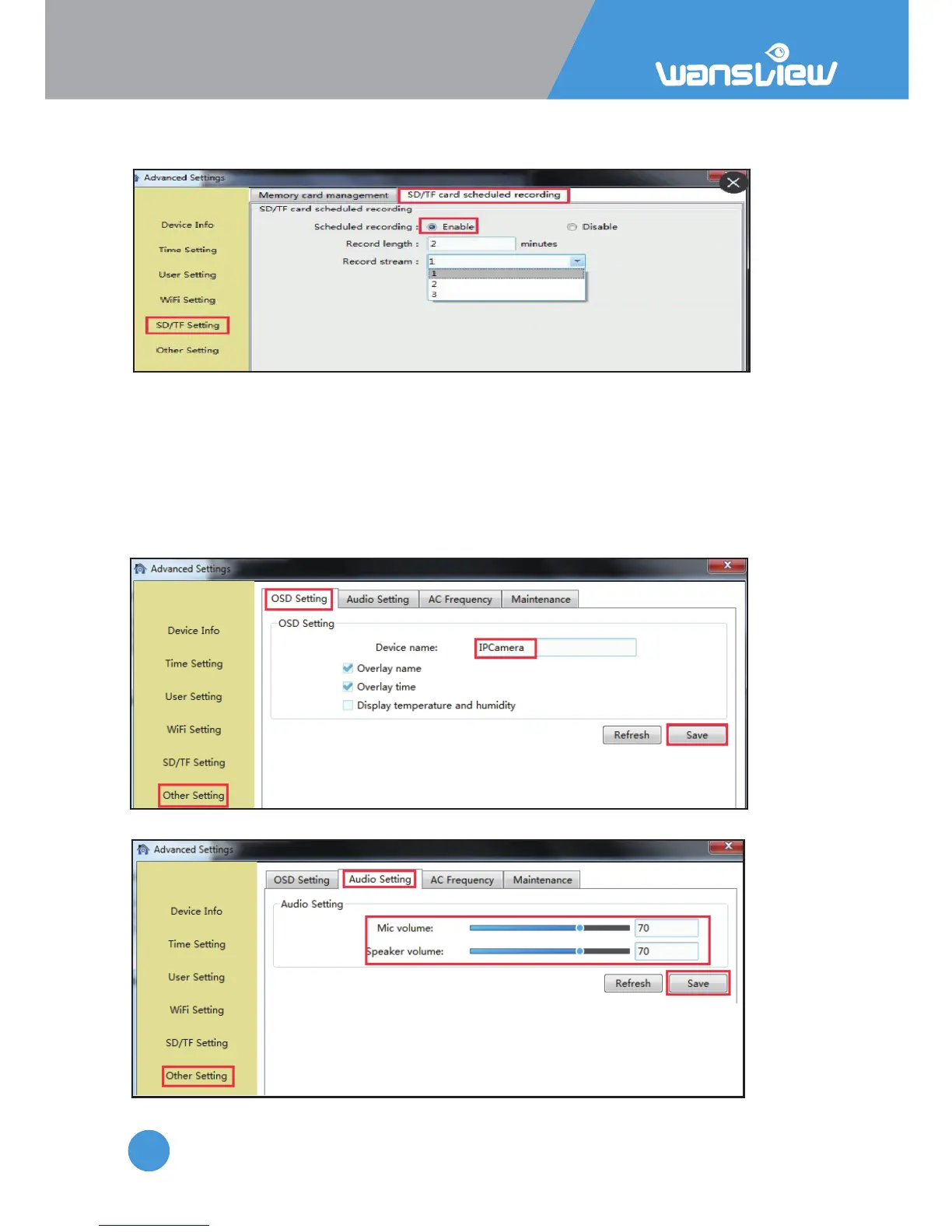
the record length can be set 2-15 minutes
User can record video to SD card.
Before recording, please kindly make sure you have inserted a SD card, and format it.
3.3.2.6 Other Seng
1) OSD seng
On the OSD seng, users can set up the Overlay name and Overlay me, so user can
check name and me on the video screen.
If Overlay name and Overlay me and Display temperature and humidity are checked at
the same, the Device name will show Temperature and Humidity.
Note: The temperature and humidity are unavailable on this model.
2) Audio
User can adjust the power frequency, Power frequencies
include: 50HZ(220V voltage selects 50HZ), 60HZ(110V
voltage selects 60HZ), 60HZ used in Japan, Canada etc



 To Next Page