IP Camera W2(1080P)/W3(720P)
37
3.3.4
Web Access
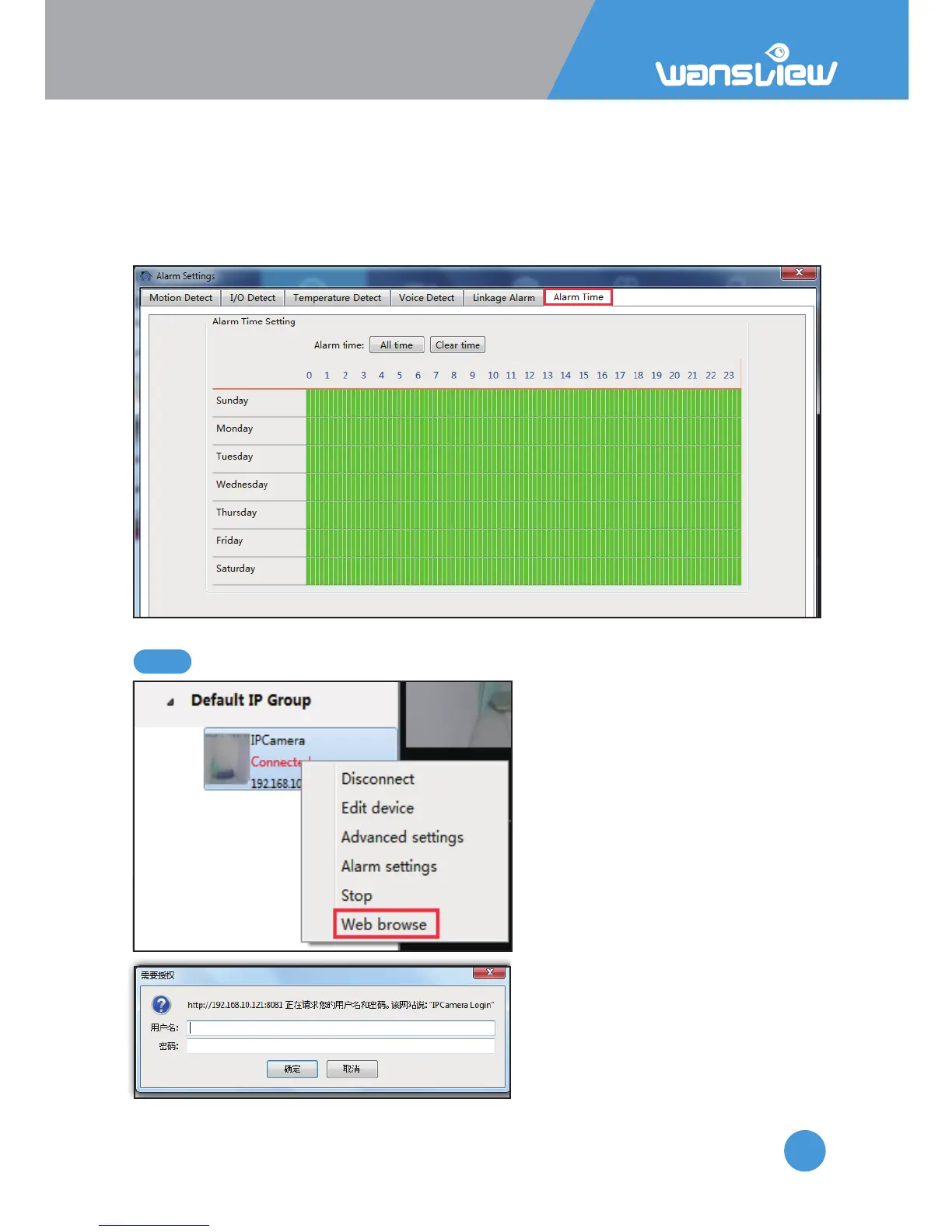
3.3.3.4 Alarm Time
Aer seng the type of alarm and alarm acon, please set up the alarm me, the alarm
acon can only be triggered when armed. The Green color means the me is armed. User
can choose “All Time” or “Clear Time”, and can also choose a specific me. 15 mintues for
a interval. The user can drag the mouse to perform connuous selecon of the arming
me.
If the camera is added via IP Address,
right click and select web access can
access the camera with default
browser.
Tips: The Edge is not supported,
please use Internet Explorer or
Firefox or Chrome.



 To Next Page