IP Camera W2(1080P)/W3(720P)
12
2.3 Live Streaming
Each camera can be accessed by up to 4 users at the same me.
The administrator can setup 3 different levels of access: administator, operator and
viewer.Please refer to Page 22.
Viewing Camera on a Single Window
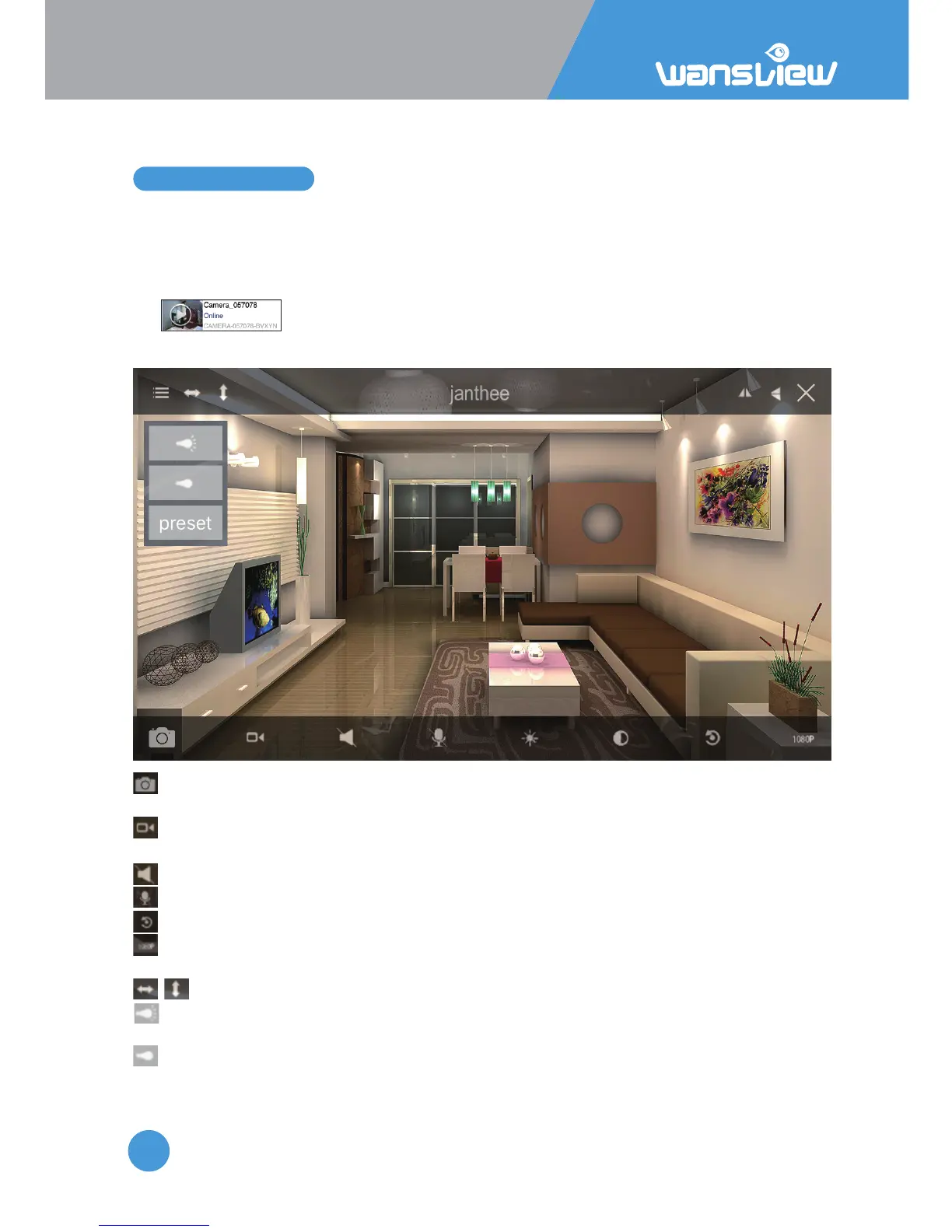
Tap to enter the live feed and do more operaons.
Tap the monitoring screen to see the video menu.
Snapshot: User can save snapshot picture to the mobile phone storage, and can check
the snapshot from More-Pictures or from Local Picture/Record.
Record: User can record video to the mobile phone, and check it from More-Records
or Local Picture/Record.The record will stop if you leave the live video screen.
Listen: unavailable
Talk: unavailable
Restore: To restore the Contrast and Brightness to default value.
Resoluon: Switch between 1080P and 480P. When the network is not good, try
lower down the resoluon to 480P to get a smooth video feed.
Cruise Vercally/Horizontally : unavailable
IR Auto: IR Led switches on at night when the luminosity is under 5 lux, if the camera
has no night vision, tap here to enable the IR led.
IR OFF: Tap here to turn off the IR light, if disabled, camera has no night vision.
Preset: unavailable
1080P
When the camera shows “Online”, tap “>” to Advanced Sengs > User Seng to change
the default User name and Password. This process is outlined in 2.6.2 User Seng.



 To Next Page