IP Camera W2(1080P)/W3(720P)
11
2.2 WiFi Setting
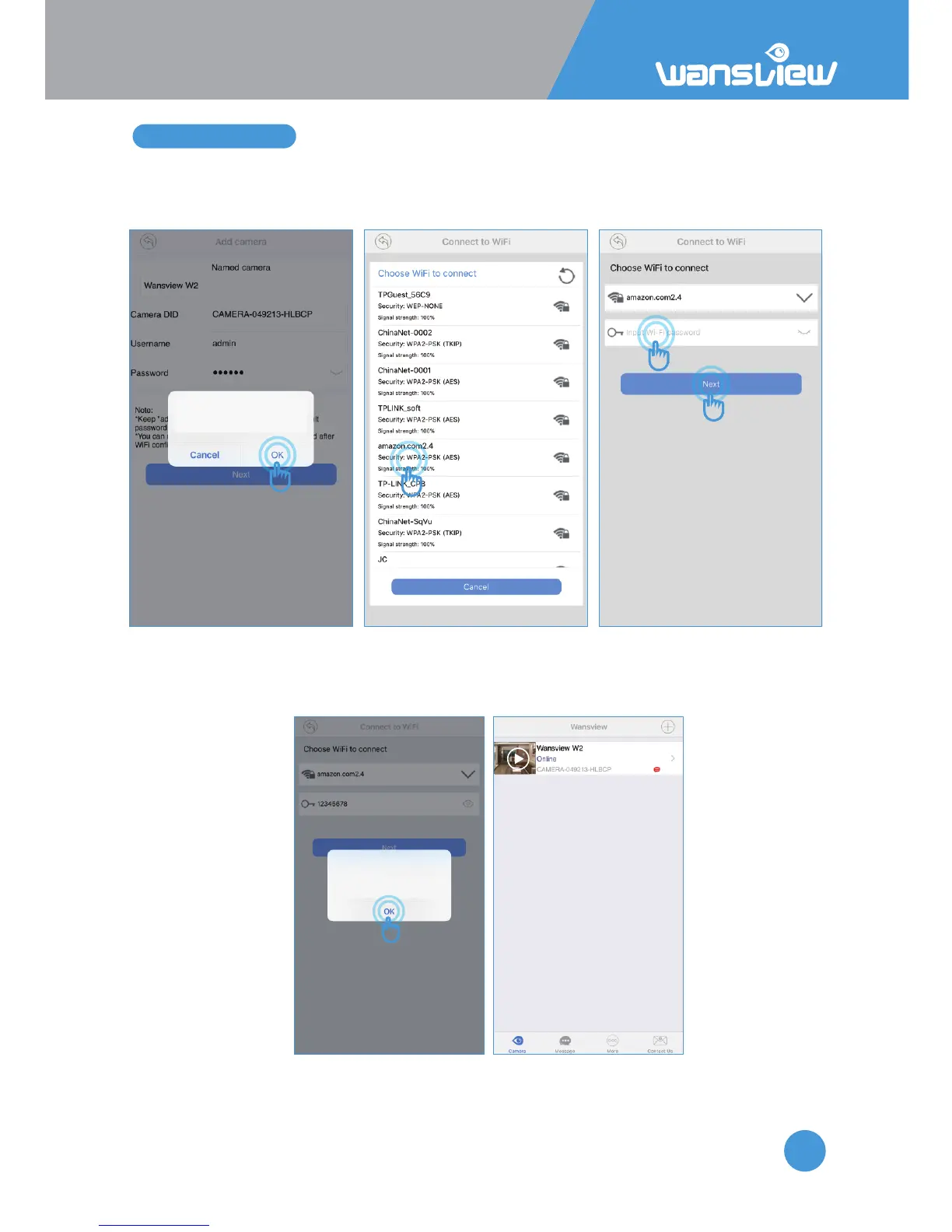
If want to set up WiFi, tap the “OK” , then app will search the available WiFi, choose your router’s 2.4G
WiFi(Aenon: Special characters “ &” and “ , ” cannot be contained in the WiFi name and password),
and input correct WiFi password (Case sensive), then “Next”.
Tips
Connect success,do you want to set
up WiFi?
“Set WiFi success” will appear, then tap “OK”, camera will be “online”, and ethernet cable can be
unplugged and move to other locaon, where has a good WiFi signal.
If failed, please check WiFi informaon again.
Set WiFi success
You can choose to unplug the network
cable,choose to connect the camera
via WiFi.
Aenon: The camera is not baery operated, to make it to work, camera must be
plugged into the power socket all the me.



 To Next Page